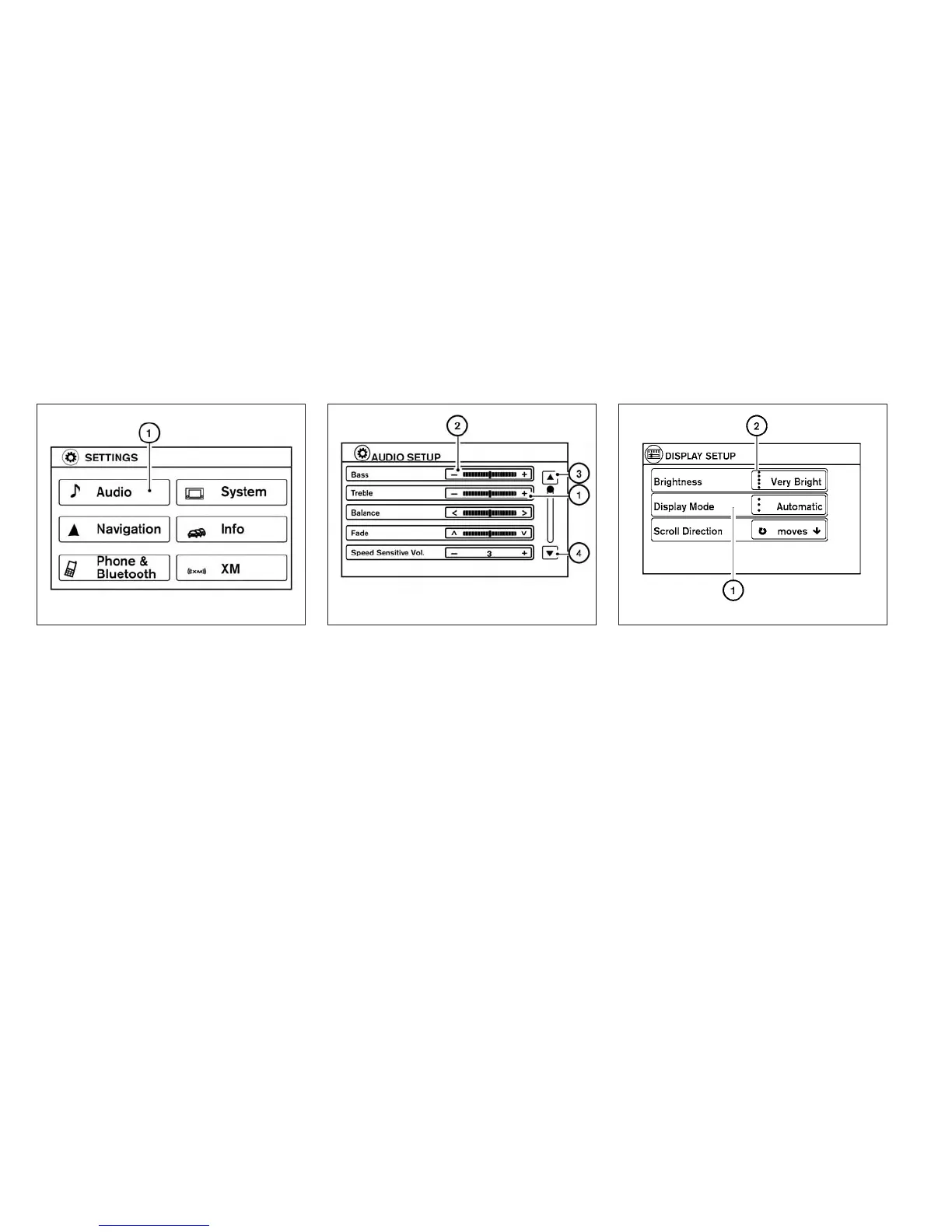
Touch screen operation
Selecting the item:
Touch an item to select. For example, to select
the “Audio” key, touch the “Audio” key
䊊
1
on the
screen.
Adjusting the item:
For screens where an item can be adjusted incre-
mentally, such as when adjusting the bass and
treble for the audio system, touch the “+” key
䊊
1
or the “⫺”key
䊊
2
to adjust the settings of an item.
When there are more items than can be dis-
played on one screen, touch the up arrow
䊊
3
to
scroll up the page or touch the down arrow
䊊
4
to
scroll down the page.
Other items are adjusted by selecting one of a set
number of conditions. For example, the Display
Mode can be set to “Automatic”, “Day” or “Night”.
To adjust this type of item, touch the item
䊊
1
. The
item will cycle through the available settings and
the red indicator lights to the left of the setting
condition
䊊
2
will come on or turn off accordingly.
LHA2245 LHA2246 LHA1478
4-4 Monitor, climate, audio, phone and voice recognition systems



 To Next Page