iPod®* PLAYER OPERATION
WITHOUT NAVIGATION SYSTEM (if
so equipped)
Connecting iPod®
WARNING
Do not connect, disconnect or operate the
USB device while driving. Doing so can be
a distraction. If distracted you could lose
control of your vehicle and cause an acci-
dent or serious injury.
CAUTION
● Do not force the USB device into the
USB port. Inserting the USB device
tilted or up-side-down into the port may
damage the port. Make sure that the
USB device is connected correctly into
the USB port.
● Do not grab the USB port cover (if so
equipped) when pulling the USB device
out of the port. This could damage the
port and the cover.
● Do not leave the USB cable in a place
where it can be pulled unintentionally.
Pulling the cable may damage the port.
Refer to your device manufacturer’s owner infor-
mation regarding the proper use and care of the
device.
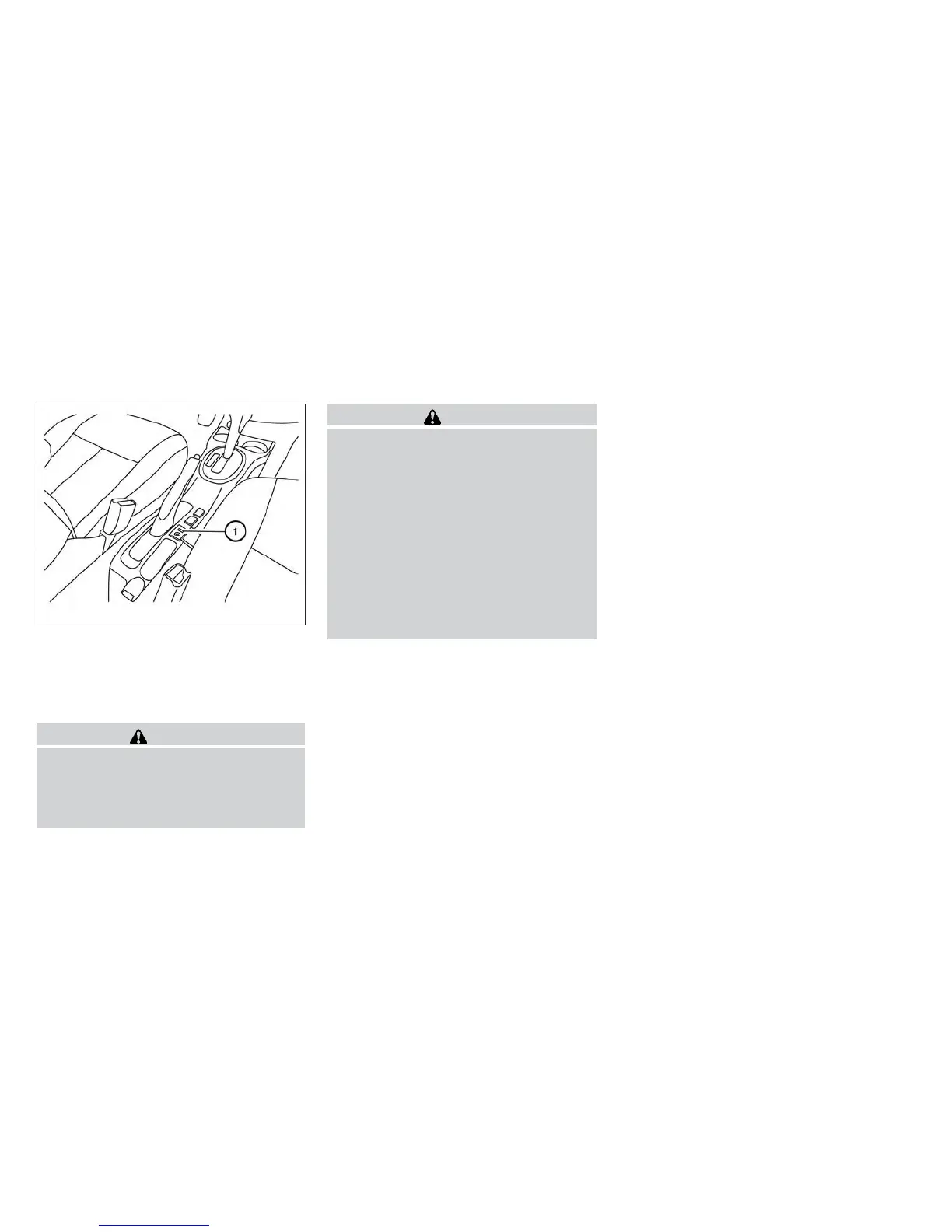
To connect an iPod® to the vehicle so that the
iPod® can be controlled with the audio system
controls and display screen, use the USB jack
located on the center console near the parking
brake
䊊
1
. Connect the iPod®-specific end of the
cable to the iPod® and the USB end of the cable
to the USB jack on the vehicle. If your iPod®
supports charging via a USB connection, its bat-
tery will be charged while connected to the ve-
hicle with the ignition switch in the ACC or ON
position.
While connected to the vehicle, the iPod® can
only be operated by the vehicle audio controls.
To disconnect the iPod® from the vehicle, re-
move the USB end of the cable from the USB
jack on the vehicle, then remove the cable from
the iPod®.
* iPod® is a trademark of Apple Inc., registered in
the U.S. and other countries.
Compatibility
The following models are available:
● Fifth generation iPod® (Firmware version
1.2.1 or later)
● First generation iPod Classic® (Firmware
version 1.1 or later)
● Second generation iPod Classic® (Firm-
ware version 2.0.3 or later)
● First generation iPod touch® (Firmware ver-
sion 2.1.0 or later)
● Second and third generation iPod touch®
(Firmware version 3.1.2 or later)
● First generation iPod nano® (Firmware ver-
sion 1.3.1 or later)
● Second generation iPod nano® (Firmware
version 1.1.3 or later)
LHA8803
Monitor, climate, audio, phone and voice recognition systems 4-57



 To Next Page