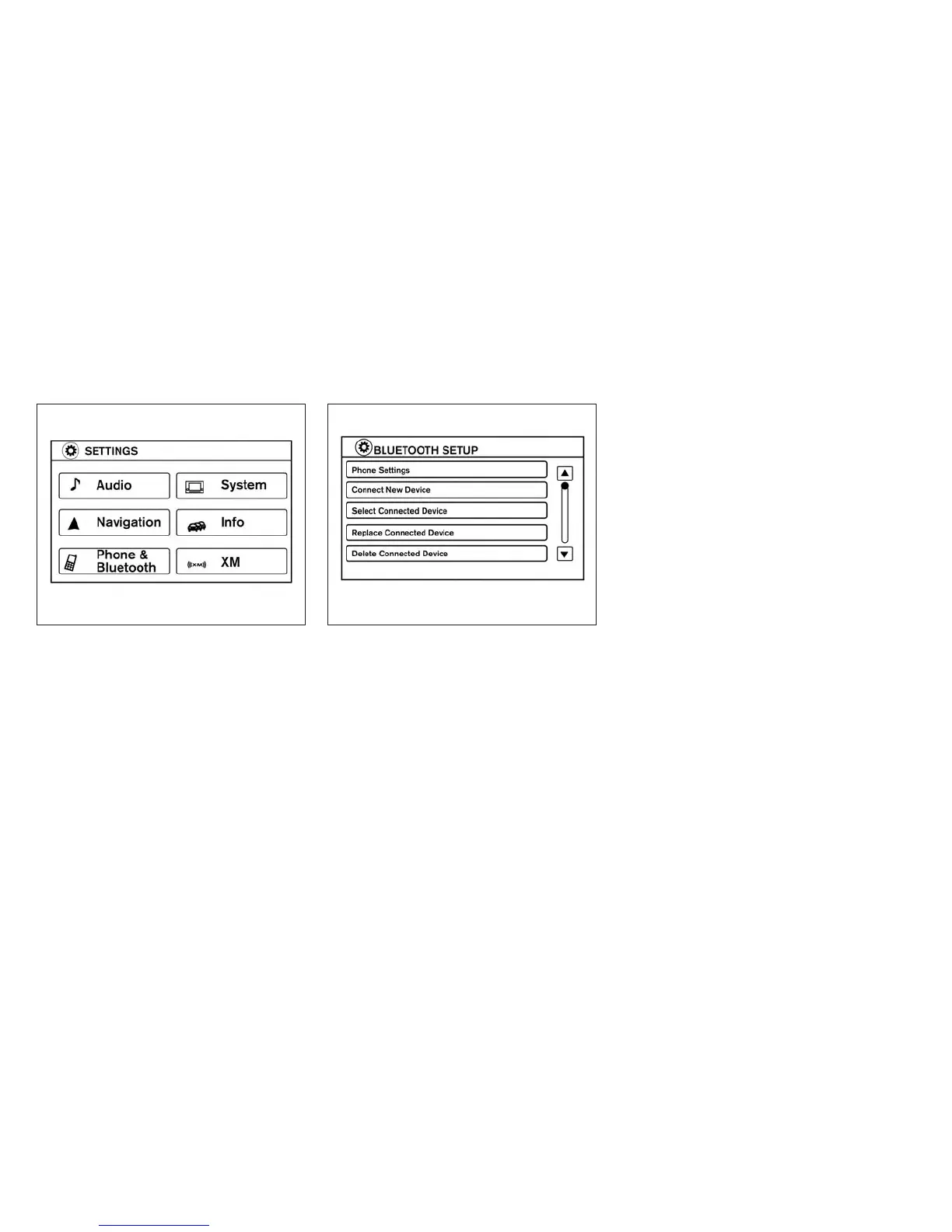
3. Select the “Phone & Bluetooth” key.
● Phone Settings
See “Phone settings” in this section for more
information.
● Connect New Device
Select to connect a new Bluetooth® device
to the Bluetooth® Hands-Free Phone Sys-
tem.
● Select Connected Device
Select to choose a Bluetooth® device from
a list of those devices connected to the
Bluetooth® Hands-Free Phone System.
● Replace Connected Device
Select to replace a Bluetooth® device from
a list of those devices connected to the
Bluetooth® Hands-Free Phone System.
● Delete Connected Device
Select to delete a Bluetooth® device from a
list of those devices connected to the
Bluetooth® Hands-Free Phone System.
● Bluetooth
Select to toggle the Bluetooth® on and off.
LHA2248 LHA2265
4-92 Monitor, climate, audio, phone and voice recognition systems



 To Next Page