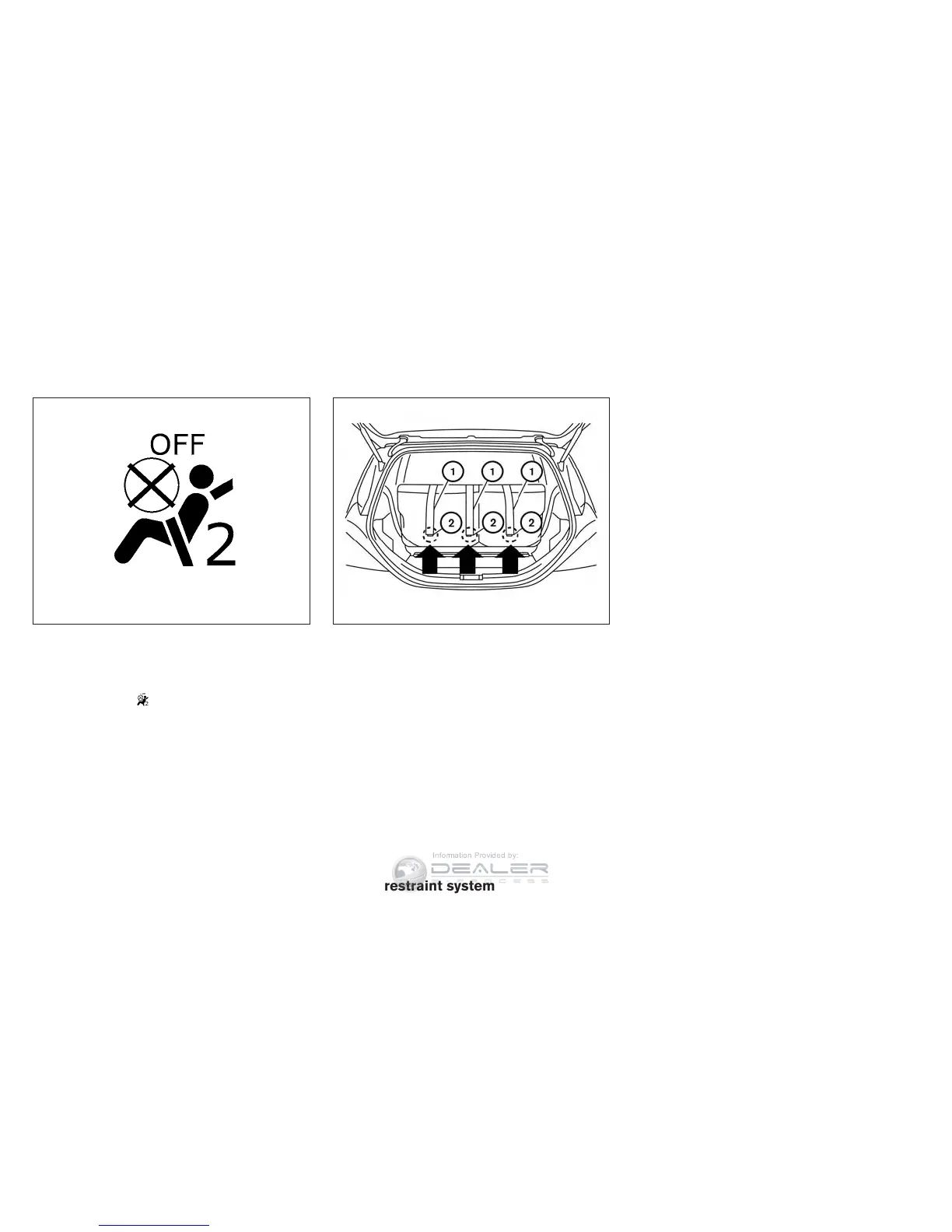
10. If the child restraint is installed in the front
passenger seat, place the ignition switch in
the ON position. The front passenger air bag
status light
should illuminate. If this
light is not illuminated, see ⬙Front passenger
air bag and status light⬙ in this section.
Move the child restraint to another
seating position. Have the system
checked by a NISSAN dealer.
After the child restraint is removed and the seat
belt is fully retracted, the ALR mode (child re-
straint mode) is canceled.
1. Top tether strap
2. Anchor point
INSTALLING TOP TETHER STRAP
The child restraint top tether strap must be used
when installing the child restraint with the seat-
belts.
First, secure the child restraint with the seatbelts.
2nd row bench seat
Outboard seating positions
1. Remove the head restraint/headrest and
store it in a secure place. Be sure to reinstall
the head restraint/headrest when the child
restraint is removed. For additional infor-
mation, refer to “Head restraints/
headrests” in this section for head
restraint/headrest adjustment,
removal and installation information.
2. Position the top tether strap
䊊
1
over the
seatback.
3. Secure the tether strap to the tether anchor
point
䊊
2
on the bottom of the seatback be-
hind the child restraint.
4. Tighten the tether strap according to the
manufacturer’s instructions to remove any
slack.
Center seating position
1. Remove the head restraint/headrest and
store it in a secure place. Be sure to reinstall
the head restraint/headrest when the child
restraint is removed. For additional infor-
mation, refer to “Head restraints/
headrests” in this section for head
restraint/headrest adjustment,
removal and installation information.
Forward-facing – step 10
WRS0475
2nd row bench seat
LRS2455
1-38 Safety—Seats, seat belts and supplemental restraint system



 To Next Page