• Communication becomes unavailable when the
vehicle is not used for two weeks or more.
When the power switch is placed in the ON
position, communication with the Nissan Data
Center can be restored.
• Air conditioning is limited to the capacity of the
electric power when the charge connector is
connected to the vehicle. Therefore, the tem-
perature may not reach a comfortable level due
to performance of the air conditioning being
limited, if the outside temperature is excessively
high or low, or if the charge connector is con-
nected to a 120-volt outlet.
• If the power switch is in the ON position or the
charge connector is disconnected, while the
remote climate control is being operated, re-
mote climate control operation is automatically
stopped and an e-mail is sent.
• If remote climate control operation is started
while the vehicle is in normal charge mode, the
climate control operates in climate control pri-
ority mode and charging is continued.
• If remote climate control operation is started
and charging is stopped while the vehicle is in
quick charge mode, climate control operation is
also stopped.
• If the quick charge connector is connected and
charging is not performed, remote climate con-
trol operation starts using the battery electric
power of the vehicle.
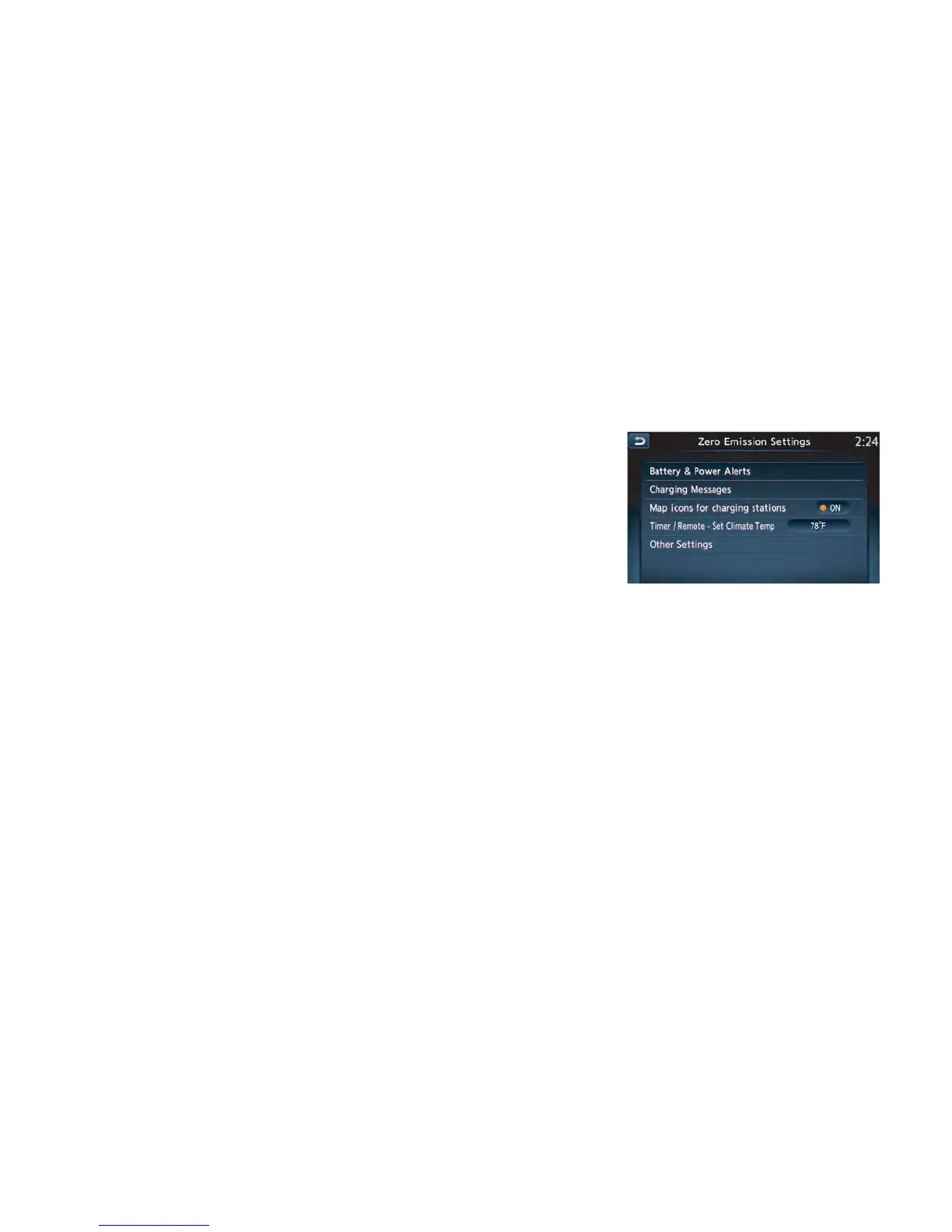
Temperature settings
This procedure sets the temperature of Climate
Ctrl. timer and remote climate control.
1. Press the Zero Emission menu key. Touch
“Zero Emission Settings”.
2. Touch “Timer/Remote – Set Climate Temp”.
Display screen, heater, air conditioner, audio and phone systems 4-37



 To Next Page