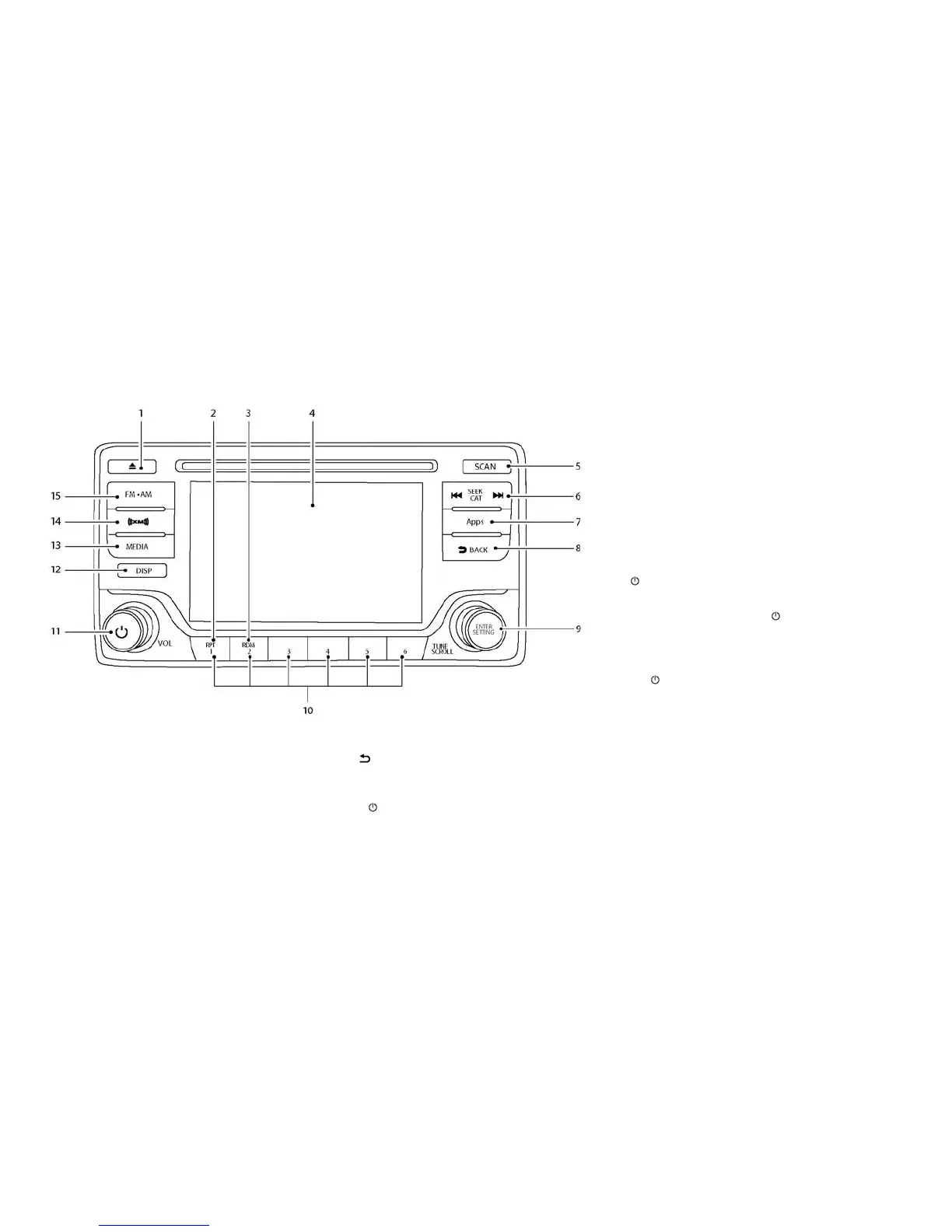
FM-AM-SAT RADIO WITH
COMPACT DISC (CD) PLAYER
1. CD EJECT button
2. RPT (repeat) button
3. RDM (random) button
4. Display screen
5. SCAN button
6. SEEK button CAT button
7. Apps button
8.
BACK button
9.
TUNE/SCROLL knob /ENTER/SETTING button
10. Station select (1–6) buttons
11.
(power) button /VOL (volume) con-
trol knob
12. DISP button
13. MEDIA button
14. XM button
15. FM·AM button
For additional information, refer to “Audio opera-
tion precautions” in this section.
•
No satellite radio reception is available when the
SAT band option is selected unless a SiriusXM®
Satellite Radio subscription is active.
• The satellite radio is not available in Alaska,
Hawaii and Guam.
Audio main operation
(Power)/VOL (Volume) control knob
Place the power switch in the ACC or ON posi-
tion, and then press the
button while the
system is off to turn on the last audio source,
which was playing immediately before the system
was turned off. While the system is on, pressing
the
button turns the system off.
Turn the VOL control knob to adjust the volume.
This vehicle may be equipped with speed sensi-
tive volume. When this feature is active, the audio
volume changes as the driving speed changes.
ENTER/SETTING button
When the audio screen is displayed, press the
ENTER/SETTING button to show the Settings
screen on the display. Turn the TUNE/SCROLL
knob to navigate the options and then press the
ENTER/SETTING button to make a selection.
Display screen, heater, air conditioner, audio and phone systems 4-47



 To Next Page