If the CD comes out and is not removed, it
will be pulled back into the slot to protect it.
AUX IN jack
The AUX IN jack is located under the control
panel. The AUX IN audio jack accepts any stan-
dard analog audio input such as from a portable
cassette tape/CD player, MP3 player or laptop
computer.
MEDIA
With a CD loaded, press the MEDIA button until
the CD mode is displayed on the screen. Press-
ing the MEDIA button repeatedly will maneuver
through CD, USB, Bluetooth® Audio and AUX
modes.
APPS button
For additional information, refer to “NissanCon-
nect
SM
Mobile Apps” in this section regarding
“My Apps” key.
CD/MP3 display mode
While listening to an MP3/WMA CD, certain text
may be displayed on the screen if the CD has
been encoded with the text information. Depend-
ing on how the MP3/WMA CD is encoded, infor-
mation such as artist, song and folder will be
displayed.
The track number and total number of tracks in
the current folder or on the current disc are
displayed on the screen as well.
TUNE/SCROLL knob (MP#/WMA CD only)
If a MP3/WMA CD with multiple folders is play-
ing, turn the TUNE/SCROLL knob to change
folders. Turn the knob to the left to skip back a
folder. Turn the knob to the right to skip ahead a
folder.
Additional features
For additional information about the iPod® player
available with this system, refer to “iPod® player
operation (models without Navigation System)”
in this section.
For additional information about the USB inter-
face available with this system, refer to “USB
(Universal Serial Bus) Connection Port Opera-
tion (models without Navigation System)” in this
section.
For additional information about the Bluetooth®
audio interface available with this system, refer to
“Bluetooth® streaming audio (models without
Navigation System)” in this section.
USB (UNIVERSAL SERIAL BUS)
CONNECTION PORT (MODELS
WITHOUT NAVIGATION SYSTEM)
Connecting a device to the USB
(Universal Serial Bus) connection port
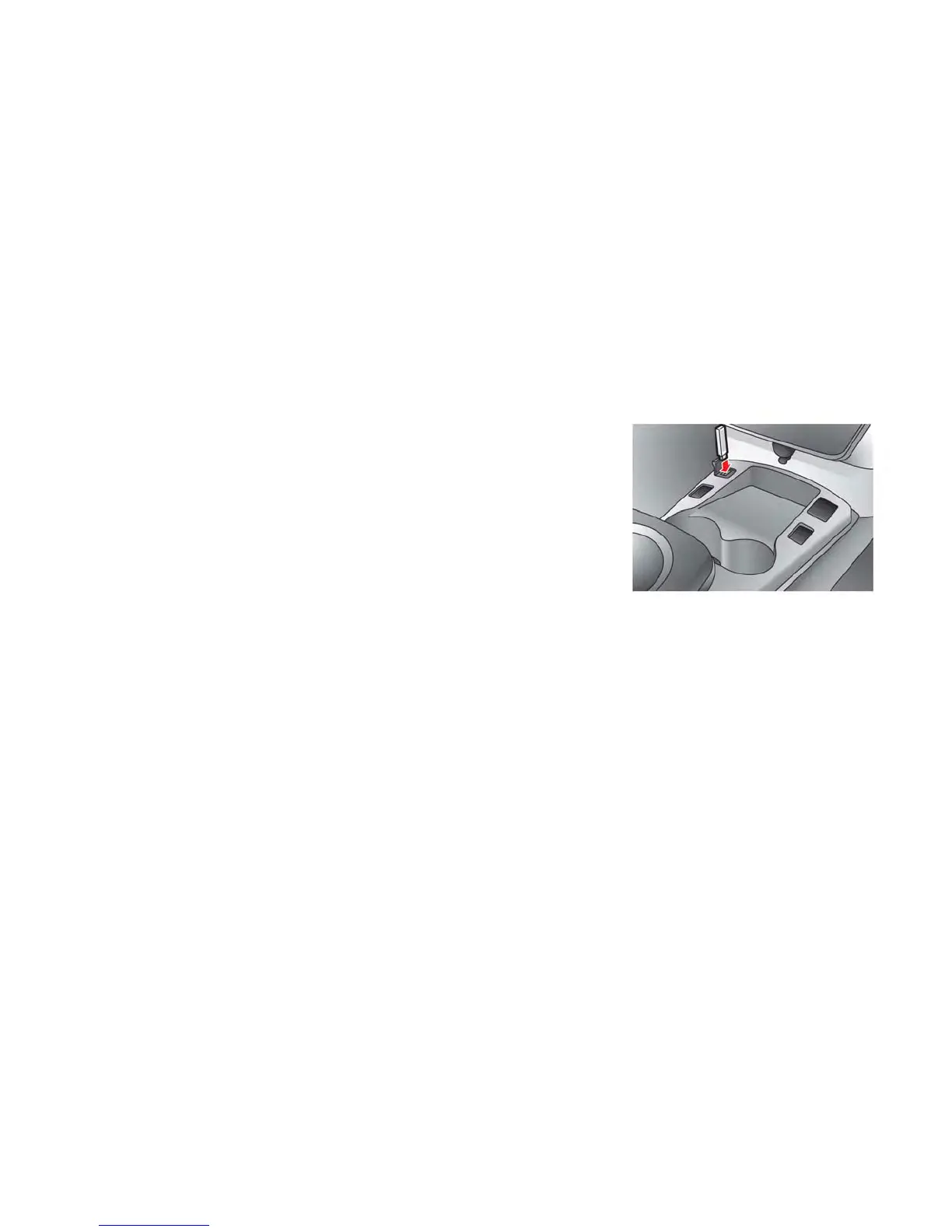
The USB outlet connector is located in the center
console. Open the lid and connect a USB
memory as illustrated. Then, switch to the USB
memory mode automatically.
If the system has been turned off while the USB
memory was playing, pressing the PWR button
will start the USB memory.
Display screen, heater, air conditioner, audio and phone systems 4-51



 To Next Page