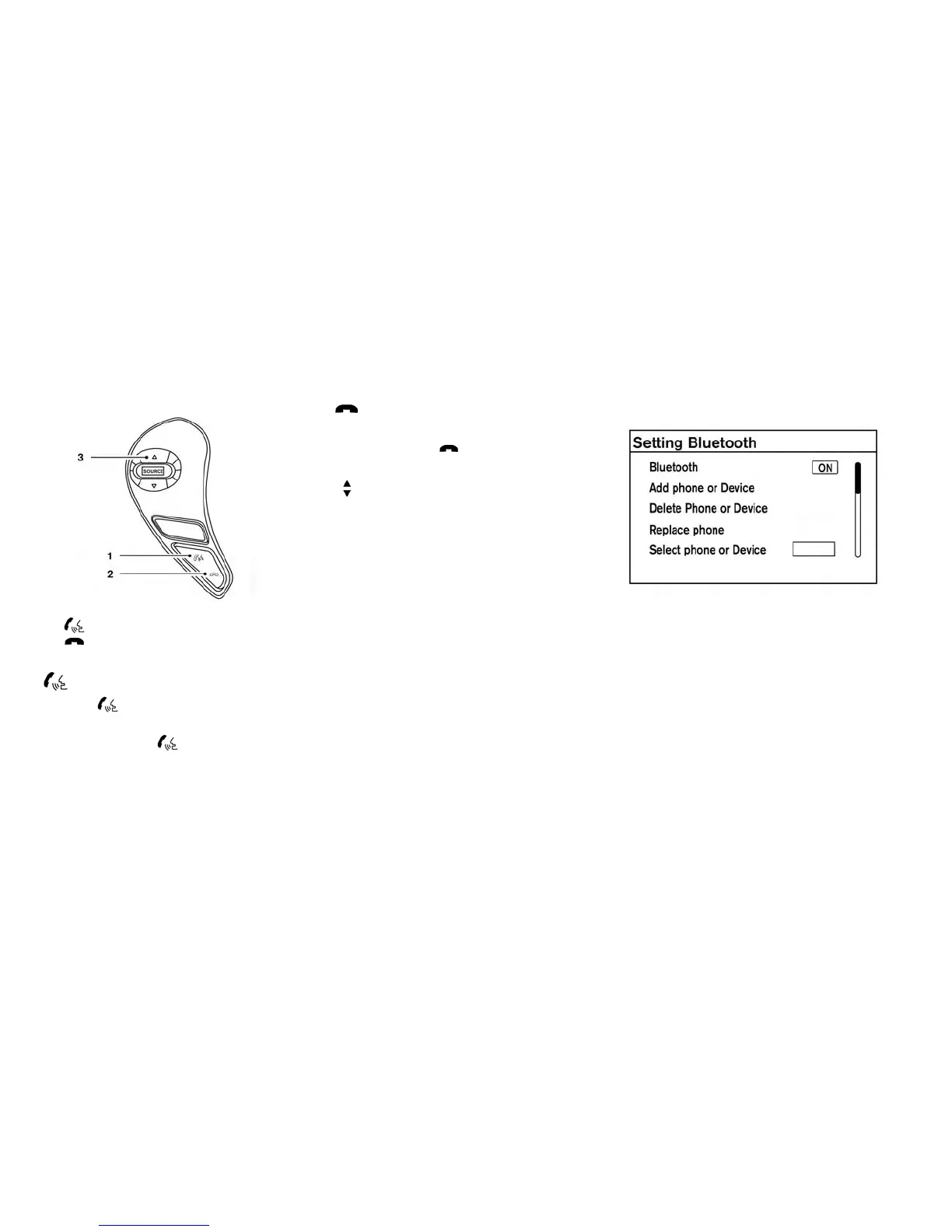
1. Phone/send button
2.
Phone/end button
3. Tuning switch
Phone/send
Press the button to initiate a Voice Recog-
nition session or answer an incoming call.
You can also use the
button to interrupt the
system feedback and give a command at once.
For additional information, refer to “Voice com-
mands” and “During a call” in this section.
Phone/end
While the Voice Recognition system is active,
press and hold the
button for 5 seconds to
quit the Voice Recognition system at any time.
Tuning switch
While using the Voice Recognition system, tilt the
tuning switch up or down to manually control the
phone system.
CONNECTING PROCEDURE
NOTE:
The connecting procedure must be per-
formed when the vehicle is stationary. If the
vehicle starts moving during the procedure,
the procedure will be cancelled.
1. Press the ENTER/SETTING button.
2. Use the TUNE/FOLDER or TUNE/SCROLL
knob to select “Bluetooth” and then press the
ENTER/SETTING button.
Display screen, heater, air conditioner, audio and phone systems 4-63



 To Next Page