CAUTION
Use the headlights with the engine run-
ning to avoid discharging the vehicle
battery.
Headlight beam select
䊊
1
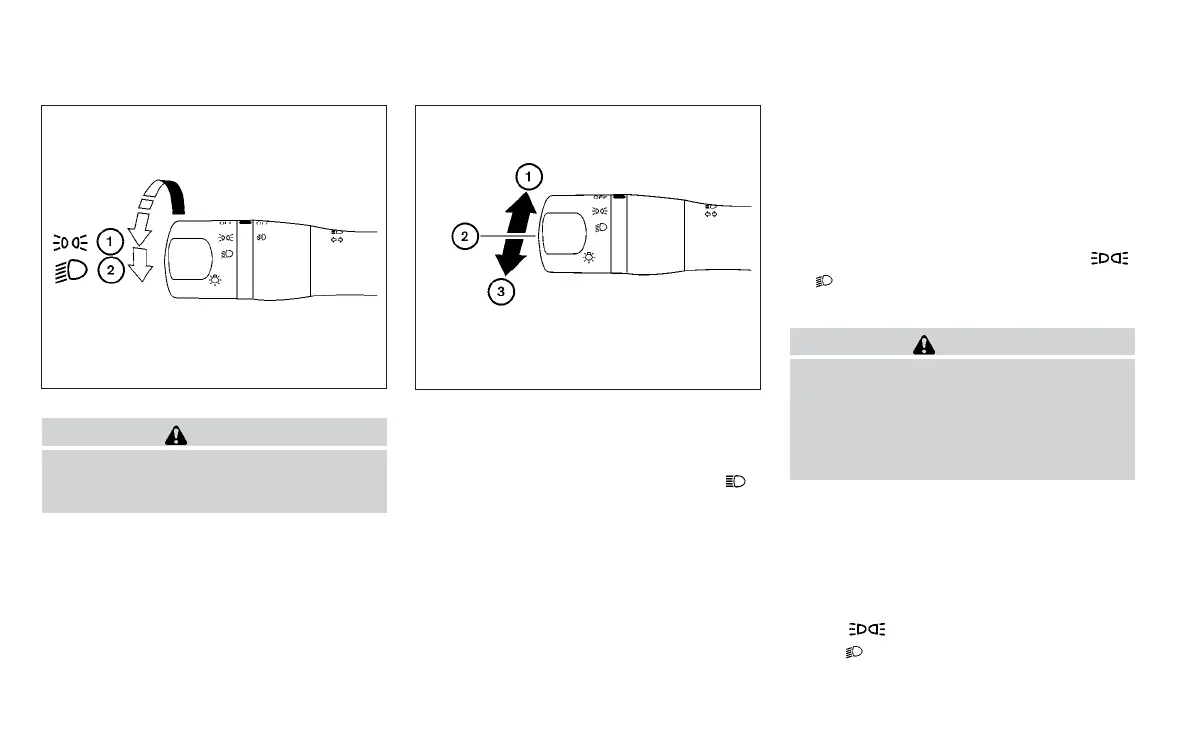
To select the high beam function, engage the
headlights, then push the lever forward. The
high beam lights come on and the
indicator light illuminates (blue). For addi-
tional information, refer to “Headlight control
switch” in this section.
䊊
2
Pull the lever back to return to the low beam.
䊊
3
Pulling and releasing the lever flashes the
headlight high beams on and off, the head-
lights need not be on for this function.
Battery saver system
If the ignition switch is placed in the OFF position
while the headlight switch is in the
or position, the headlights will turn off after
a period of time.
CAUTION
Even though the battery saver feature au-
tomatically turns off the headlights after a
period of time, you should turn the head-
light switch to the OFF position when the
engine is not running to avoid discharging
the vehicle battery.
DAYTIME RUNNING LIGHT SYSTEM
(Canada only)
The daytime running lights automatically illumi-
nate when the engine is started with the parking
brake released. The daytime running lights oper-
ate with the headlight switch in the OFF position
or in the
position. Turn the headlight switch
to the
position for full illumination when
driving at night.
Type B (if so equipped)
WIC1509
LIC2128
2-26 Instruments and controls



 To Next Page