● A new disc may be rough on the inner and
outer edges. Remove the rough edges by
rubbing the inner and outer edges with the
side of a pen or pencil as illustrated.
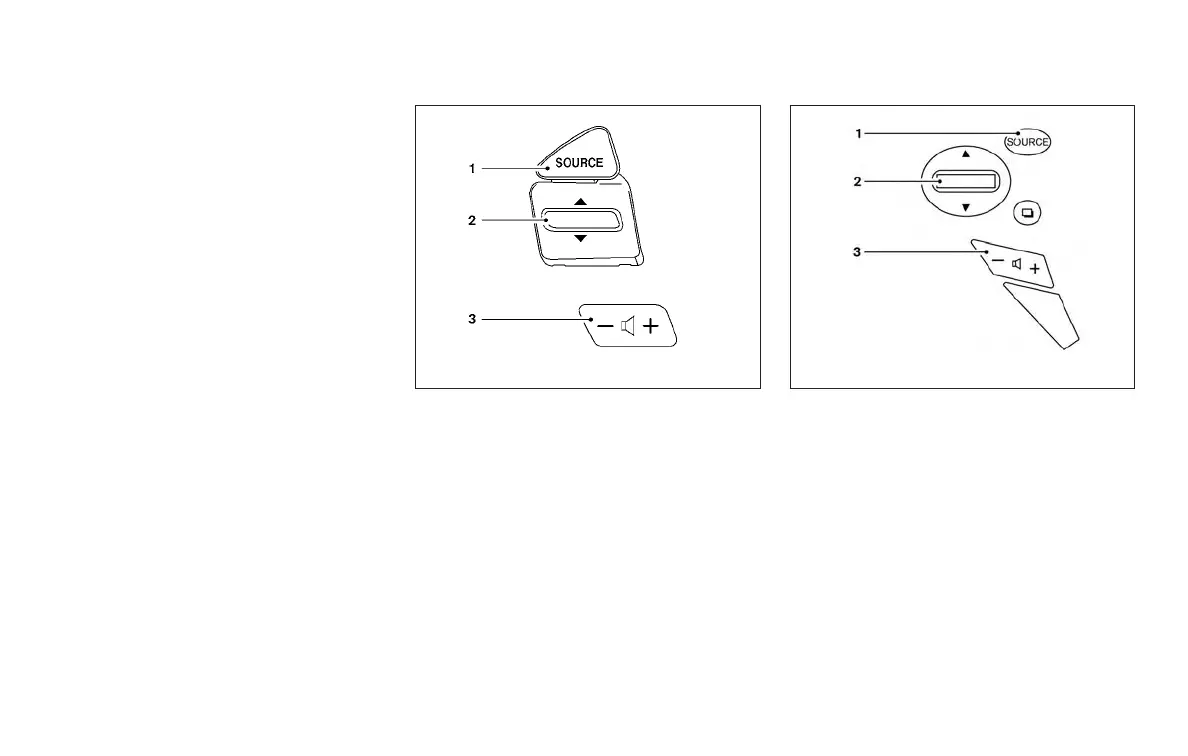
STEERING WHEEL SWITCH FOR
AUDIO CONTROL
1. SOURCE select switch
2. Tuning switch
3. Volume control switch
SOURCE select switch
Push the source select switch to change the
mode in the following sequence:
AM → FM1 → FM2 → XM1 (satellite radio, if so
equipped) → XM2 (satellite radio, if so equipped)
→ XM3 (satellite radio, if so equipped) → CD* →
USB/iPod®* (if so equipped) → Bluetooth® Au-
dio* (if so equipped) → AUX* → AM.
* These modes are only available when compat-
ible media storage is inserted into the device or
connected to the system.
Type A (if so equipped)
LHA2054
Type B (if so equipped)
LHA3052
4-76 Monitor, climate, audio, phone and voice recognition systems



 To Next Page