Black plate (240,1)
Model "F15-D" EDITED: 2010/ 6/ 24
SSD1129
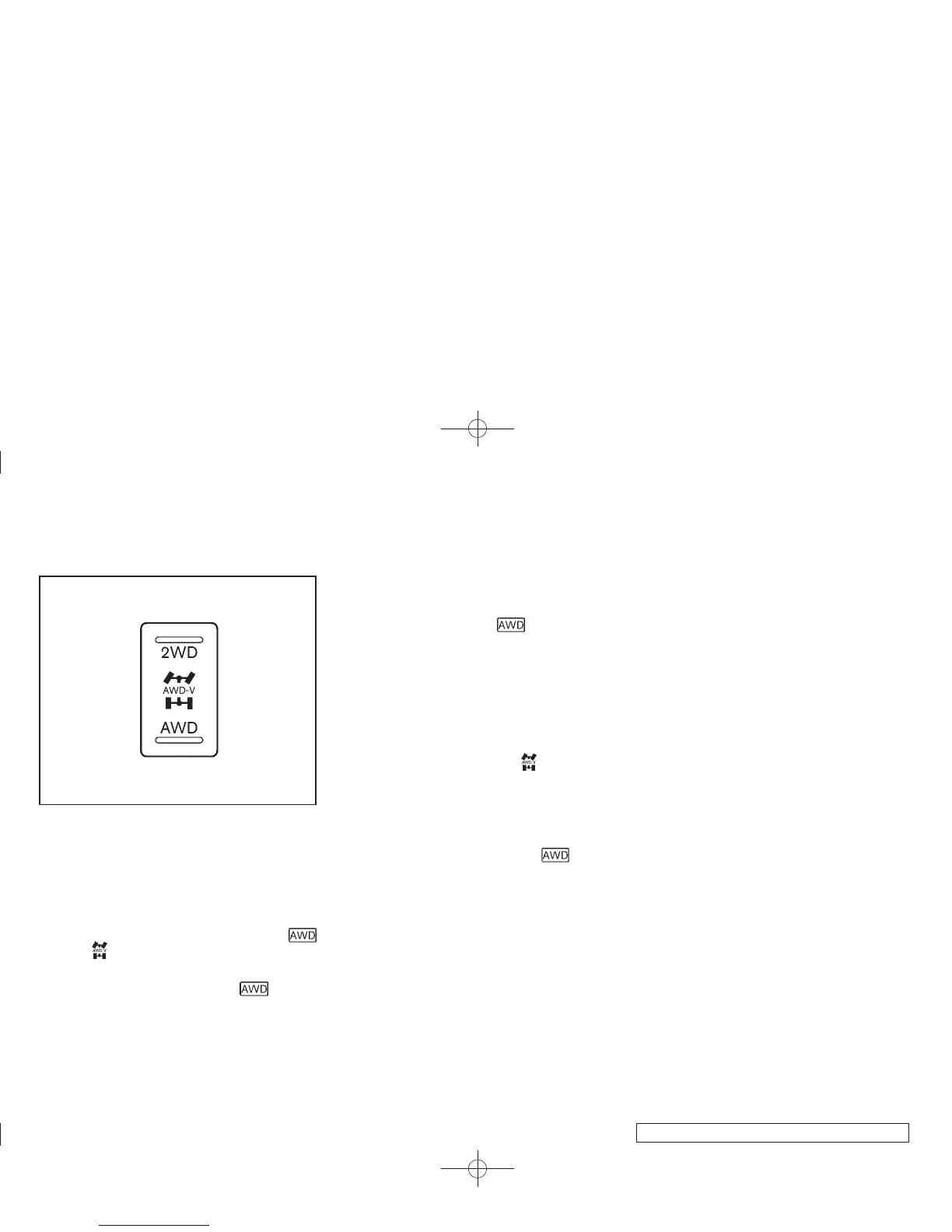
AWD mode switch
ALL-WHEEL DRIVE (AWD) MODE
SWITCH OPERATIONS
The All-Wheel Drive (AWD) system is used to
select the 2WD (Two-Wheel Drive), AWD-V or
AWD mode depending on the driving condi-
tions.
The AWD mode indicator lights (
(green), ) are located in the instrument
panel.
The AWD mode indicator lights
(green)
illuminate when the ignition switch is turned to
the ON position. The indicator lights turn off
within 1 second.
The AWD mode indicator lights will display the
mode selected by the AWD mode switch while
engine is running.
If the AWD warning light
(yellow) illumi-
nates, the AWD mode indicator lights will turn
off.
Push the AWD mode switch, located on the
instrument panel, to select 2WD, AWD-V or
AWD.
AWD-V: Push the AWD mode switch to the
neutral (AWD-V) position. The All-Wheel Drive
(AWD) AWD-V indicator light
in the meter
illuminates.
2WD: Push the AWD mode switch to the 2WD
position.
AWD: Push the AWD mode switch to the AWD
position. The AWD indicator light
(green)
in the meter illuminates.
5-30 Starting and driving



 To Next Page