To view detailed instructional videos regarding these and other features,
please go to www.nissanownersinfo.mobi.
18
FIRST DRIVE FEATURES
HEADLIGHT CONTROL SWITCH
HEADLIGHT CONTROL
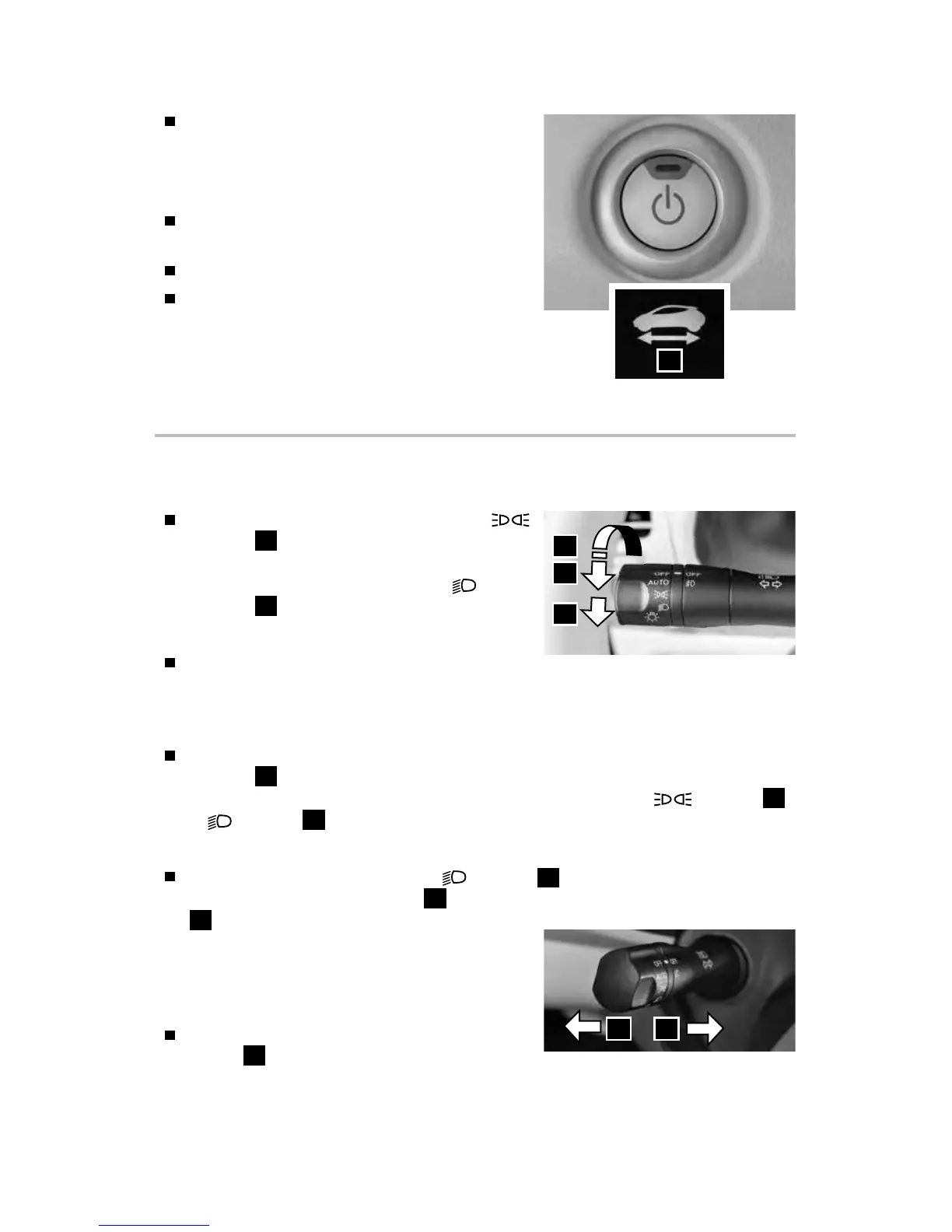
Turn the headlight control switch to the
position
1
to turn on the front parking,
side marker, tail, license plate and instrument
panel lights. Turn the switch to the
position
2
to turn on the headlights.
AUTOLIGHT SYSTEM (if so equipped)
The autolight system will automatically turn
the headlights on when it is dark and o when it is light. The system will keep
the headlights on for a period of time after you turn the ignition o and all doors
are closed.
To activate the autolight system, turn the headlight control switch to the AUTO
position
3
then turn the power switch to ON. To deactivate the autolight
system, turn the headlight control switch to the OFF position,
position
1
or
position
2
.
HIGH BEAM SELECT
With the headlights turned to the
position
2
or the autolight system
switched to the AUTO position
3
, push the headlight control switch forward
4
to select the high beam function. The
blue indicator light will illuminate in the
instrument panel. Pull the headlight switch
back to the original position to select the low
beam. The blue indicator light will extinguish.
Pull and release the headlight control
switch
5
to ash the headlight high
beams on and o.
3
1
2
4 5
Check the Li-ion battery level and the
estimated driving range shown
on the meter.
TURNING THE EV SYSTEM OFF
Push the P (PARK) switch on the shift lever
to place it in the P (PARK) position.
Apply the parking brake.
Push the power switch to the OFF position.
Please see your Owner’s Manual for important safety
information, system limitations, and additional operating and
feature information.
For more information, refer to the “Starting and driving (section 5)” of
your Owner’s Manual.
1



 To Next Page