To view detailed instructional videos regarding these and other features,
please go to www.nissanownersinfo.mobi.
22
FIRST DRIVE FEATURES
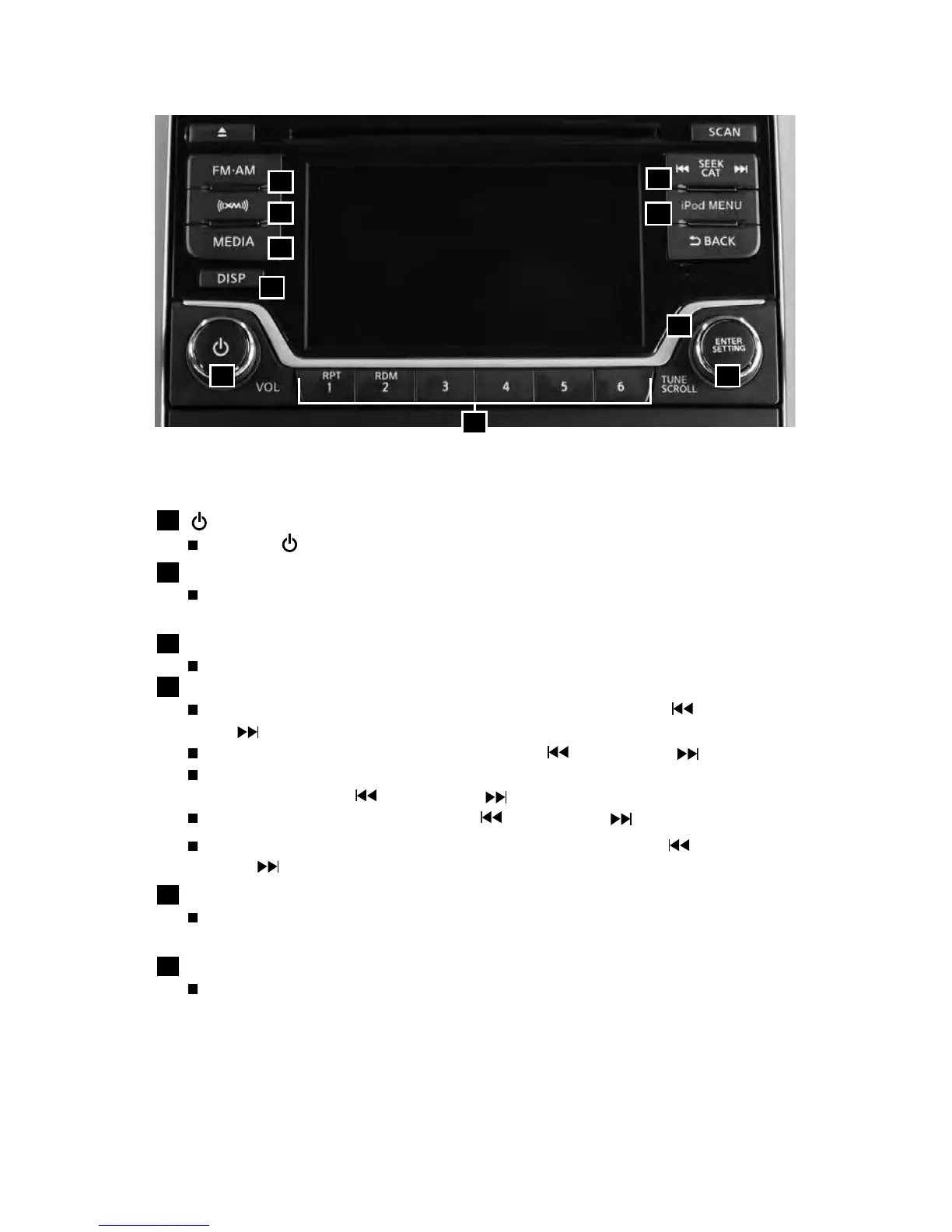
FM/AM/SiriusXM® SATELLITE RADIO WITH CD PLAYER
(if so equipped)
1
(POWER)/VOL (Volume) CONTROL KNOB
Press the (on•o) button to turn the audio system on or o.
2
ENTER/SETTING BUTTON
Press the ENTER/SETTING
button to show the Setting screen on the display
or to make a selection.
3
TUNE/SCROLL KNOB
Turn the TUNE/SCROLL knob to navigate the options.
4
SEEK CAT TRACKING BUTTON
To scan quickly through each broadcasting station, press the button or
the button to move to the next or previous broadcast station.
To seek through stations, press and hold the button or the button.
For satellite radio to switch to the rst channel of the next or previous
category, press the button or the button.
To change tracks on a CD, press the button or the button.
To fast forward or rewind a track on a CD, press and hold the button
or the button.
5
iPOD MENU BUTTON
Press the iPOD MENU button while the iPOD is connected to show the iPOD
operation menu on the audio display.
6
STATION PRESETS
Twelve memory stations can be set for the FM band, six for the AM band
and eighteen for satellite radio. These appear at the bottom of the screen
above the Launch Bar. To change between the FM and satellite radio presets,
respectively, simply swipe the station presets bar or use the arrows.
1 2
3
7
8
4
9
10
5
6



 To Next Page