To view detailed instructional videos regarding these and other features,
please go to www.nissanownersinfo.mobi.
35
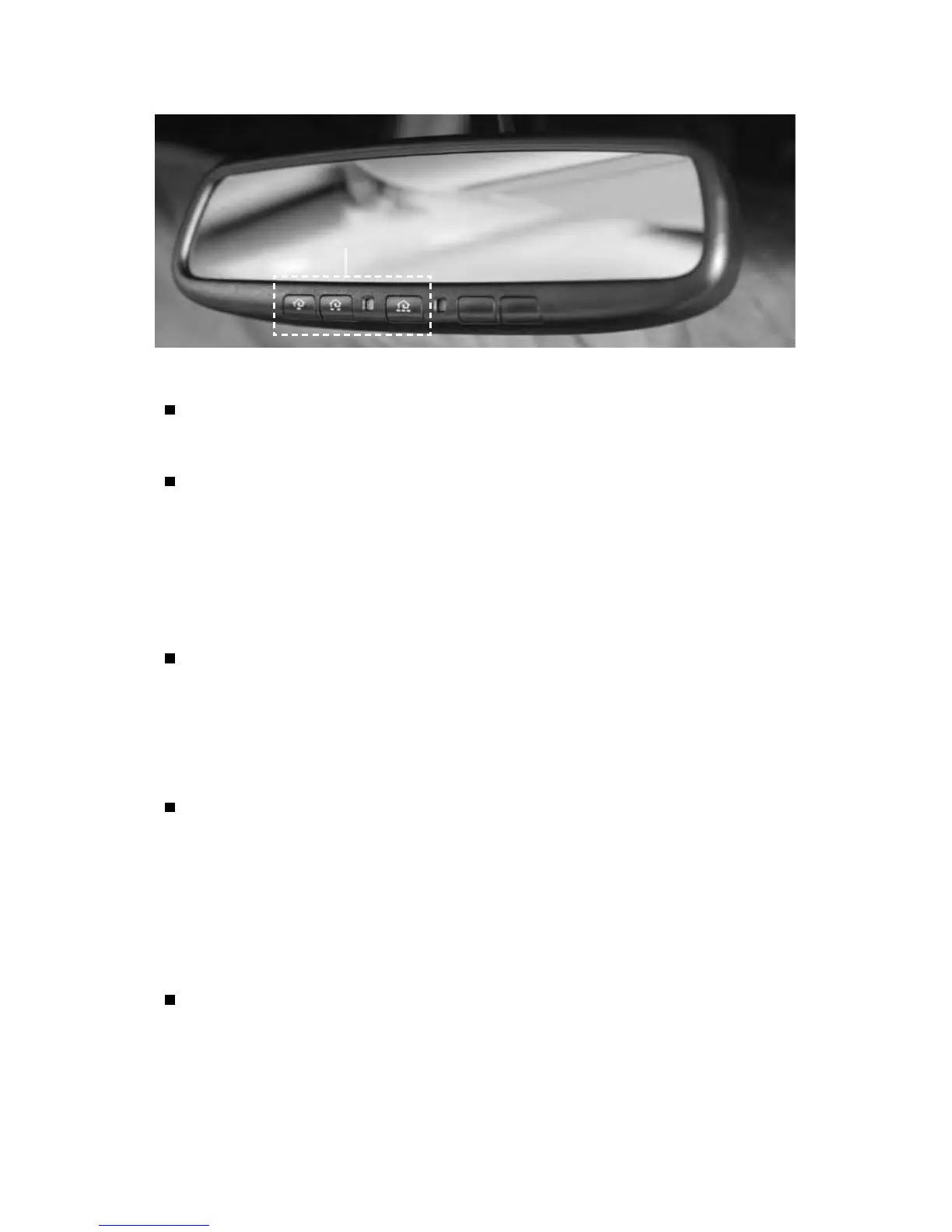
HOMELINK® UNIVERSAL TRANSCEIVER (if so equipped)
The HomeLink® Universal Transceiver can learn and consolidate the functions
of up to three dierent hand-held transmitters, operating items such as garage
doors, property gates, outdoor and indoor lights or alarm systems.
To program the HomeLink® Universal Transceiver:
• Position the handheld transceiver 1-3 in (26-76 mm) away from the HomeLink
surface, keeping the HomeLink indicator light in view.
• Press and hold the desired HomeLink button and the handheld transmitter
button simultaneously until the HomeLink indicator light ashes slowly and
then rapidly.
• Both buttons may be released when the indicator light ashes rapidly.
To verify the programing is complete, press and hold the HomeLink button and
observe the indicator light:
• A solid, continuous light indicates the programing is complete and the
HomeLink button will activate your device.
• A blinking light that turns to a solid, continuous light after 2 seconds indicates
additional steps are required to complete the programing.
An additional person may make the remaining steps easier. To complete the
programing process:
• At the receiver of the device that you are programing to the HomeLink
button, press and release the learn or smart button (the name may vary by
manufacturer, but it is usually located near where the hanging antenna wire
is attached to the unit). You have approximately 30 seconds to initiate the
following step.
• Press and hold the programed HomeLink button for 2 seconds and release.
You may have to repeat the previous two steps up to three times to complete
the programing process. HomeLink should now activate your device.
Please see your Owner’s Manual for important safety information, system limitations, and additional
operating and feature information.
For more information, refer to the “Instruments and controls (section 2)” of your Owner’s Manual, the
HomeLink website at www.homelink.com or call 1-800-355-3515.
HOMELINK



 To Next Page