To view detailed instructional videos regarding these and other features,
please go to www.nissanownersinfo.mobi.
19
CHARGE PORT LID/CHARGE CONNECTOR LOCK SYSTEM
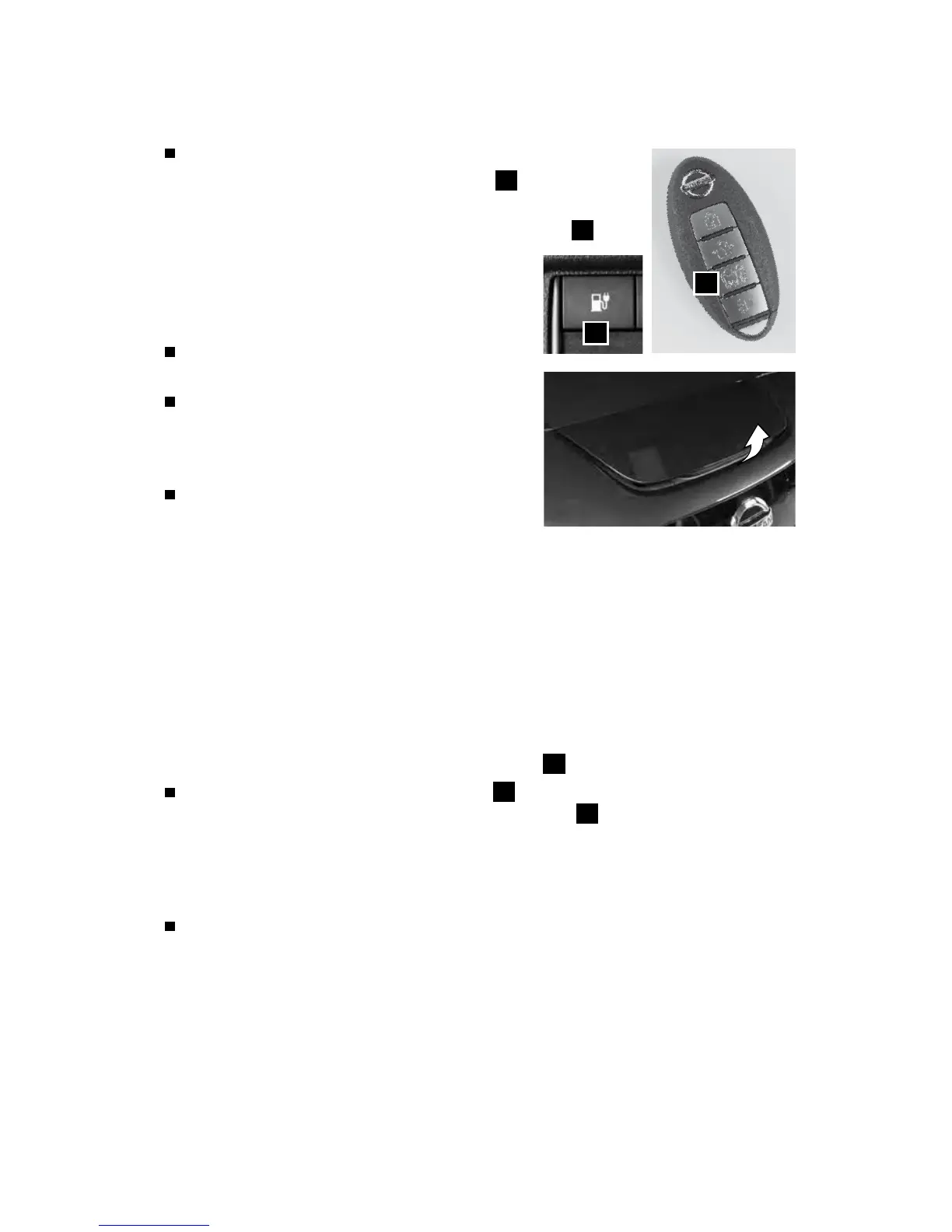
To open the charge port lid, do the following:
• Push the charge port lid opener switch
1
on the
instrument panel, or
• Press and hold the charge port lid opener button
2
on
the Intelligent Key for more than 1 second.
• When the charge port lid springs up slightly,
place your hand underneath the lid and
open it fully.
To close the charge port lid, slowly move the
lid down and lock it securely in place.
The normal or trickle charge connector
can be locked to the normal charge port by
selecting the charge connector lock mode in
the vehicle information display.
There are three dierent modes of the charge
connector lock system:
AUTO – The charge connector is locked while charging is in progress and
unlocked automatically when charging is complete.
LOCK – The charge connector will remain locked until UNLOCK mode is selected
or until the temporary unlock operation is performed.
UNLOCK – When the unlock mode is selected, the charge connector will unlock
and remain unlocked.
TEMPORARY UNLOCK MODE
When the charge connector lock mode is selected AUTO or LOCK in the vehicle
information display, the charge connector lock can be unlocked temporarily with the
Intelligent Key or the charge port lid opener switch
1
on the instrument panel.
Press the charge port lid opener button
2
on the Intelligent Key for more than
1 second or push the charge port lid opener switch
1
on the instrument panel.
• The status indicator light ashes three times.
• A beep sounds three times.
• The charge connector lock is unlocked for 30 seconds.
After 30 seconds, the charge connector lock is locked.
Please see your Owner’s Manual for important safety information, system limitations, and additional
operating and feature information.
For more information, refer to the “Charging (section CH)”, the “Instruments and controls (section 2)”,
the “Pre-driving checks and adjustments (section 3)” and the “Starting and driving (section 5)” of your
Owner’s Manual.
2
1
ESSENTIAL INFORMATION
2948550_18a_Leaf_QRG_100317.indd 19 10/3/17 3:58 PM



 To Next Page