To view detailed instructional videos regarding these and other features,
please go to www.nissanownersinfo.mobi.
22
TIRE PRESSURE MONITORING SYSTEM (TPMS)
WITH EASY-FILL TIRE ALERT
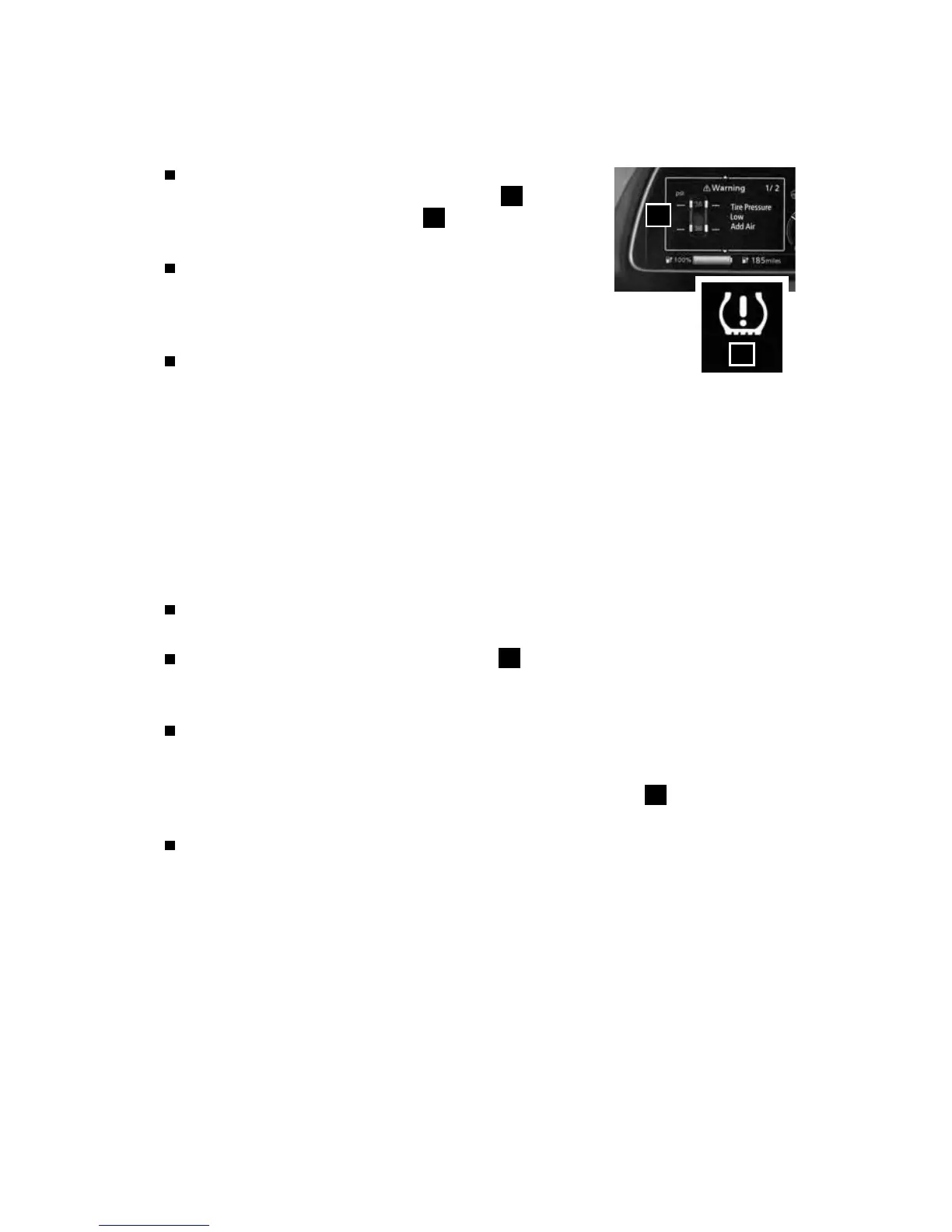
A Tire Pressure Low - Add Air warning message will
appear in the vehicle information display
1
and the
low tire pressure warning light
2
will illuminate when
one or more tires are low in pressure and air is needed.
When adding air to an under-inated tire, the TPMS
with Easy-Fill Tire Alert system provides visual and
audible signals to help you inate the tire to the recommended
COLD tire pressure.
To use the Easy-Fill Tire Alert system:
1. Apply the parking brake and push the P (PARK) switch on the
shift lever.
2. Place the power switch in the ON position. Do not place the power switch in
the READY to drive mode.
3. Add air to the under-inated tire, and within a few seconds, the hazard
warning lights will ash.
4. When the designated tire pressure is reached, the horn will beep once and the
hazard warning lights will stop ashing.
5. Repeat this procedure for any additional under-inated tires.
After tire pressures are adjusted, drive the vehicle at speeds above
16 mph (25 km/h) and the warning message and warning light will extinguish.
When the low tire pressure warning light
2
ashes for approximately 1 minute
and then remains on, the TPMS is not functioning properly. Have the system
checked. It is recommended that you visit a Nissan dealer for this service.
Tire pressure rises and falls depending on the heat caused by the vehicle’s
operation and the outside temperature. Low outside temperature can lower
the temperature of the air inside the tire, which can cause a lower tire ination
pressure. This may cause the low tire pressure warning light
2
to illuminate.
If the warning light illuminates, check the tire pressure in your tires.
The Tire and Loading Information label contains valuable information. Please
refer to the “Technical and consumer information (section 9)” of your Owner’s
Manual for the location of the Tire and Loading Information label.
Please see your Owner’s Manual for important safety information, system limitations, and additional
operating and feature information.
For more information, refer to the “Instruments and controls (section 2)” and the “Starting and driving
(section 5)” of your Owner’s Manual.
1
2
2948550_18a_Leaf_QRG_100317.indd 22 10/3/17 3:58 PM



 To Next Page