To view detailed instructional videos regarding these and other features,
please go to www.nissanownersinfo.mobi.
24
NISSAN INTELLIGENT KEY® SYSTEM
The Nissan Intelligent Key® System allows you to
lock or unlock the vehicle, open the rear hatch
and start your vehicle. It is important to make
sure the Intelligent Key is with you (that is, in
your pocket or purse).
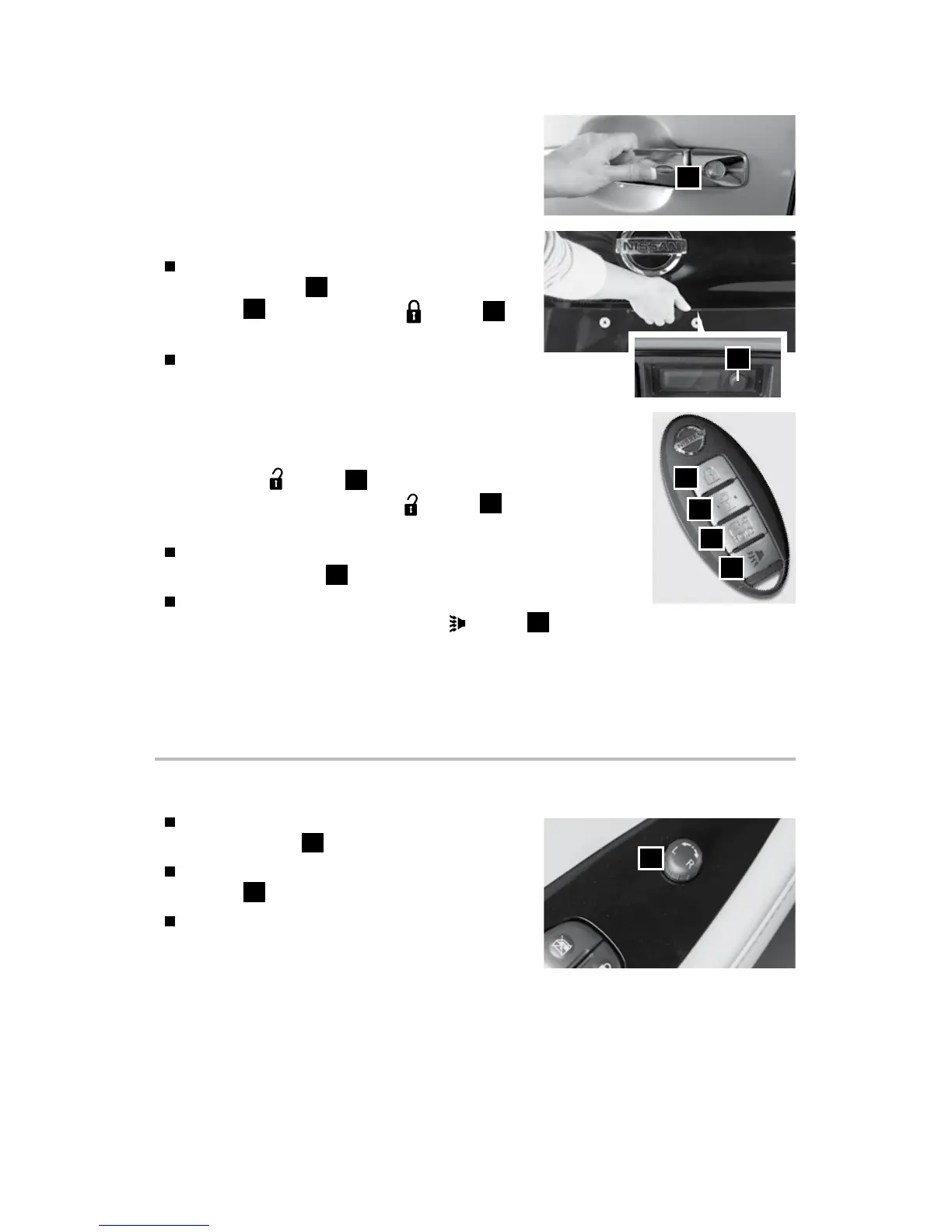
To lock the vehicle, push either door handle
request switch
1
or the rear hatch request
switch
2
once or press the
button
3
on the key fob.
To unlock the vehicle, perform one of the
following procedures:
• Push any request switch once; the corresponding door
will unlock. Push the request switch again within
60 seconds; all other doors will unlock, or
• Press the
button
4
on the key fob to unlock the
driver’s side door. Press the
button
4
again; all other
doors will unlock.
To open the charge port lid, press and hold the charge port
lid opener button
5
for more than 1 second.
The Intelligent Key can also be used to activate the panic
alarm by pressing and holding the
button
6
for more than 1 second. Once
activated, the panic alarm and headlights will stay on for a period of time.
Please see your Owner’s Manual for important safety information, system limitations, and additional
operating and feature information.
For more information, refer to the “Pre-driving checks and adjustments (section 3)” of your
Owner’s Manual.
1
3
4
6
5
2
FIRST DRIVE FEATURES
OUTSIDE MIRROR CONTROL SWITCH
To select the right or left side mirror, turn the
control switch
1
right or left.
To adjust the mirror angle, move the control
switch
1
up, down, right or left.
To prevent accidentally moving the mirror,
turn and set the switch to the center
(neutral) position.
Please see your Owner’s Manual for important safety information, system limitations, and additional
operating and feature information.
For more information, refer to the “Pre-driving checks and adjustments (section 3)” of your
Owner’s Manual.
1
2948550_18a_Leaf_QRG_100317.indd 24 10/3/17 3:58 PM



 To Next Page