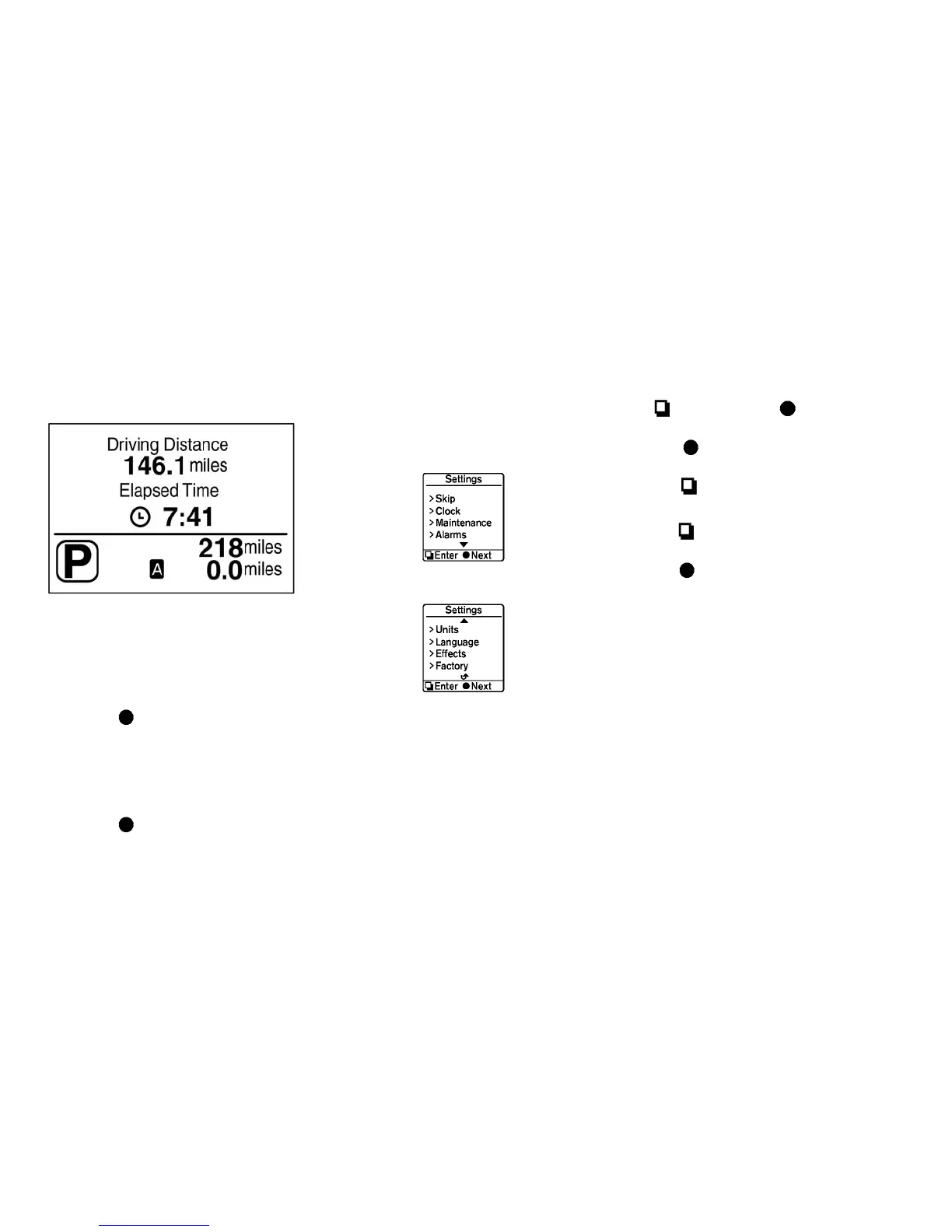
Driving distance and elapsed time
Driving distance:
The driving distance mode shows the total dis-
tance (miles or km) the vehicle has been driven
since the last reset. The distance can be reset by
pushing the
switch
䊊
B
for longer than 1
second. (The elapsed time is also reset at the
same time.)
Elapsed time:
The elapsed time mode shows the time since the
last reset. The displayed time can be reset by
pushing the
switch
䊊
B
for longer than 1
second. (The driving distance is also reset at the
same time.)
Settings
Settings cannot be accessed while driving.
The message, “settings can only be ac-
cessed when stationary” is also displayed
on the dot matrix liquid crystal display.
The
switch
䊊
A
and switch
䊊
B
are
used in the settings mode.
Push the
switch
䊊
B
to scroll through the
menus.
Push the
switch
䊊
A
to select a menu.
Skip:
Push the
switch
䊊
A
to move to the warning
check mode.
Push the
switch
䊊
B
to select other menus.
Clock:
The clock can be adjusted in this menu.
• Back
Select this submenu to return to the top page
of the settings mode.
• Set Clock
Adjust the time (hour and minute) of the clock.
• 24/12Hr (24 hours or 12 hours)
Select either the 24-hour clock display or the
12-hour display.
2-30 Instruments and controls





 To Next Page