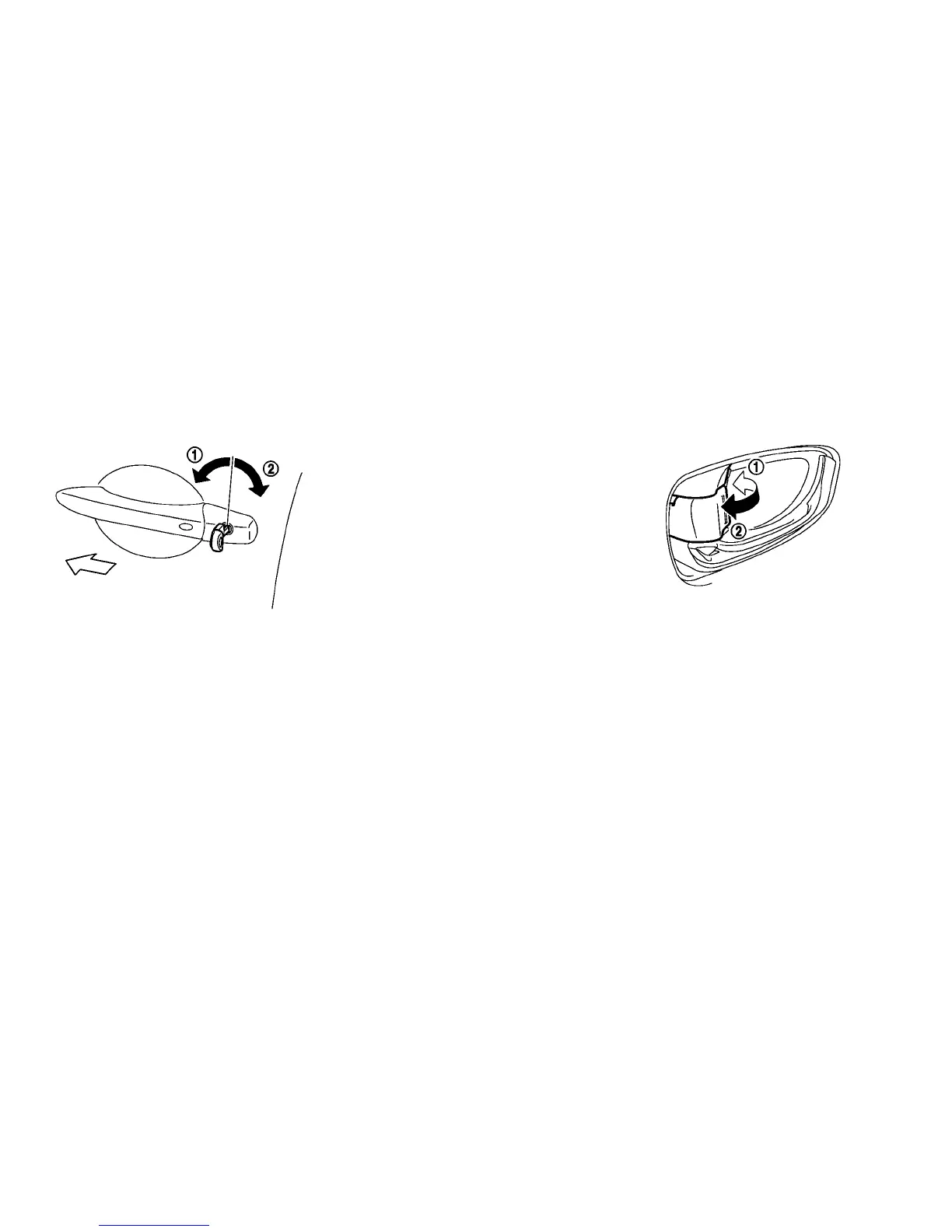
LOCKING WITH MECHANICAL KEY
The power door lock system allows you to lock or
unlock all doors simultaneously using the me-
chanical key.
• Turning the driver’s door key cylinder towards
the front of the vehicle
䊊
1
will lock all doors and
the rear hatch.
• Turning the driver’s door key cylinder once to-
wards the rear of the vehicle
䊊
2
will unlock the
driver’s door. After returning the key to the neu-
tral position, turning it towards the rear again
within 5 seconds will unlock all doors and the
rear hatch.
• You can switch the lock system to the mode that
allows you to open all the doors when the key is
turned once. (See the LEAF Navigation System
Owner’s Manual.)
LOCKING WITH INSIDE LOCK
KNOB
To lock the door without the key, move the inside
lock knob to the lock position
䊊
1
then close the
door.
To unlock, move the inside lock knob to the
unlock position
䊊
2
.
When the front door is locked, pulling the front
door handle will unlock the front door.
When locking the door without a key, be
sure not to leave the key inside the vehicle.
3-4 Pre-driving checks and adjustments





 To Next Page