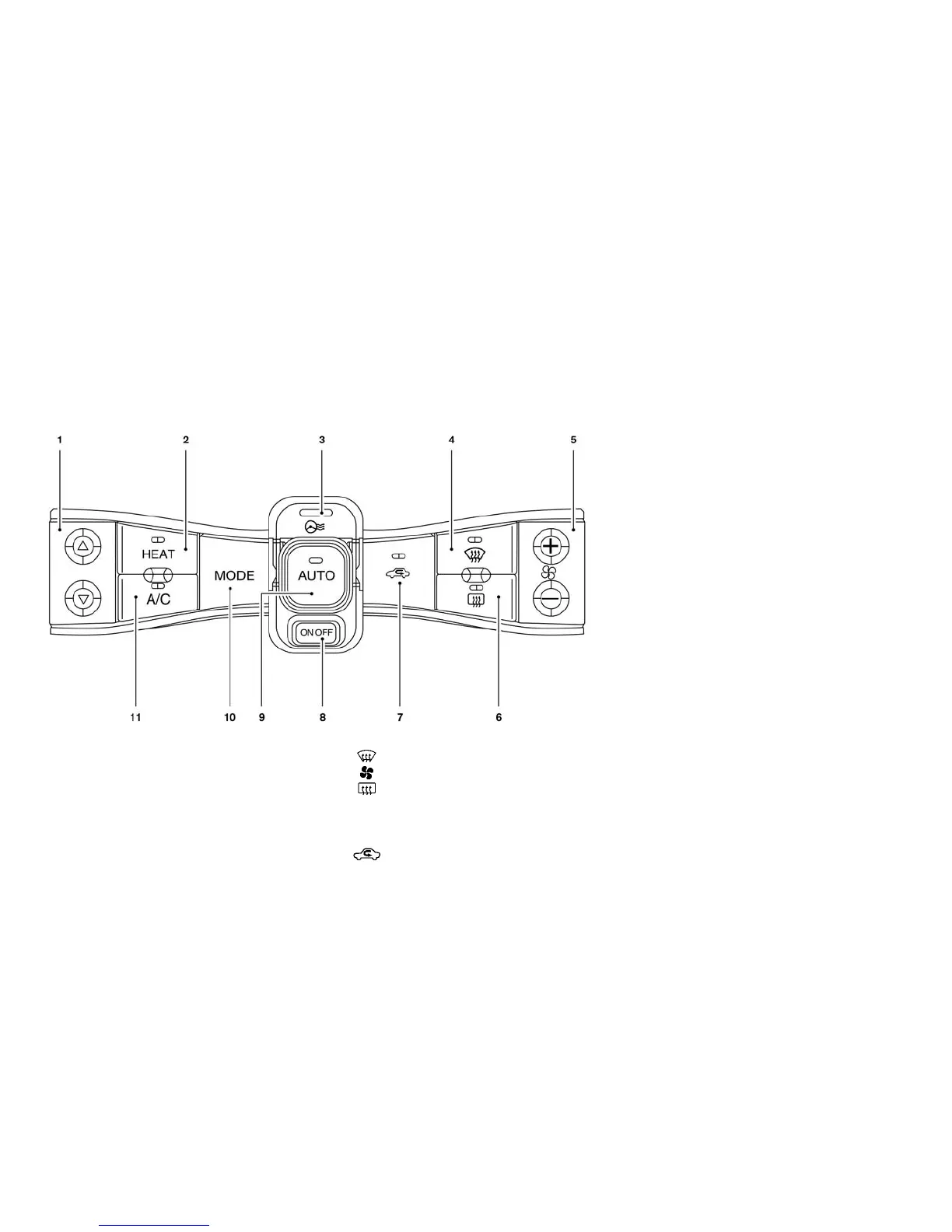
AUTOMATIC CLIMATE CONTROL
(MODELS WITH NAVIGATION
SYSTEM)
1. Temperature control button
2. HEAT button
3. Climate Ctrl. Timer indicator
4.
(front defroster) button
5.
(fan speed control) button
6.
(rear window defroster) button (See
⬙Rear window and outside mirror defroster
switch⬙ in the ⬙Instruments and controls⬙
section.)
7.
(intake air control) button
8. A/C-Heater ON·OFF button
9. AUTO climate control ON button
10. MODE (manual air flow control) button
11. A/C (air conditioner) ON·OFF button
Automatic operation (AUTO)
The AUTO mode may be used year-round as the
system automatically controls constant tempera-
ture, air flow distribution and fan speed.
To turn off the climate control, push the A/C-
Heater ON·OFF button.
The same operating mode (Heater or A/C) that
was active when the system is turned off is active
when system is turned back on.
While operating the climate control in the AUTO
mode, selecting any other climate control button
de-activates the AUTO mode and activates
manual mode.
Cooling and/or dehumidified heating:
The dehumidified heating mode can be used to
keep the windows from fogging. In this mode, the
heat pump compressor is used in A/C mode for
dehumidifying the air instead of heating it. The
PTC heater is also used in conjunction to heat the
air. This mode will increase energy consumption
and therefore reduce range.
Heater, air conditioner, audio and phone systems 4-17





 To Next Page