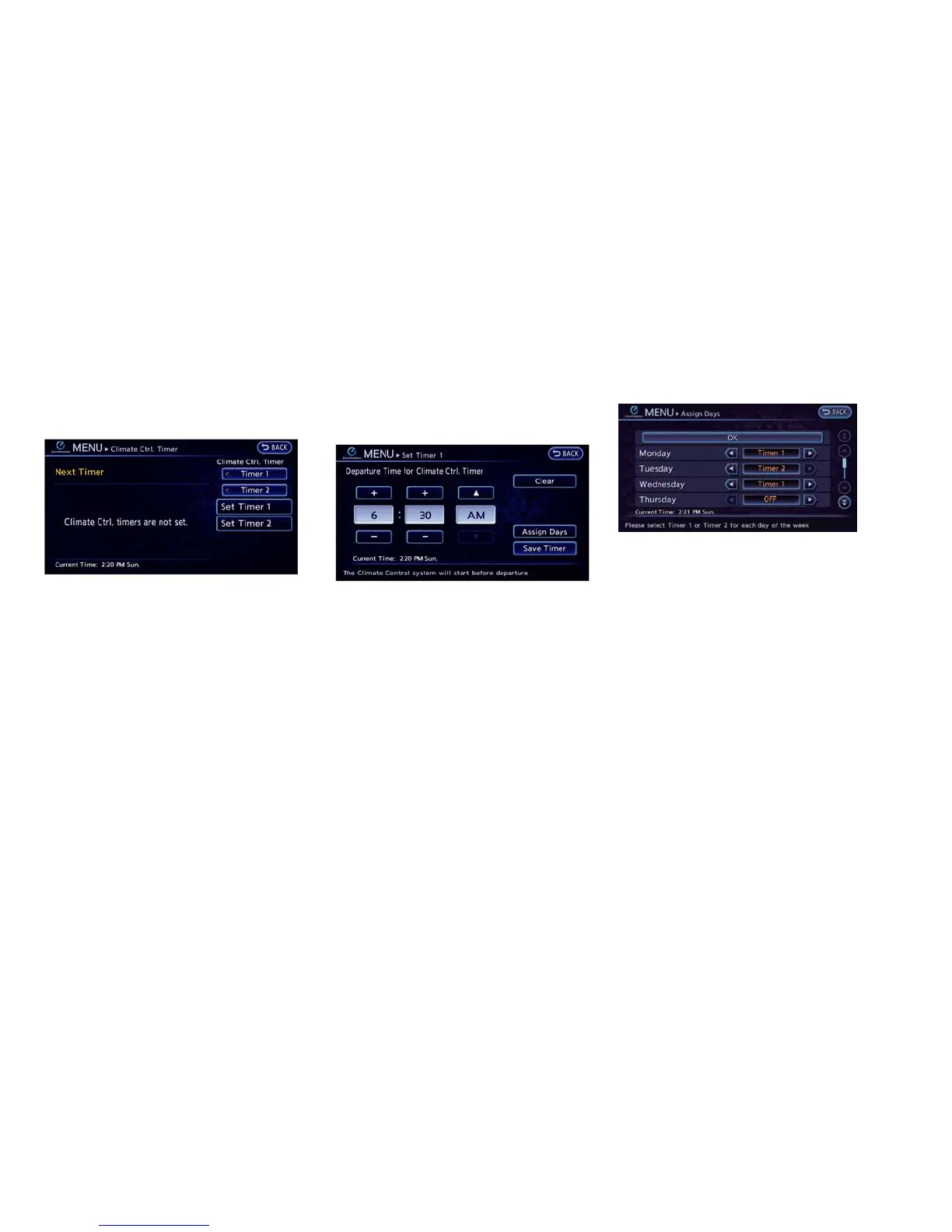
3. Touch “Set Timer 1” or “Set Timer 2”. The
following procedure explains the Timer 1
setting.
4. Enter the departure time.
5. To set the Climate Ctrl. Timer for different
days of the week, touch “Assign Days”. Select
the preferred timer setting for each day of the
week. After setting, touch “OK”. The previous
screen is displayed.
6. When the settings are completed, touch
“Save Timer”. The settings confirmation
screen will be displayed.
Heater, air conditioner, audio and phone systems 4-21





 To Next Page