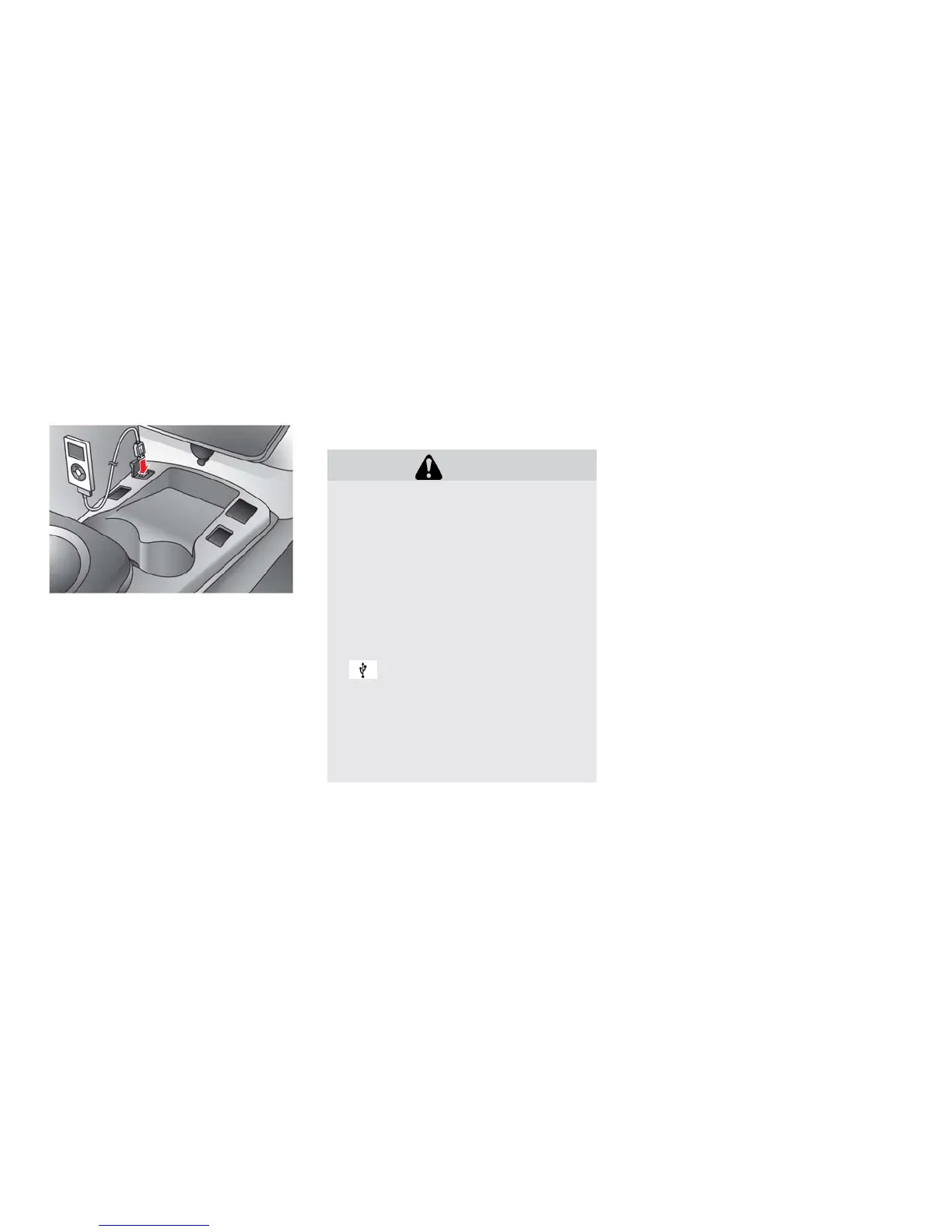
IPOD® PLAYER OPERATION
Connecting iPod®:
The USB outlet connector is located in the center
console. Open the lid and connect the iPod®
cable to the USB connector. The battery of the
iPod® is charged while the connection to the
vehicle.
Depending on the version of the iPod®, the dis-
play on the iPod® shows a NISSAN or Acces-
sory Attached screen when the connection is
completed. When the iPod® is connected to the
vehicle, the iPod® music library can only be
operated by the vehicle audio controls.
* iPod® and the iPhone® are a trademark of
Apple Inc., registered in the U.S. and other coun-
tries.
CAUTION
• Depending on size and shape of the
iPod® and iPod® cable, the console
lid may not fully close. Do not force
console lid closed as this may damage
the iPod® and iPod® cable.
• Do not force the iPod® cable into the
USB port. Inserting the USB device
tilted or up-side-down into the port
may damage the iPod® cable and the
port. Make sure that the iPod® cable is
connected correctly into the USB port.
(Some iPod® cables come with a
mark as a guide. Make sure that
the mark is facing the correct direction
before inserting the iPod® cable.)
• Do not locate objects near the iPod®
cable to prevent the objects from lean-
ing on the iPod® cable and the port.
Pressure from the objects may dam-
age the iPod® cable and the port.
Compatibility
The following models are available:
• Third generation iPhone® (Firmware version
IOS4/4.0)
• Fourth generation iPhone® (Firmware version
IOS4/4.0)
• Fifth generation iPod® (Firmware version 1.3)
• First generation iPod Classic® (Firmware ver-
sion 1.1.1 or 1.1.2PC)
• Second generation iPod Classic® (Firmware
version 2.0.1)
• First generation iPod touch® (Firmware version
1.1.5 or 2.2.1)
• Second and third generation iPod touch®
(Firmware version 2.2.1 or IOS4/4.0.0)
• First generation iPod nano® (Firmware version
1.1.3)
• Second generation iPod nano® (Firmware ver-
sion 1.1.3)
• Third generation iPod nano® (Firmware version
1.1.2PC or 1.1.3PC)
• Fourth generation iPod nano® (Firmware ver-
sion 1.0.2 or 1.0.4)
• Fifth generation iPod nano® (Firmware version
1.0.1 or 1.0.2)
The iPod touch® may not respond quickly with
the system in some cases.
Make sure that the iPod® firmware is updated.
Heater, air conditioner, audio and phone systems 4-41





 To Next Page