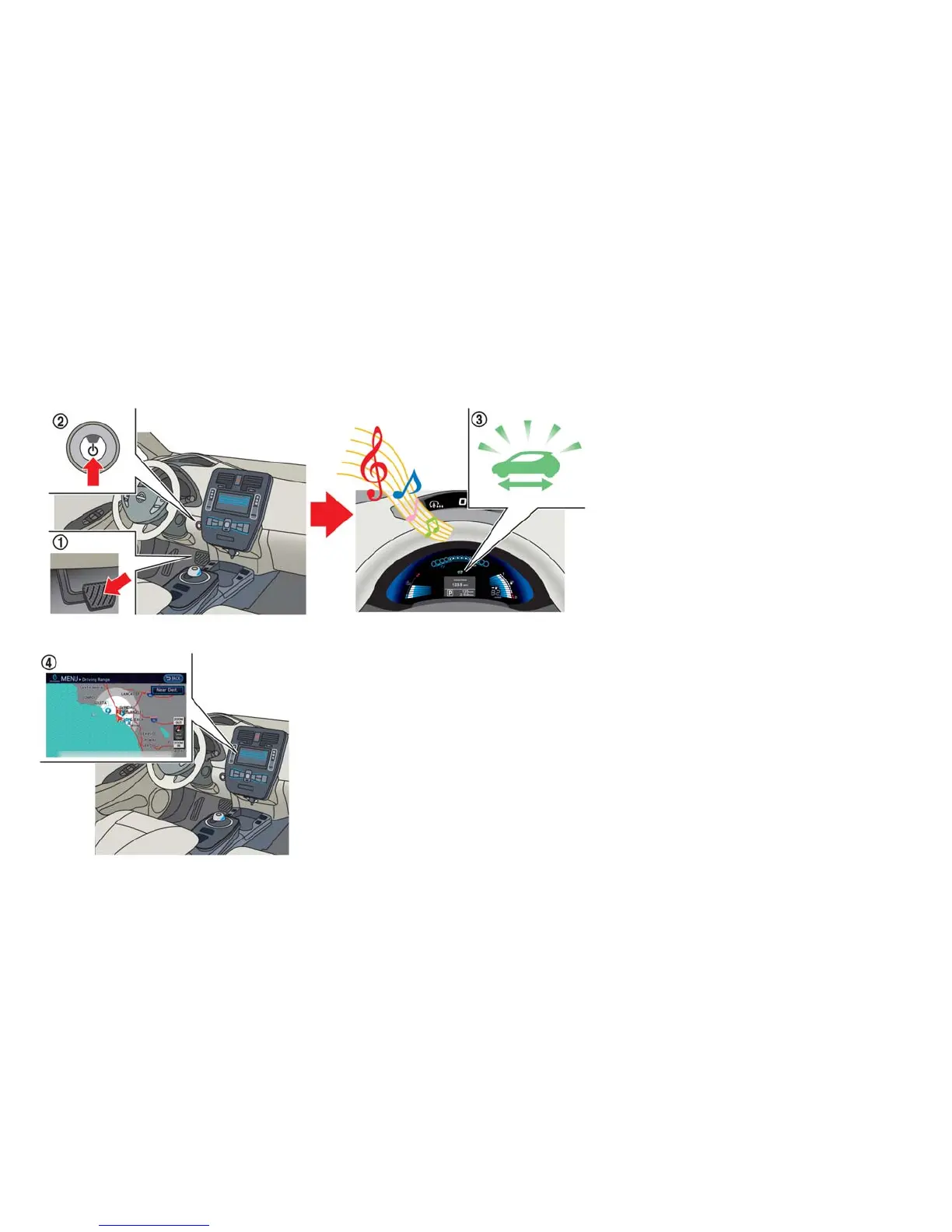
STARTING YOUR VEHICLE
1. Depress the brake pedal.
2. Press the power switch.
3. Check that the READY to drive indicator light
illuminates and the start up sound is audible.
See ⬙Ready to drive indicator light⬙ in the
⬙Instruments and controls⬙ section.
4. For models with navigation system: If route
guidance is necessary, enter the destination
in the navigation system. See LEAF Naviga-
tion System Owner’s Manual.
5. Check the Li-ion battery level and the esti-
mated driving range shown on the meter. See
⬙Driving range⬙ in the ⬙Instruments and con-
trols⬙ section.
NOTE:
• Before driving, compare the driving dis-
tance to the destination displayed on the
navigation screen with the estimated driv-
ing range shown on the meter. Determine
if it will be necessary to charge the Li-ion
battery before or while driving to your
planned destination (models with naviga-
tion system).
• If it is necessary to charge the Li-ion bat-
tery, use the navigation system to search
for available charging stations on your
planned driving route (models with navi-
gation system).
EV Overview EV-17





 To Next Page