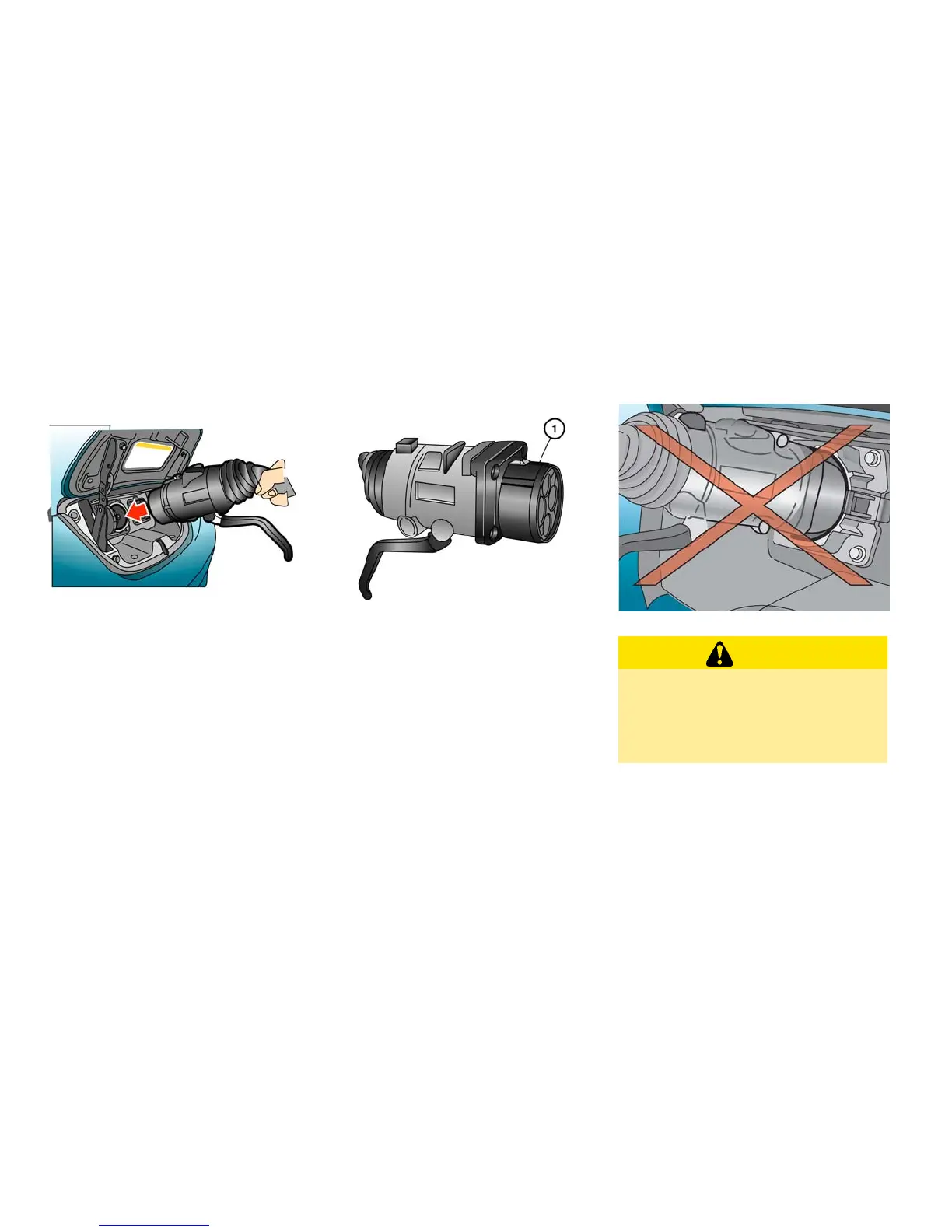
To start charging:
1. Push the P (Park) position switch to place the
vehicle in the P (Park) position and apply the
parking brake.
2. When charging the Li-ion battery, place the
power switch in the OFF position. When the
power switch is in the ON position, the Li-ion
battery will not start charging.
3. Open the charge port lid and charge port cap.
See ⬙Charge port lid⬙ and ⬙Charge port cap⬙
in the ⬙Pre-driving checks and adjustments⬙
section.
4. Align
䊊
1
with the groove of the charge port
and insert the charge connector.
CAUTION
•
Be sure to insert the charge connector
straight into the quick charge port right
up to the base. Failure to do so may
result in the Li-ion battery not charging
or could cause damage to the charging
equipment.
CH-16 Charging





 To Next Page