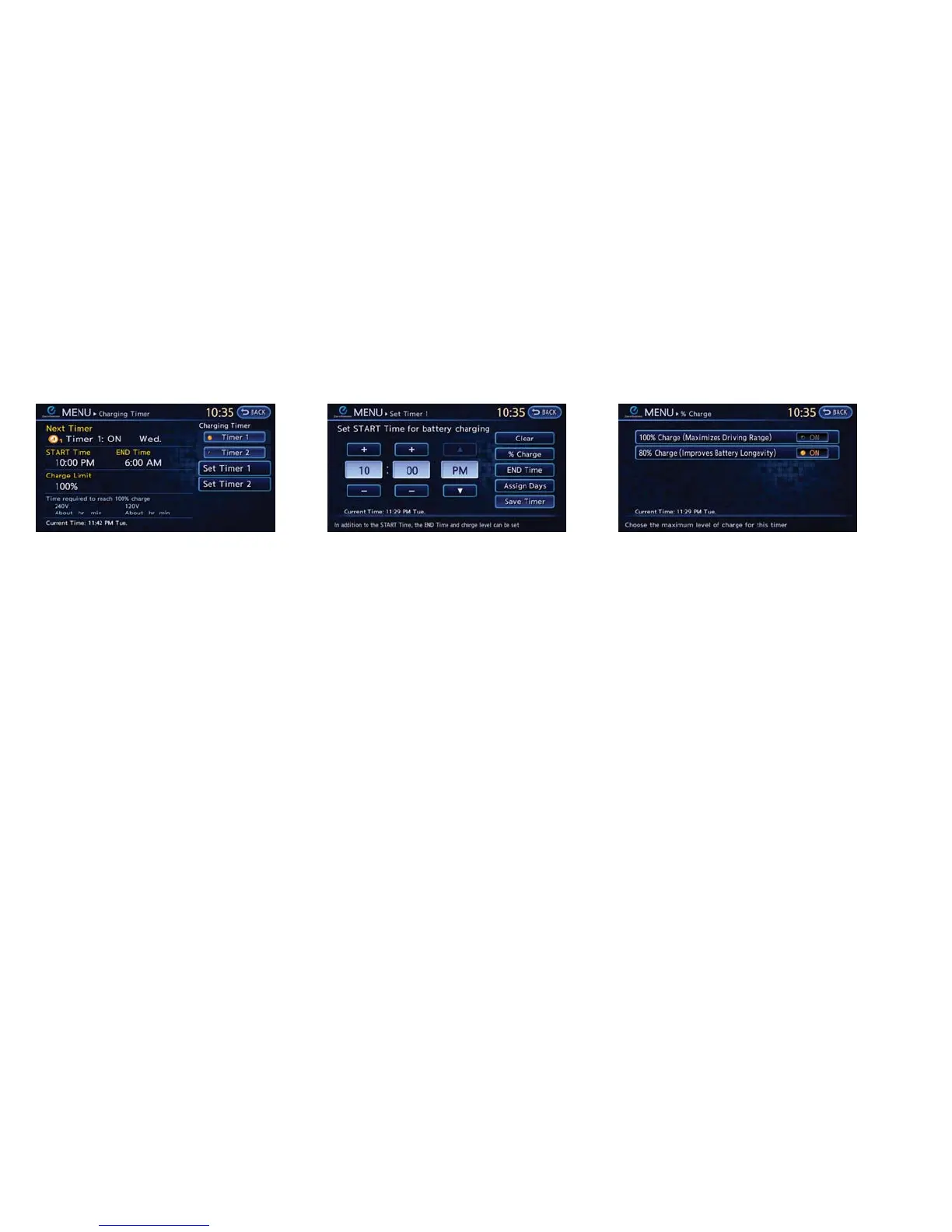
3. Touch [Set Timer 1] or [Set Timer 2]. 4. Touch [% Charge]. 5. Touch [80% Charging (Improves Battery Lon-
gevity)]. The indicator light illuminates when
the long life mode is set to on.
6. Touch [BACK] to return to the previous
screen.
7. Touch [Save Timer] when the settings are
complete and a settings confirmation screen
is displayed.
Charging CH-27





 To Next Page