– NOT “One eight hundred six six two sixty
two hundred,” and
– NOT “One eight oh oh six six two sixty two
hundred”
● Numbers can be spoken in small groups.
The system will prompt you to continue en-
tering digits, if desired.
Example: 1-800-662-6200
– “One eight zero zero”
The system repeats the numbers and
prompts you to enter more.
– “six six two”
The system repeats the numbers and
prompts you to enter more.
– “six two zero zero”
● Say “pound” for “#”. Say “star” for “*” (avail-
able when using the “Special Dialing” com-
mand and the “Send” command during a
call).
See “List of voice commands” and “Special
Dialing” in this section for more information.
Example: 1-555-1212 *123
– “One five five five one two one two star
one two three”
● Say “plus” for “+” (available only when using
the “Special Dialing” command).
● Say “pause” for a 2-second pause (available
only when storing a phone book number).
NOTE:
For best results, say phone numbers as
single digits.
The voice command “Help” is available at any
time. Please use the “Help” command to get
information on how to use the system.
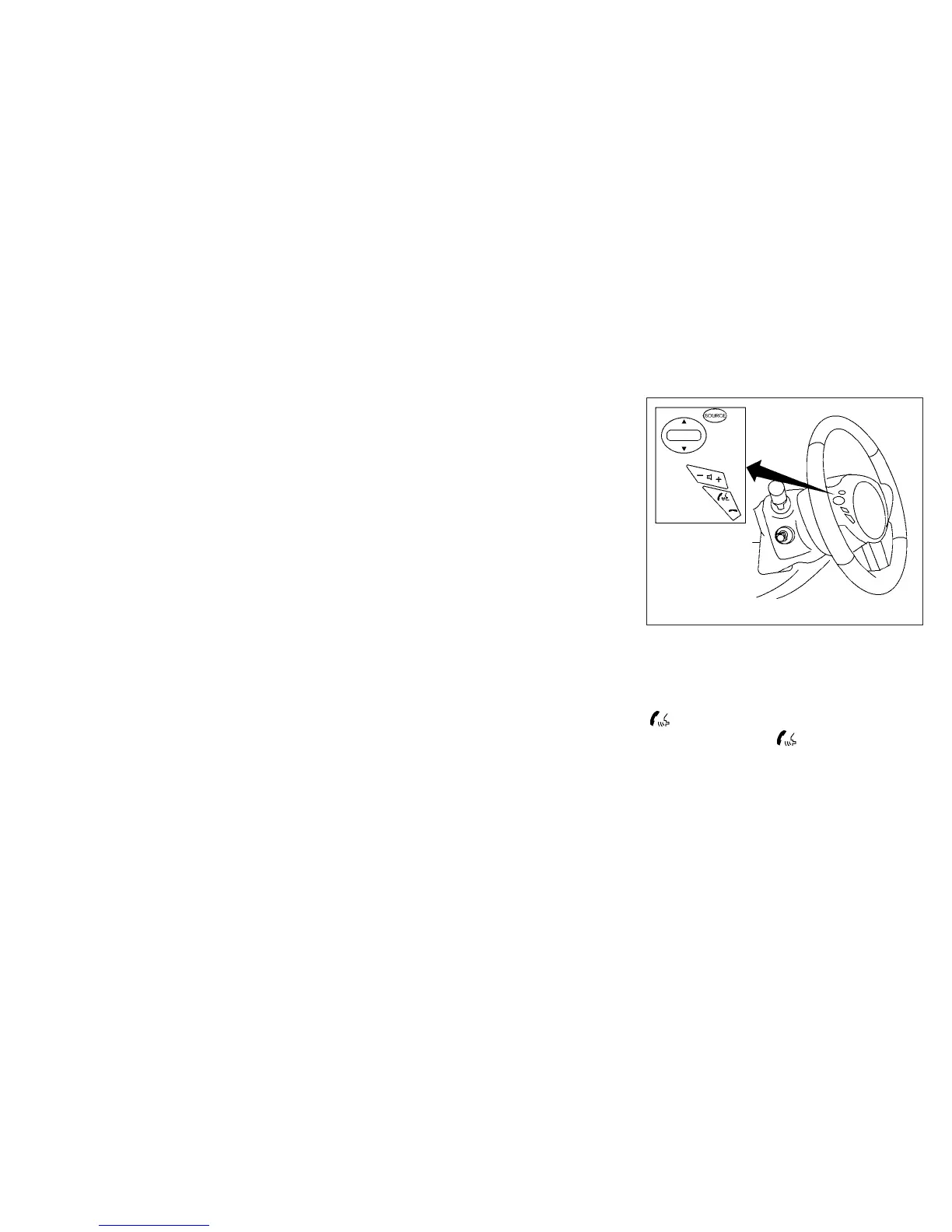
CONTROL BUTTONS
The control buttons for the Bluetooth姞 Hands-
Free Phone System are located on the steering
wheel.
PHONE/SEND
Press the
button to initiate a
VR session or answer an incoming
call.
LHA1160
4-122 Monitor, climate, audio, phone and voice recognition systems


 To Next Page
 Loading...

