[ Edit: 2016/ 11/ 24 Model: E12-A ]
4-8 Monitor, Heater and air conditioner, and audio system
. If your vehicle sustains damage to the parts
where the camera is installed, leaving it
misaligned or bent, the sensing zone may be
altered and the MOD system may not detect
objects properly.
. When the temperature is extremely high or
low, the screen may not display objects
clearly. This is not a malfunction.
MOD malfunction
GUID-E96AD40C-F959-4E16-9522-704C6BB8B43A
When the orange MOD icon is displayed in the view,
the system is not functioning properly. This will not
hinder normal driving operation but the system should
be inspected by a NISSAN dealer.
Camera maintenance
GUID-3558C2C3-C6F1-4792-940E-9B4A2BCD40E8
If dirt, rain or snow accumulates on the camera, the
MOD system may not operate properly. Clean the
camera.
The camera washer operates automatically when dirt is
detected on the camera during driving. The washer
then stops operation after a period of time.
OPERATING TIPS
GUID-7D717186-5AE8-4289-9DEE-9BB8E070C9A2
CAUTION:
. Do not use alcohol, benzine or thinner to
clean the camera. This will cause discolora-
tion. To clean the camera, wipe with a cloth
dampened with a diluted mild cleaning
agent and then wipe with a dry cloth.
. Do not damage the camera as the monitor
screen may be adversely affected.
. The Around View Monitor display will disappear
automatically when no operation takes place for 3
minutes after the CAMERA button has been
pushed while the shift lever is in a position other
than the “R” (Reverse) position.
. The display of images on the screen may be
delayed after screens are switched. Objects in the
Around View Monitor may be distorted momenta-
rily until the Around View Monitor screen is
displayed completely.
. When the temperature is extremely high or low,
the screen may not display objects clearly. This is
not a malfunction.
. When strong light directly shines on the camera,
objects may not be displayed clearly. This is not a
malfunction.
. The screen may flicker under fluorescent light. This
is not a malfunction.
. The colors of objects on the Around View Monitor
may differ somewhat from those of the actual
object.
. Objects on the monitor may not be clear and the
color of the object may differ in a dark location or
at night. This is not a malfunction.
. There may be differences in clearness between
each camera view of the bird’s-eye view.
. If dirt, rain or snow attaches to the camera, the
Around View Monitor may not display objects
clearly. Clean the camera.
. Do not use wax on the camera window. Wipe off
any wax with a clean cloth that has been
dampened with a mild detergent diluted with
water.
. While the Around View Monitor screen is dis-
played, the automatic anti-glare function will not
operate. For more details, see “Automatic anti-
glare type” (P.3-16).
E12-A-120227-EB190C39-347D-4242-AFC2-BE84C8BA6A11
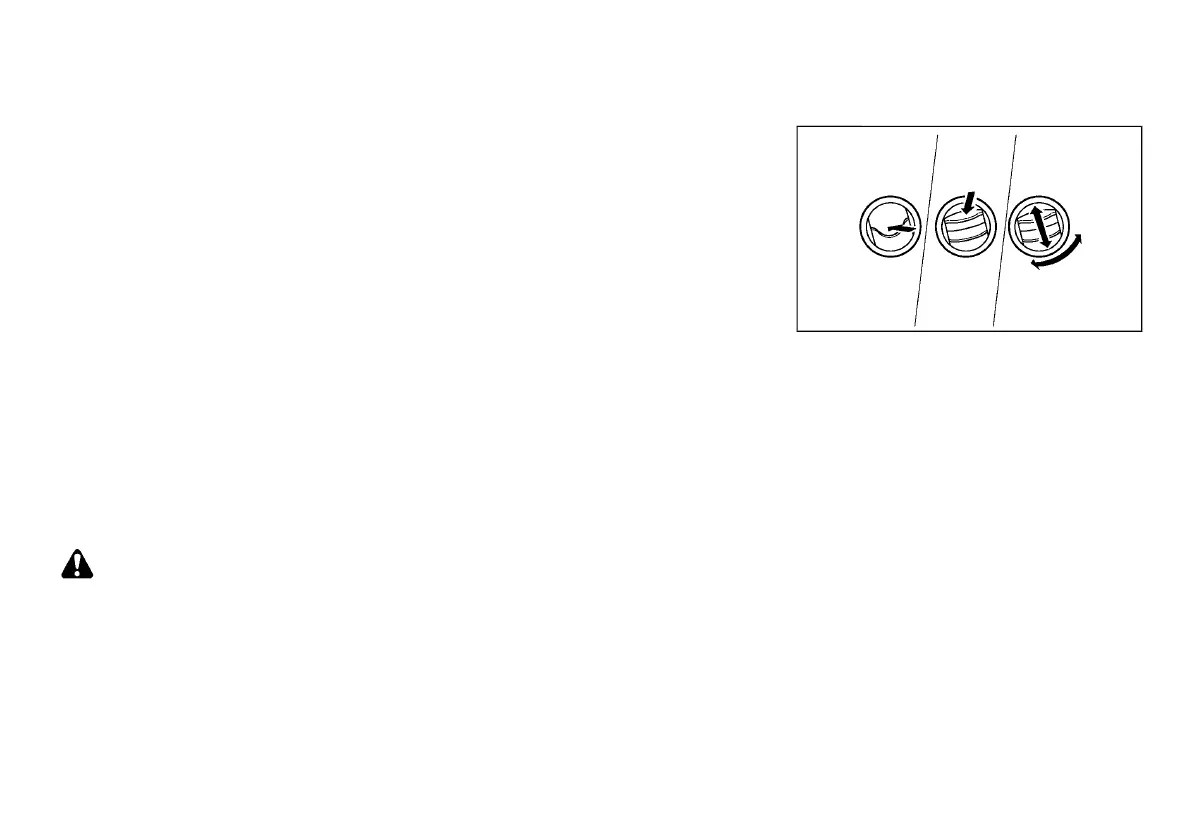
CENTER AND SIDE VENTILATORS
E12-A-120227-EF43B71F-049E-4B3C-87B5-D2287DCC2B25
SAA3126
Adjust the air flow direction of the ventilators by
opening, closing or rotating.
The side ventilators can be used for the side window
defogger.
VENTILATORS
Condition:


 To Next Page
 Loading...