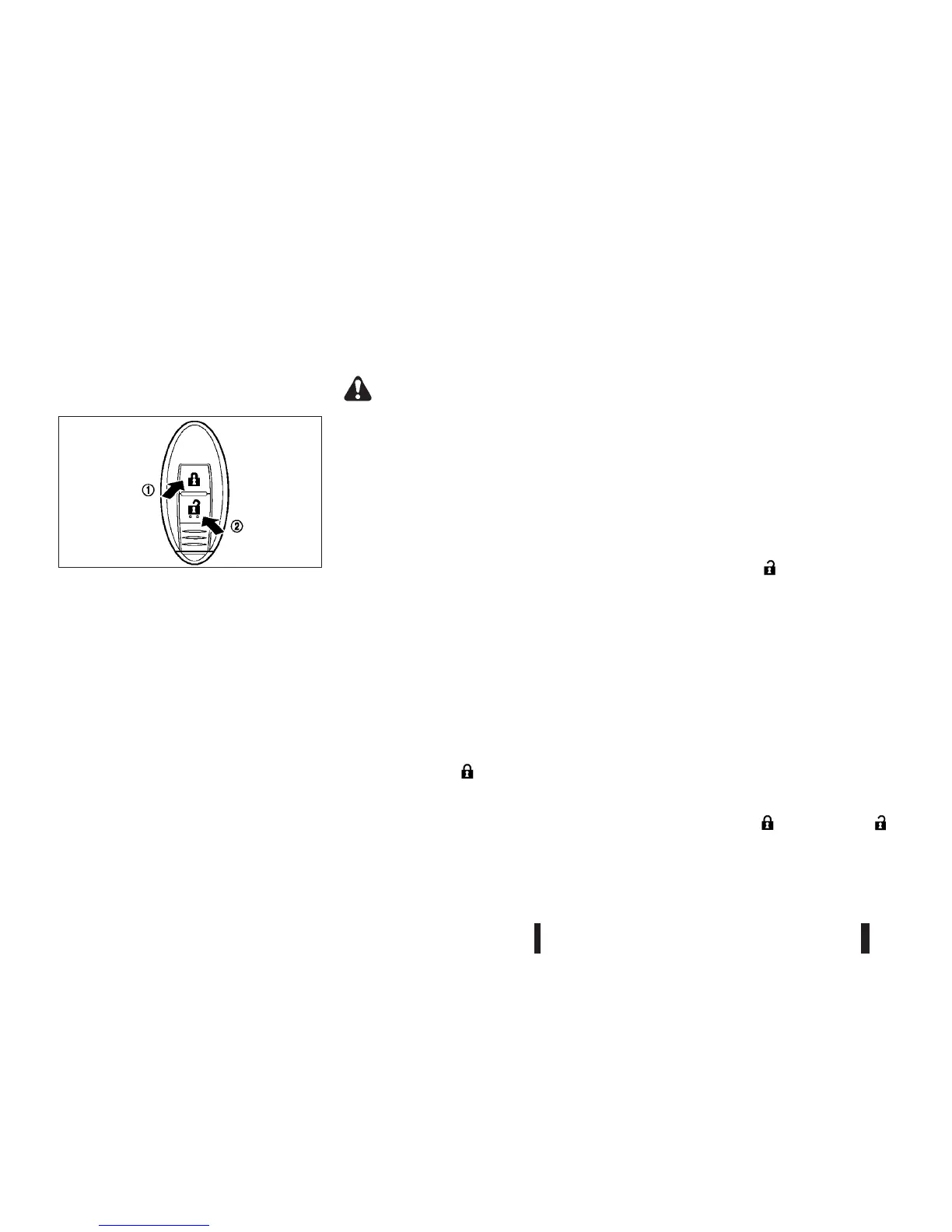
USING REMOTE KEYLESS ENTRY
SYSTEM
Operating range
The remote keyless entry system allows you to lock/
unlock all doors including the back door. The oper-
ating distance depends upon the conditions around
the vehicle. To securely operate the lock and unlock
buttons, approach the vehicle to about 1 m (3.3 ft)
from the door.
The remote keyless entry system will not function
under the following conditions:
•
When the Intelligent Key is not within the opera-
tional range.
•
When the Intelligent Key battery is discharged.
For information regarding the replacement of a bat-
tery, see “Battery replacement” in the “8. Mainte-
nance and do-it-yourself” section.
WARNING
For Super Lock System equipped models, failure
to follow the precautions below may lead to haz-
ardous situations. Make sure the Super Lock Sys-
tem activation is always safely conducted.
•
When the vehicle is occupied, never lock the
doors with the Intelligent Key. Doing so will
trap the occupants, since the Super Lock Sys-
tem prevents the doors from being opened
from the inside of the vehicle.
•
Only operate the Intelligent Key lock button
when there is a clear view of the vehicle. This
is to prevent anybody from being trapped in-
side the vehicle through the Super Lock Sys-
tem activation.
Locking doors
When you lock or unlock the doors, the hazard indi-
cator will flash and the outside chime will sound as
a confirmation.
1. Place the ignition switch in the “OFF” position
and carry the Intelligent Key.
2. Close all doors (including the back door).
3. Push the “LOCK”
button j1 on the Intelli-
gent Key.
4. All doors will be locked.
5. Operate the door handles to confirm that the
doors have been securely locked.
CAUTION
After locking the doors using the Intelligent Key,
be sure that the doors have been securely locked
by operating the door handles.
Unlocking doors
When you first receive the vehicle, the door unlock
mode is set to unlock all the doors with one push of
the “UNLOCK” button
j2 . The door unlock mode
can be switched to the selective door unlock mode.
All door unlock mode:
1. Push the “UNLOCK”
button j2 on the In-
telligent Key.
2. All doors (including the back door) will be un-
locked.
Selective door unlock mode:
1. Push the “UNLOCK” button
j2 on the Intelligent
Key.
2. The driver’s door will be unlocked.
3. Push the “UNLOCK” button
j2 on the Intelligent
Key again.
4. All doors (including the back door) will be un-
locked.
Switching door unlock mode:
To switch the door unlock mode from one to an-
other, push the “LOCK”
and “UNLOCK”
buttons on the key simultaneously for more than 4
seconds.
SPA2045Z
3-14 Pre-driving checks and adjustments



 To Next Page