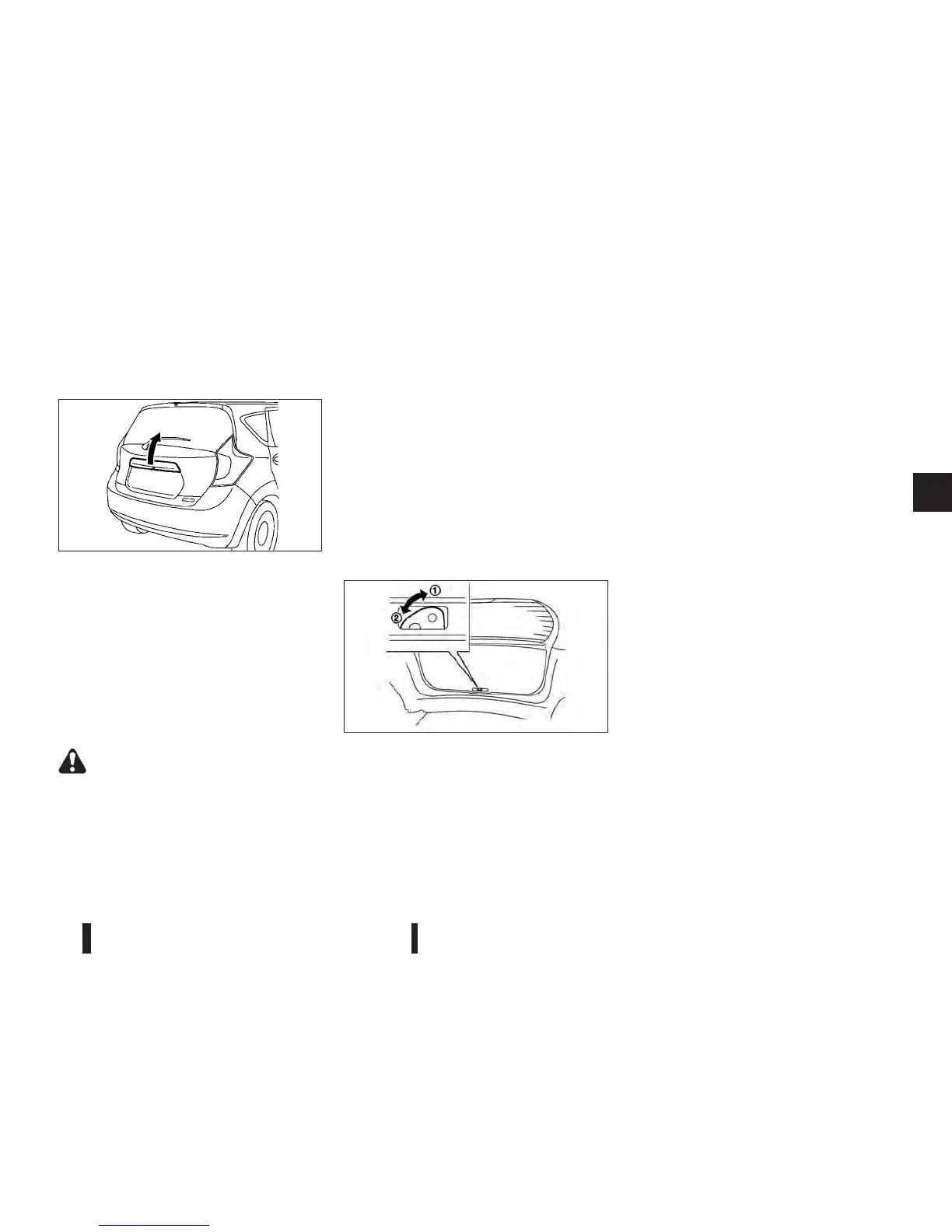
OPENING BACK DOOR
To open the back door, unlock it with one of the fol-
lowing operations, then pull the handle.
•
Push the back door request switch. (See “Re-
quest switch locations” earlier in this section.)
•
Push the “UNLOCK” button on the Intelligent
Key. (See “Using remote keyless entry system”
earlier in this section.)
•
Push the power door lock switch to the “UN-
LOCK” position.
CLOSING BACK DOOR
WARNING
•
Do not shut the back door with one hand and
the other hand remaining on the back door or
vehicle body. Doing so may lead to your hand
becoming trapped and could result in an in-
jury.
•
When closing the back door, do not place your
hands near the edge of the back door. Always
be sure to close the back door from the out-
side.
•
After closing the back door, be sure to check
that it has been closed securely. If the back
door opens while the vehicle is being driven,
this could result in a serious accident.
To close the back door, pull down until it securely
locks.
SECONDARY BACK DOOR
UNLOCK/LOCK
Follow the following steps to unlock/lock the back
door when the battery is discharged.
NOTE
Contact a NISSAN dealer or qualified workshop
as soon as possible for inspection.
Unlocking back door
1. Move the lever toward the direction j1 indicated
by the arrow, using a screwdriver or a similar tool
available on hand. The back door will unlock.
2. Pull the back door handle and open the back
door.
Locking back door
1. Close the back door.
2. Move the lever toward the direction
j2 indicated
by the arrow, using a screwdriver or a similar tool
available on hand. The back door will lock.
JVP0129XZ
JVP0139XZ
Pre-driving checks and adjustments 3-21



 To Next Page