With the ignition switch in the ON position, push the
<CAMERA> button or move the shift lever to the R
(Reverse) position to operate the Around View Moni-
tor. The monitor displays various views of the posi-
tion of the vehicle.
NOTE
At first operation, the corner lines are blinking
yellow for about 3 seconds. This is not a malfunc-
tion but a reminder to be cautious.
Available views:
•
Bird’s-eye View
The surrounding view of the vehicle.
•
Front-side View
The view around and ahead of the front passen-
ger’s side wheel.
•
Front view
The view to the front of the vehicle.
•
Rear view
The view to the rear of the vehicle.
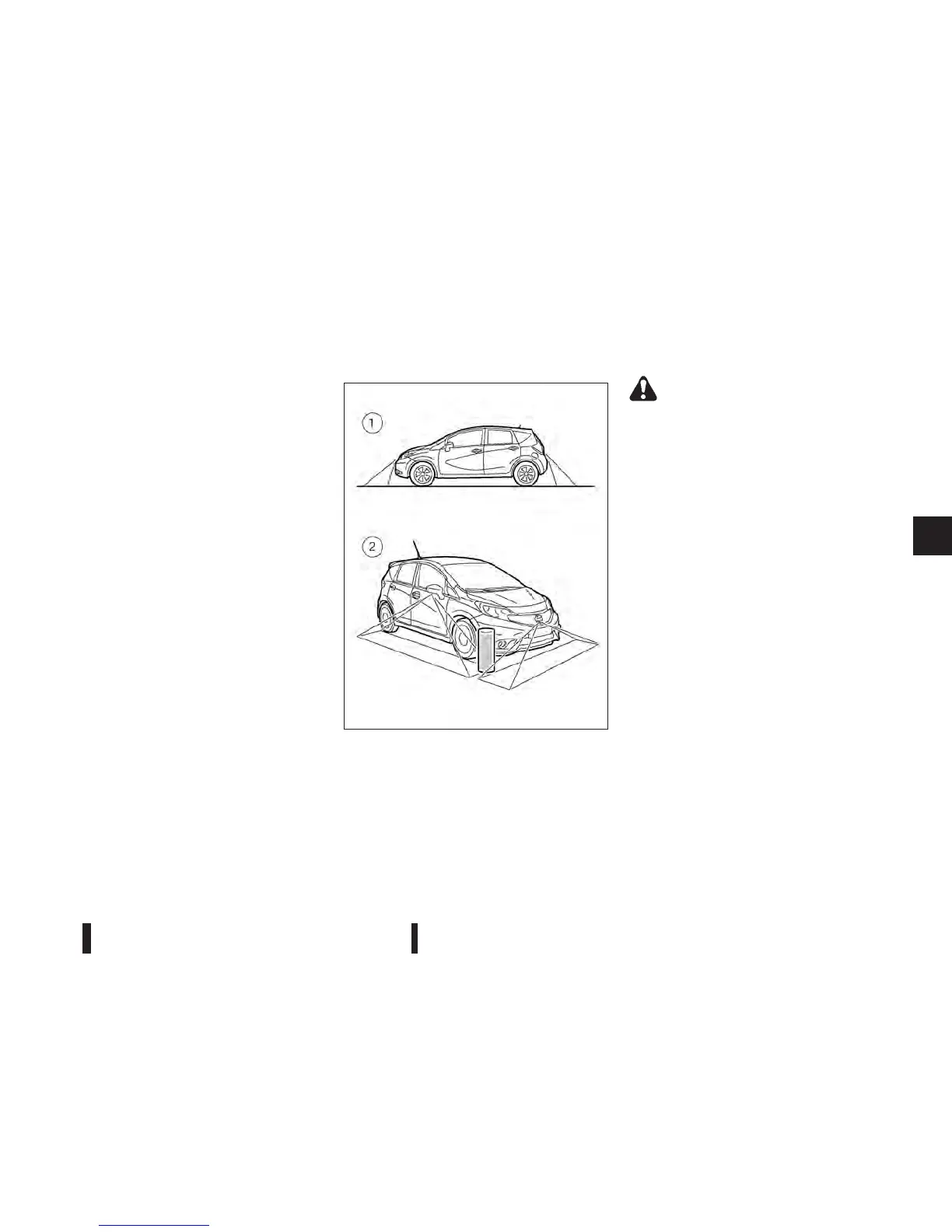
The system is designed as an aid to the driver in
situations such as slot parking or parallel parking.
There are some areas where the system will not
show objects. When in the front or the rear view dis-
play, an object below the bumper or on the ground
may not be viewed
j1 . When in the bird-eye view,
a tall object near the seam of the camera viewing
areas will not appear in the monitor
j2.
WARNING
•
The Around View Monitor is intended for day
time use. Do not use the system in bad light
conditions.
•
The Around View Monitor is a convenience
feature. It is not a substitute for proper ve-
hicle operation because it has areas where
objects cannot be viewed. The four corners of
the vehicle in particular, are blind spots where
objects do not appear in the bird’s-eye, front
or rear views. Always look out the windows
and check to be sure that it is safe to move.
The driver is always responsible for safety dur-
ing parking and other manoeuvres.
•
Do not use the Around View Monitor with the
outside mirror in the stored position, and
make sure that the back door is securely
closed when operating the vehicle using the
Around View Monitor.
•
The distance between objects viewed on the
Around View Monitor differs from the actual
distance.
•
The cameras are installed on the front grille,
the outside mirrors and above the rear num-
ber plate. Do not put anything on the cam-
eras.
•
When washing the vehicle with high-pressure
water, be sure not to spray it around the cam-
eras. Otherwise, water may enter the camera
unit causing water condensation on the lens,
a malfunction, fire or an electric shock.
NAA1329
Heater and air conditioner, and audio system 4-3



 To Next Page