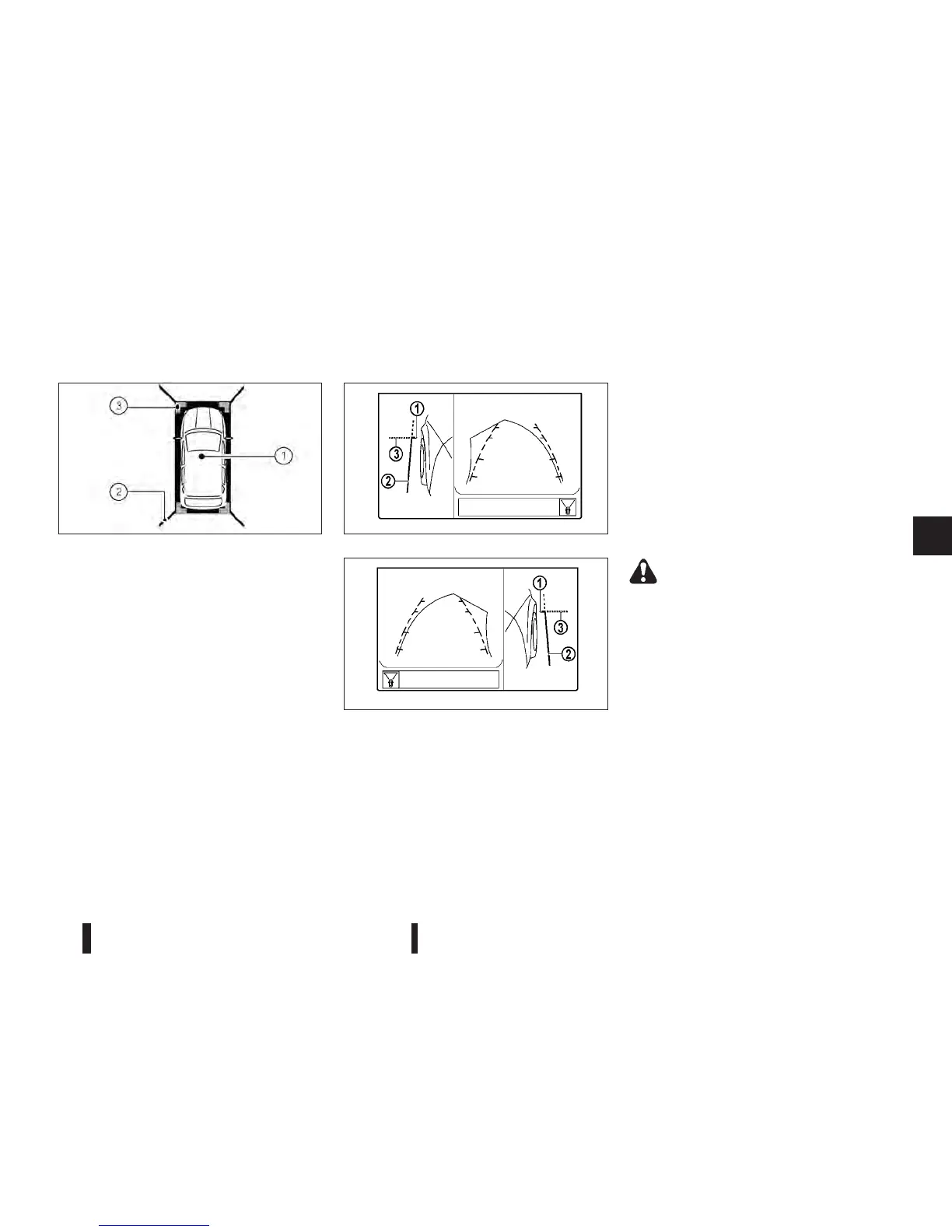
The bird-eye view shows the overhead view of the
vehicle, which helps confirm the vehicle position and
the predicted course to a parking space.
The vehicle icon
j1 shows the position of the ve-
hicle.
NOTE
The size of the vehicle icon on the bird-eye view
may differ somewhat from the actual vehicle.
At first operation, the blind spot corner lines
j2on
all four corners of the vehicle icon are blinking yel-
low for about 3 seconds. The four corners
j3 of the
vehicle are displayed in red.
NOTE
•
The areas that the cameras cannot cover are
indicated in black.
•
Blind spot corner lines j2 blink (yellow) on all
four corners of the vehicle icon as a reminder
to be cautious. This is not a malfunction.
Front-side view
*: For the Right-Hand Drive (RHD) models, the
screen layout will be shown opposite.
Guiding lines:
CAUTION
The actual distance to objects may differ from
the distance shown.
Guiding lines that indicate the width and the front
end of the vehicle are displayed on the monitor.
The front-of-vehicle line
j1 shows the front part of
the vehicle.
The side-of-vehicle line
j2 shows the vehicle width
including the outside mirror.
The extensions
j3 of both the front j1 and side j2
lines are shown with a green dotted line.
DIFFERENCE BETWEEN PREDICTIVE
AND ACTUAL DISTANCES
WARNING
The distance guide line and the vehicle width
guide line on the front and the rear view should
be used as a reference only when the vehicle is
on a level, paved surface. The distance viewed
on the monitor is for reference only and may be
different than the actual distance between the
vehicle and displayed objects.
NAA1236 NAA1348
Front–side view, Left-Hand Drive (LHD) models*
NAA1325
Front–side view, Left-Hand Drive (LHD) models*
Heater and air conditioner, and audio system 4-7



 To Next Page