•
Never leave the Intelligent Key inside the ve-
hicle when you leave the vehicle.
•
If the Intelligent Key is too far away from the
driver, the vehicle may not start.
•
If the vehicle battery is discharged, the igni-
tion switch cannot be switched from the
“LOCK” position, and if the steering lock is
engaged, the steering wheel cannot be
moved. Charge the battery as soon as pos-
sible (See “Jump starting” in the “6. In case of
emergency” section.)
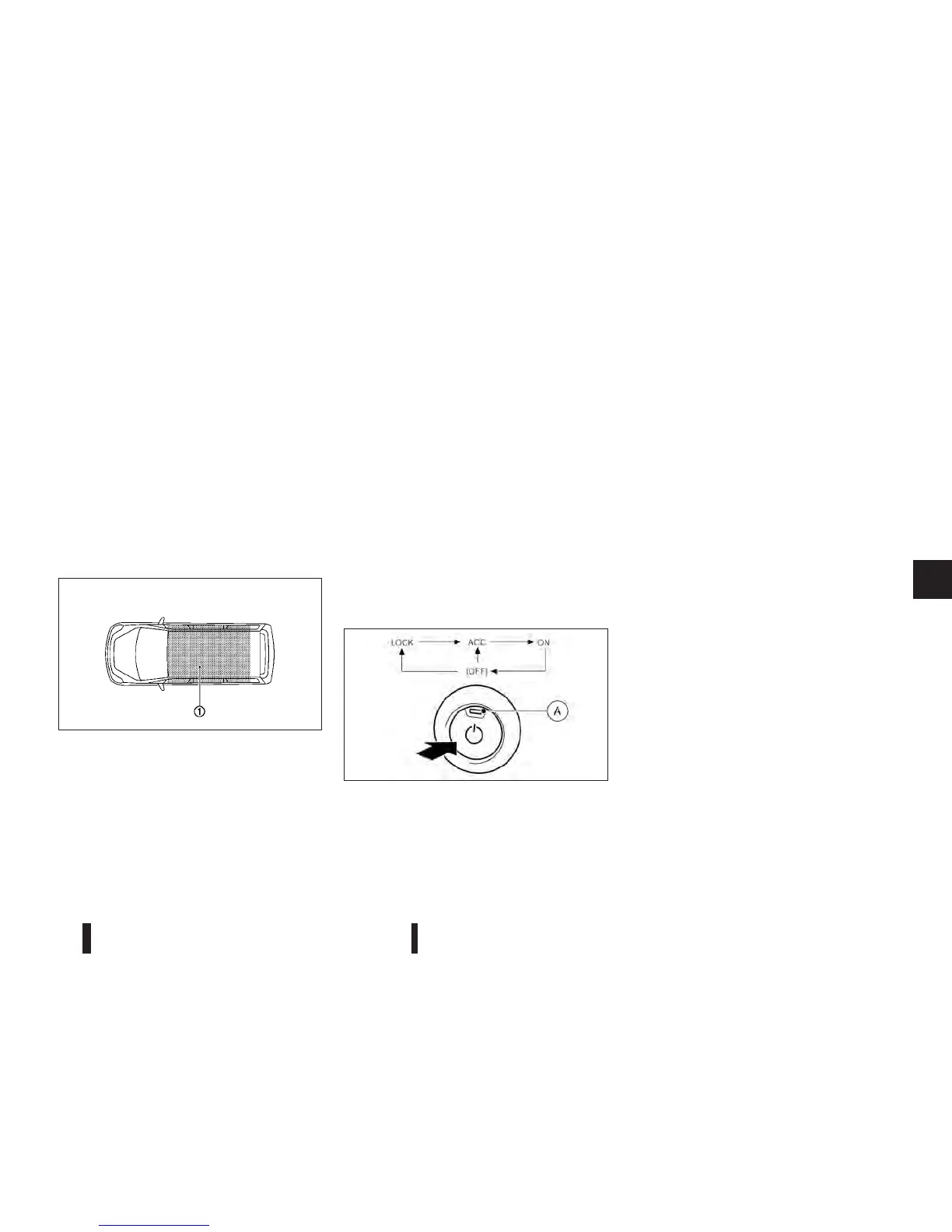
Operating range
The Intelligent Key can only be used for starting the
engine when the Intelligent Key is within the speci-
fied operating range
j1 as illustrated.
When the Intelligent Key battery is almost
discharged or strong radio waves are present near
the operating location, the Intelligent Key system’s
operating range becomes narrower and may not
function properly.
If the Intelligent Key is within the operating range, it
is possible for anyone, even someone who does not
carry the Intelligent Key, to push the ignition switch
to start the engine.
•
The luggage room area is not included in the
operating range, but the Intelligent Key may func-
tion.
•
If the Intelligent Key is placed on the instrument
panel, inside the glove box, door pocket or the
corner of the interior compartment, the Intelli-
gent Key may not function.
•
If the Intelligent Key is placed near the door or
window outside the vehicle, the Intelligent Key
may function.
IGNITION SWITCH POSITIONS
When the ignition switch is pushed without depress-
ing the brake pedal, the ignition switch position will
change as follows:
•
Push once to change to “ACC”.
•
Push two times to change to “ON”.
•
Push three times to change to “OFF”.
•
Push four times to return to “ACC”.
•
Open or close any door to return to “LOCK”
when in the “OFF” position.
The indicator light
jA on the ignition switch illumi-
nates when the ignition switch is in the “ACC” or
“ON” position.
LOCK position
The ignition switch and steering lock can only be
locked at this position.
The ignition switch will be unlocked when it is
pushed to the “ACC” position while carrying the
Intelligent Key.
ACC position
The electrical accessory power activates at this po-
sition without the engine turned on and the steering
lock will be automatically unlocked when it is al-
ready in the lock position.
ON position
The ignition system and the electrical accessory
power activate at this position without the engine
turned on.
SSD0436Z
NSD431
Starting and driving 5-11



 To Next Page