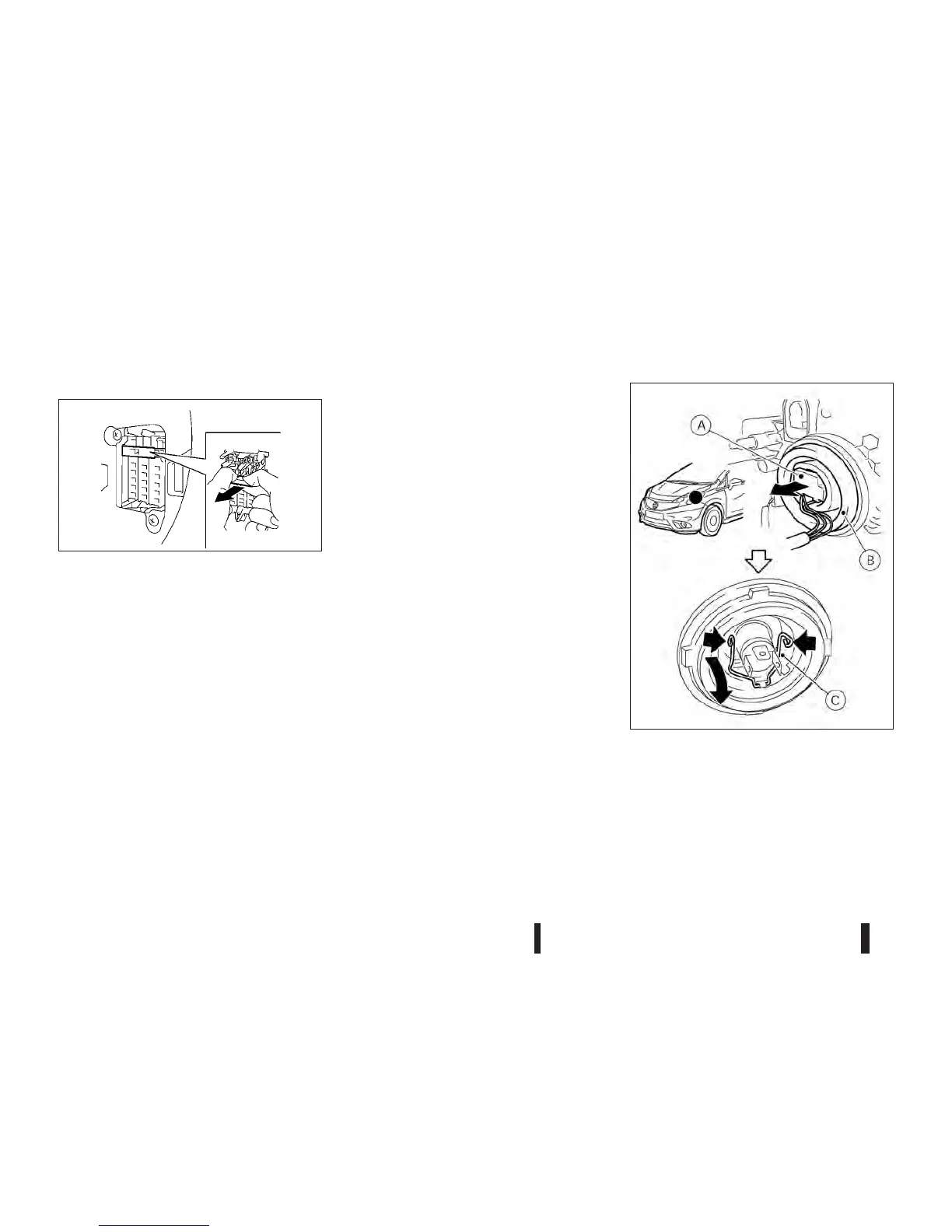
Extended storage switch (where fitted)
If any electrical equipment does not operate, re-
move the extended storage switch and check for an
open fuse.
NOTE
If the extended storage switch malfunctions, or if
the fuse is open, it is not necessary to replace
the switch. In this case, remove the extended
storage switch and replace it with a new fuse of
the same rating.
How to remove the extended storage switch:
1. To remove the extended storage switch, be sure
the ignition switch is in the “OFF” or “LOCK”
position.
2. Be sure the headlight switch is in the “OFF”
position.
3. Remove the fuse box cover.
4. Pinch the storage switch and pull it in the direc-
tion illustrated.
HEADLIGHTS
Fog may temporarily form inside the lens of the exte-
rior lights in the rain or in a car wash. A temperature
difference between the inside and the outside of the
lens causes the fog. This is not a malfunction. If
large drops of water collect inside the lens, contact
a NISSAN dealer or qualified workshop.
Replacing halogen headlight bulb
The halogen headlight is a semi-sealed beam type
which uses replaceable headlight (halogen) bulbs.
They can be replaced from inside the engine com-
partment without removing the headlight assembly.
1. Disconnect the battery negative cable.
2. Disconnect the electrical connector
jA from the
rear end of the bulb.
3. Pull off the rubber cap
jB.
4. Push and turn the retaining pin
jC to loosen it.
5. Remove the headlight bulb. Do not shake or ro-
tate the bulb when removing it.
SDI2705Z
NDI1371
LIGHTS
8-24 Maintenance and do-it-yourself



 To Next Page