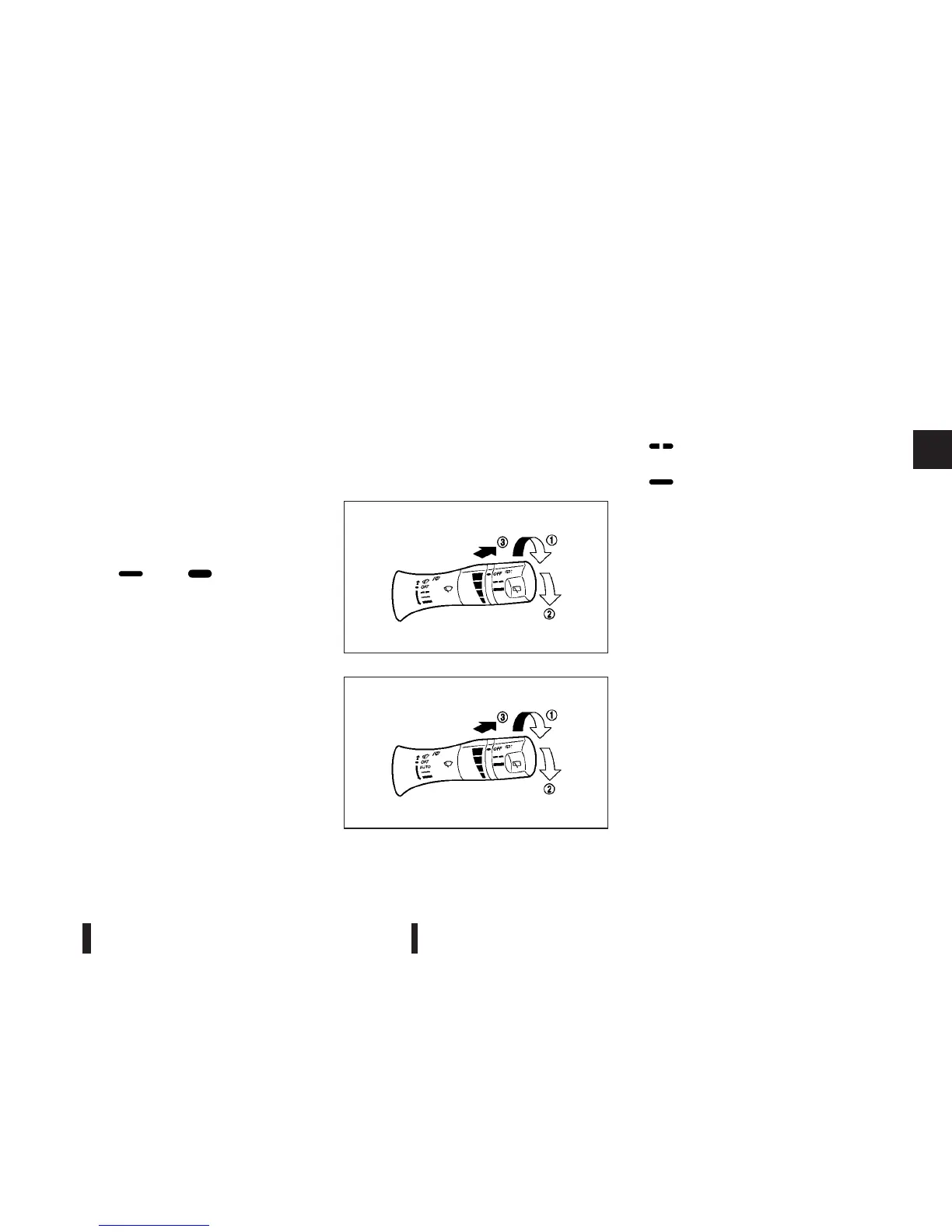
To set the rain-sensing auto wiper system, push the
lever down to the AUTO position
j1 . The wiper will
sweep once while the ignition switch is in the ON
position.
The rain sensor sensitivity level can be adjusted by
turning the knob toward the front
j2 (High) or to-
ward the rear
j3 (Low).
•
High — High sensitive operation
•
Low — Low sensitive operation
To turn the rain-sensing auto wiper system off, push
up the lever to the OFF position, or pull down the
lever to the
(LO) or (HI) position.
CAUTION
Do not touch the rain sensor and around it when
the wiper switch is in the AUTO position and the
ignition switch is in the ON position. The wipers
may operate unexpectedly and cause an injury or
wiper damage.
•
The rain-sensing auto wipers are intended for
use during rain. If the switch is left in the AUTO
position, the wipers may operate unexpect-
edly when dirt, fingerprints, oil film or insects
are stuck on or around the sensor. The wipers
may also operate when exhaust gas or mois-
ture affect the rain sensor.
•
When the windscreen glass is coated with wa-
ter repellent, the speed of the rain-sensing
auto wipers may be higher even though the
amount of the rainfall is small.
•
Be sure to turn off the rain-sensing auto wiper
system when you use a car wash.
•
The rain-sensing auto wipers may not operate
if rain does not hit the rain sensor even if it is
raining.
REAR WINDOW WIPER AND
WASHER OPERATION
The rear window wiper and washer operate when
the ignition switch is in the ON position.
Wiper operation
Turn the switch from the OFF position to operate
the wiper.
j1 (intermittent) — intermittent operation (not
adjustable)
j2 (low) — continuous low speed operation
Washer operation
Push the switch forward j3 to operate the washer.
Then the wiper will also operate several times.
SIC4025Z
Type A
SIC3910Z
Type B
Instruments and controls 2-25



 To Next Page