CAUTION
•
Do not leave the light switch on when the
engine is not running for extended periods of
time to prevent the battery from being dis-
charged.
•
Turn off the lights when you leave the vehicle.
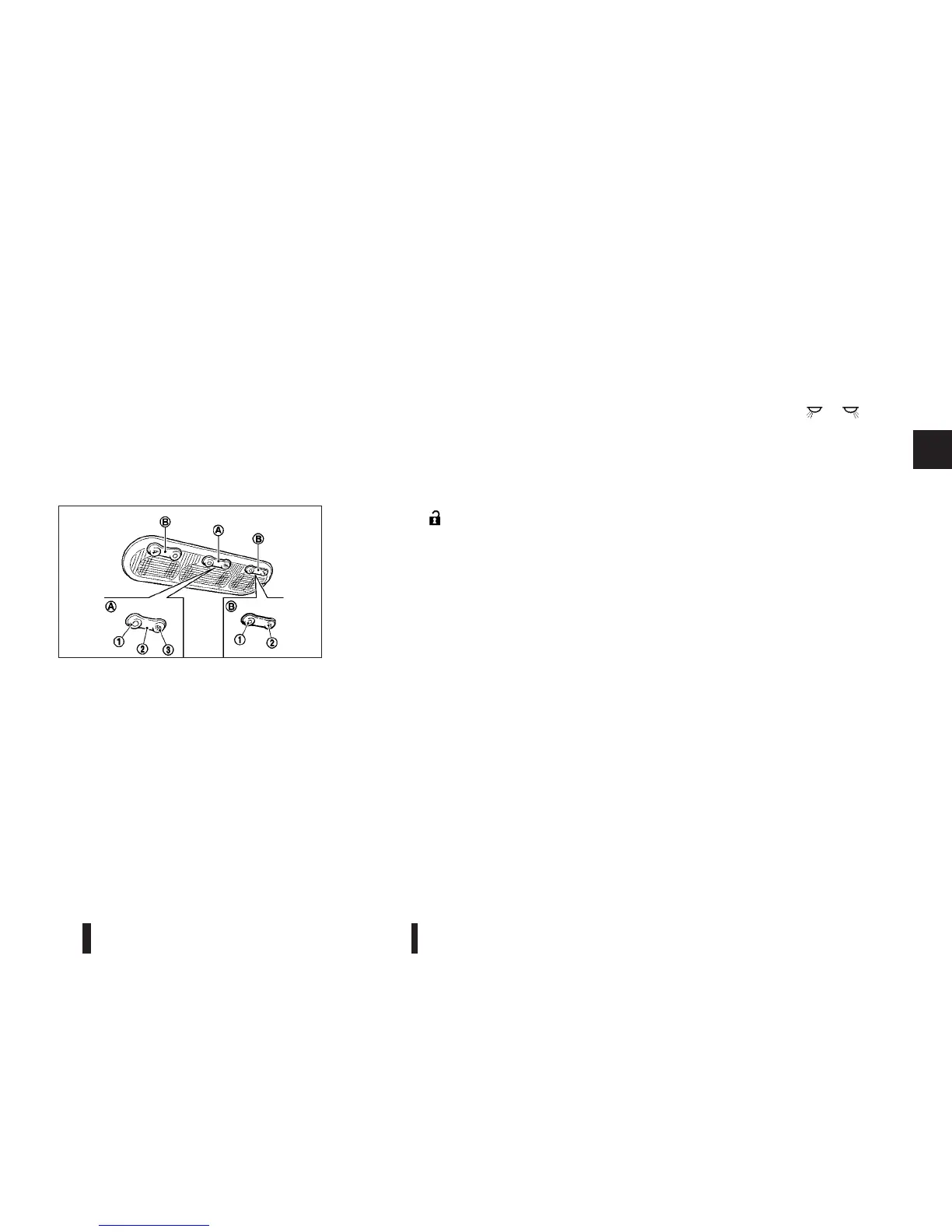
ROOM LIGHT
The room light jA has a three-position switch.
OFF position
When the switch is in the OFF position j1 , the
room light will not illuminate, regardless of the con-
dition.
Centre position (DOOR)
When the switch is in the DOOR position j2 , the
room light will illuminate under the following condi-
tions:
•
ignition switch is placed in the “OFF” position
– remain on for about 15 seconds.
•
doors are unlocked by pushing the
“UNLOCK”
button (on the keyfob or Intelli-
gent Key) or the request switch (models with
Intelligent Key) , with the ignition switch in the
“LOCK” position
– remain on for about 15 seconds.
•
any door is opened and then closed with the
ignition switch in the “LOCK” position
– remain on for about 15 seconds.
•
any door is opened with the ignition switch in the
“ACC” or “ON” position
– remain on while the door is opened. When
the door is closed, the light turns off.
The interior light will turn off when:
•
The doors are locked.
•
The ignition switch is turned to the ON position.
ON position
When the switch is in the ON position j3 , the room
light will illuminate.
MAP LIGHTS (where fitted)
To turn on a map light jB , push or of the
switch
j2 . To turn off, push the j1 of the switch.
Battery saver system
The interior light will automatically be switched off
after a period of time, if it has been left on. It will turn
on when a door is opened or closed. Be sure to
place the interior light switch in the centre or off
position.
JVI0022XZ
INTERIOR LIGHTS
Instruments and controls 2-35



 To Next Page