USING REMOTE KEYLESS ENTRY
SYSTEM
Locking doors
1. Remove the ignition key.
2. Close all doors.
3. Push the “LOCK”
button j1 on the inte-
grated keyfob.
4. All doors will be locked.
5. Operate door handles to confirm that the doors
have been securely locked.
CAUTION
After locking the doors using the integrated key-
fob, be sure that the doors have been securely
locked by operating the door handles.
Unlocking doors
1. Push the “UNLOCK” button on the inte-
grated keyfob.
2. All doors will be unlocked.
All doors will be locked automatically unless one of
the following operations is performed within 30 sec-
onds after pushing the “UNLOCK”
button.
•
Opening any doors.
•
Inserting the key into the ignition switch.
Selecting door unlock mode (where fitted):
When you first receive the vehicle, the door unlock
mode is set to unlock all the doors with one push of
the “UNLOCK”
button j2 . The door unlock
mode can be switched to the selective door unlock
mode, which unlocks the driver’s door at the first
push of the “UNLOCK”
button and the pas-
senger’s doors and the back door at the second
push of the “UNLOCK”
button j2.
Selective door unlock mode:
1. Push the “UNLOCK”
button j2 on the inte-
grated keyfob.
2. The driver’s door unlocks.
3. Push the “UNLOCK”
button j2 on the inte-
grated keyfob again.
4. All doors will be unlocked.
To switch to the selective door unlock mode, per-
form the following procedure.
Push the “LOCK”
and “UNLOCK” but-
tons simultaneously for more than 4 seconds.
Perform the same procedure to deactivate the se-
lective door unlock mode.
Hazard indicator operation
When you lock or unlock the doors, the hazard indi-
cator will flash as a confirmation.
– “LOCK”: The hazard indicator flashes once.
– “UNLOCK”: The hazard indicator flashes twice.
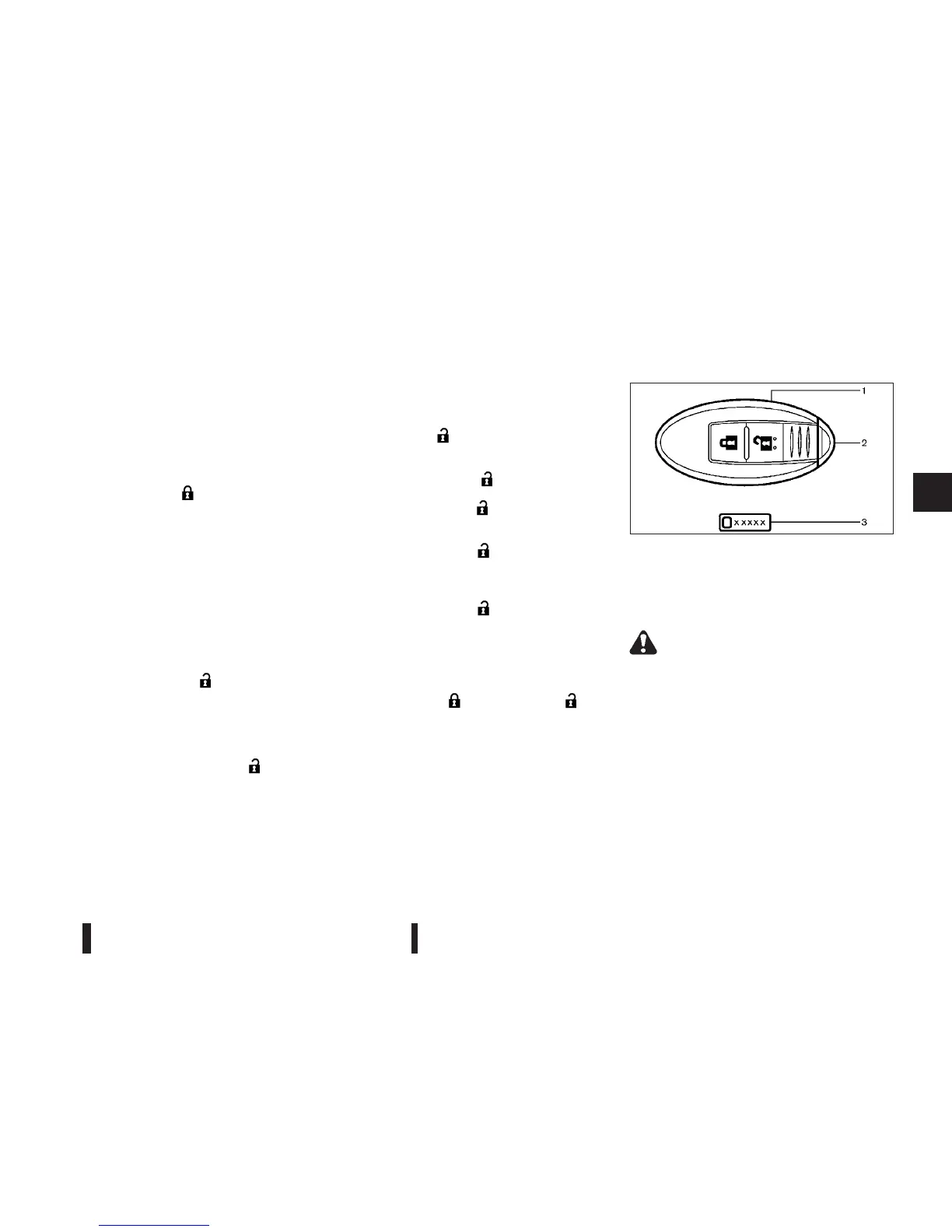
1.
Intelligent Key (2 sets)
2.
Mechanical key (inside the Intelligent Key)
(2 sets)
3.
Key number plate
WARNING
•
Radio waves could adversely affect electric
medical equipment. Those who use a pace-
maker should contact the electric medical
equipment manufacturer for the possible in-
fluences before use.
•
The Intelligent Key transmits radio waves
when the buttons are pushed. The radio
waves may affect aircraft navigation and com-
munication systems. Do not operate the Intel-
ligent Key while on an aeroplane. Make sure
the buttons are not operated unintentionally
when the unit is stored during a flight.
SPA2502Z
INTELLIGENT KEY SYSTEM
(where fitted)
Pre-driving checks and adjustments 3-7



 To Next Page