STC-40
< REMOVAL AND INSTALLATION >
EPS CONTROL UNIT
REMOVAL AND INSTALLATION
EPS CONTROL UNIT
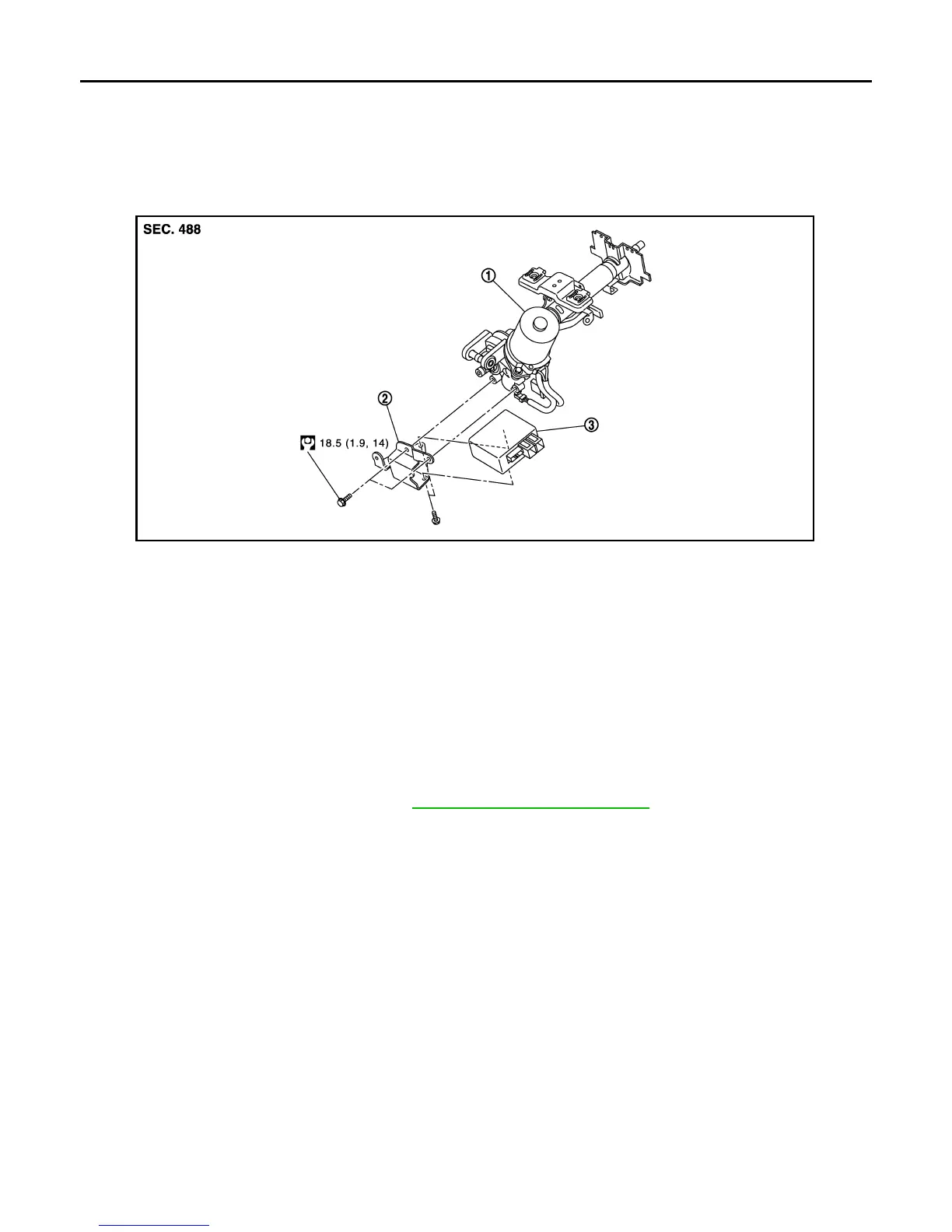
Exploded View INFOID:0000000007207906
Removal and Installation INFOID:0000000007207907
REMOVAL
1. Perform a CPU memory erase on the EPS with CONSULT before removal.
CAUTION:
• Disconnect battery negative terminal before continuing.
• Never shock EPS control unit, e.g. drop or hit.
• Never get EPS control unit wet with water or other liquid. Also, do not give EPS control unit a radical
temperature change to avoid getting water drops.
• Never disassemble or remodel EPS control unit, EPS motor, torque sensor, harness and connectors.
2. Remove instrument lower panel. Refer to IP-20, "Removal and Installation"
.
3. Disconnect EPS control unit connectors.
CAUTION:
Hold and pull the connector housing, do not pull on harness when disconnecting connectors.
Also, do not grip, collapse or apply excessive force to the connector.
4. Remove EPS control unit from steering column assembly.
5. Remove bracket from steering column assembly if necessary.
INSTALLATION
Installation is in the reverse order of removal.
• Check that harness is not damaged when installing EPS control unit. Also, check that EPS control unit is
installed without trapping harness on foreign materials.
• After installing steering column assembly, perform self-diagnosis with CONSULT to ensure correct opera-
tion.
1. Steering column assembly 2. Bracket 3. EPS control unit
JPGIB0004GB
Revision: March 2013 2012 Versa Sedan



 To Previous Page