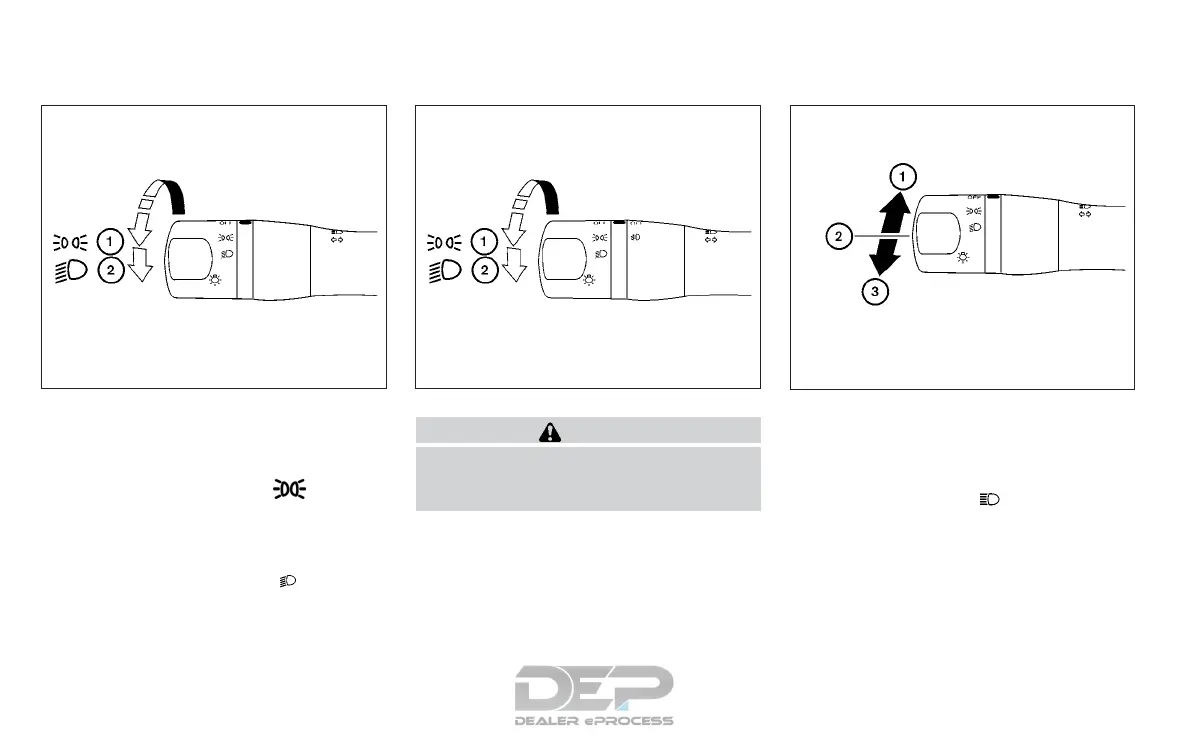
HEADLIGHT CONTROL SWITCH
Lighting
䊊
1
Rotate the switch to the position,
and the front parking, tail, license plate,
and instrument panel lights will come
on.
䊊
2
Rotate the switch to the position,
and the headlights will come on and all
the other lights remain on.
CAUTION
Use the headlights with the engine run-
ning to avoid discharging the vehicle
battery.
Headlight beam select
䊊
1
To select the high beam function, en-
gage the headlights, then push the le-
ver forward. The high beam lights
come on and the
indicator light
illuminates (blue). For additional infor-
mation, refer to “Headlight control
switch” in this section.
䊊
2
Pull the lever back to return to the low
beam.
Type A (if so equipped)
LIC2127
Type B (if so equipped)
WIC1509
LIC2128
HEADLIGHT AND TURN SIGNAL
SWITCH
2-28 Instruments and controls



 To Next Page