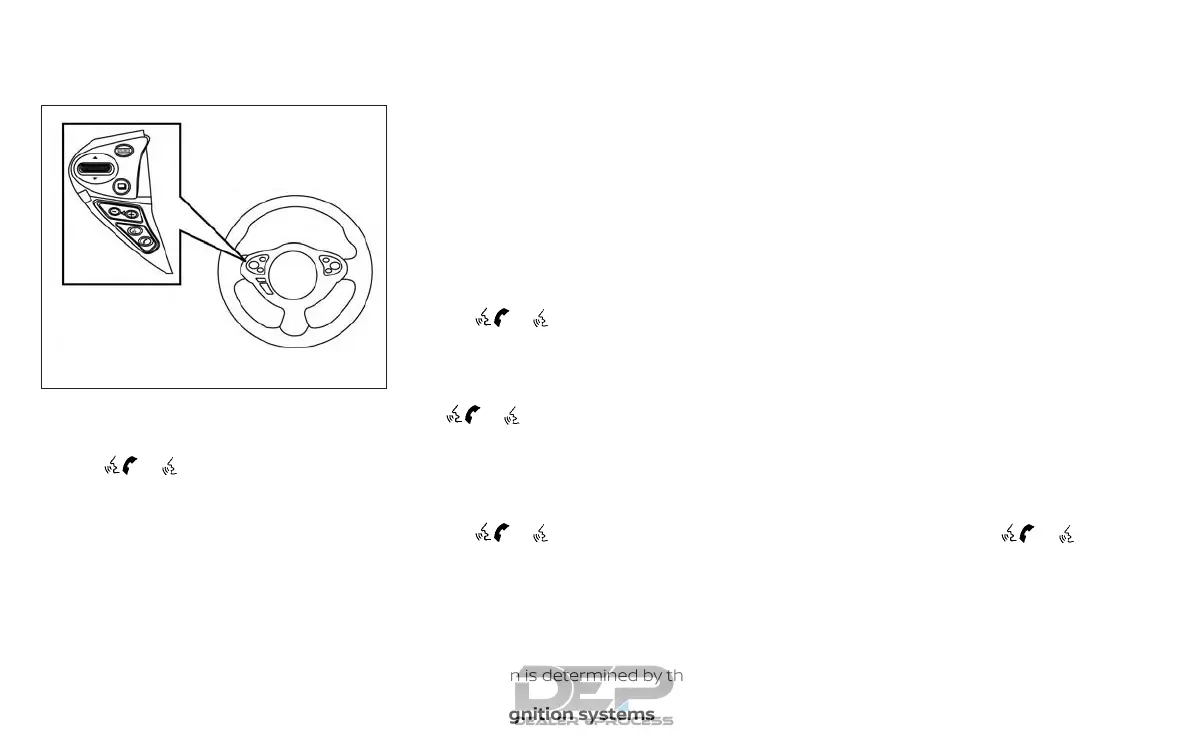
2. After the Bluetooth® connection is es-
tablished, push and hold
the
/ TALK switch to activate
the Siri Eyes Free function.
Models without navigation system
1. Connect a Siri Eyes Free enabled
iPhone® to the vehicle. For additional
information, refer to “Initialization” in
this section.
2. After the Bluetooth® connection is es-
tablished, the switch operation select
screen is displayed.
3. Select “Short Press” or “Long Press” for
Siri Eyes Free activation Switch action
can also be changed from the
Bluetooth® settings menu. For addi-
tional information, refer to “Changing
Siri Eyes Free Settings (models without
navigation system)” in this section.
OPERATING SIRI® EYES FREE
1. Push or push and hold
the
/ TALK switch.
2. Speak your command and then listen
to the Siri Eyes Free reply.
After starting Siri Eyes Free, push
the
/ TALK switch again within
5 seconds of the end of the Siri Eyes Free
announcement to extend the session.
Example 1 – Playing music
1. Push or push and hold
the
/ TALK switch.
2. Say “Play (artist name, song name,
etc.)”.
3. Your vehicle will automatically change
to Bluetooth® Audio or iPod® mode*
when the music starts playing. Mode
selection is determined by the phone.
* If the iPhone® is also connected with the
USB cable.
If the audio track does not start playing
automatically after Siri Eyes Free ends, try
changing the track or audio source to re-
sume playback.
NOTE:
For best results, use the native music
app. Performance of music control func-
tion while using Podcasts, Audiobook or
other 3rd party music apps may vary and
is controlled by the iPhone®.
Example2–Replying to text messages
1. If a compatible iPhone® is connected
and “Show Notifications” of the iPhone®
settings is enabled, the vehicle will dis-
play a notification for new incoming
text messages.
2. After reading the message, push or
push and hold the
/ TALK
switch to reply using Siri Eyes Free.
3. After a beep sounds, say “Text mes-
sage” or a similar command to reply
using Siri Eyes Free.
Type B (if so equipped)
LHA4309
4-78 Monitor, climate, audio, phone and voice recognition systems



 To Next Page