One Shot Call
To use the system faster, you may speak
the second level commands with the main
menu command on the main menu. For
example, press the
button and after
the tone say, “Call Redial”.
CONTROL BUTTONS
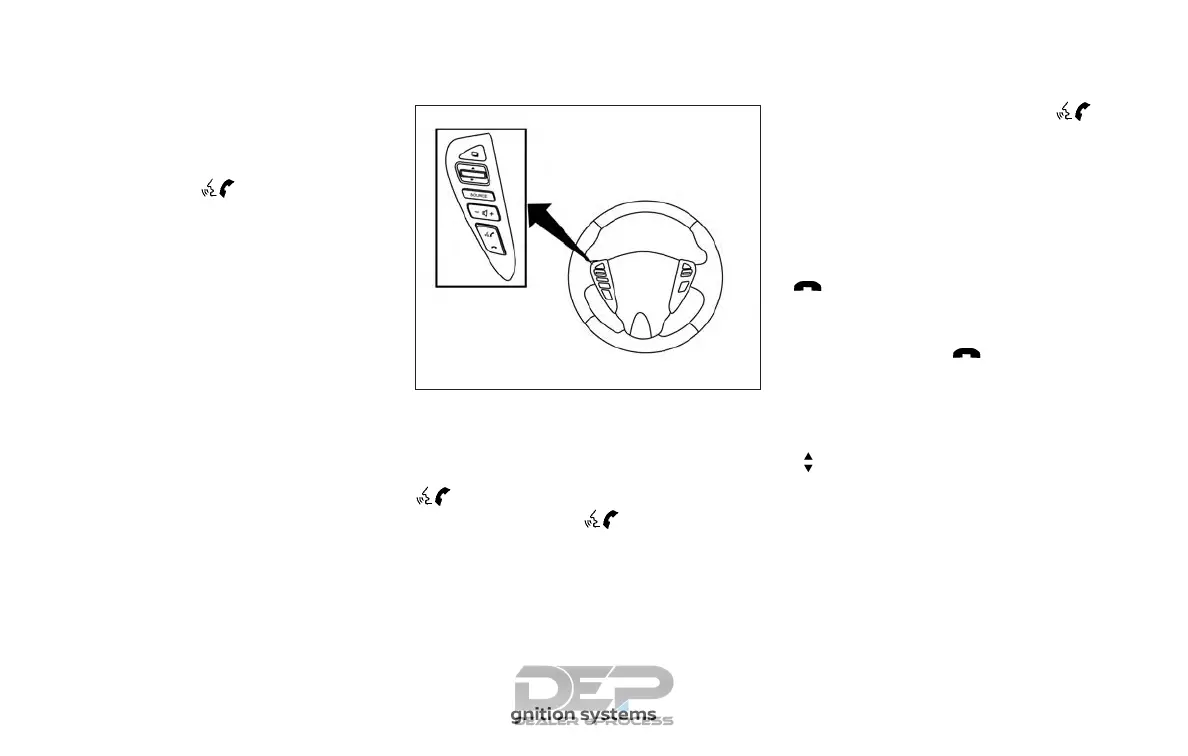
The control buttons for the Bluetooth®
Hands-Free Phone System are located on
the steering wheel.
PHONE/SEND
Press the
button to initi-
ate a Voice Recognition ses-
sion or answer an incoming
call.
You can also use the
button to interrupt the sys-
tem feedback and give a
command at once. For addi-
tional information, refer to
“List of voice commands” and
“During a call” in this section.
PHONE/END
While the Voice Recognition
system is active, press and
hold the
button for
5 seconds to quit the Voice
Recognition system at any
time.
Tuning switch
While using the Voice Recog-
nition system, tilt the tuning
switch up or down to manu-
ally control the phone system.
GETTING STARTED
The following procedures will help you get
started using the Bluetooth® Hands-Free
Phone System with NISSAN Voice Recogni-
tion. For additional information, refer to “List
of voice commands” in this section.
LHA2499
4-86 Monitor, climate, audio, phone and voice recognition systems



 To Next Page