∙ Call Back
Speak this command to call the sender
of the text message using the
Bluetooth® Hands-Free Phone System.
∙ Send Text
Speak this command to send a text
message response to the sender of the
text message.
∙ Read Text
Speak this command to read the text
message again.
∙ Previous Text
Speak this command to move to the
previous text message (if available).
∙ Next Text
Speak this command to move to the
next text message (if available).
Siri® Eyes Free (if so equipped)
If a connected phone is equipped with Siri®,
it can also be used to create custom mes-
sages that are sent through the phone. For
additional information, refer to “Siri® Eyes
Free” in this section.
NOTE:
Text messages are only displayed if the
vehicle speed is less than 5 mph
(8 km/h).
NOTE:
For Apple iPhones®, text messages can
only be sent through Siri®.
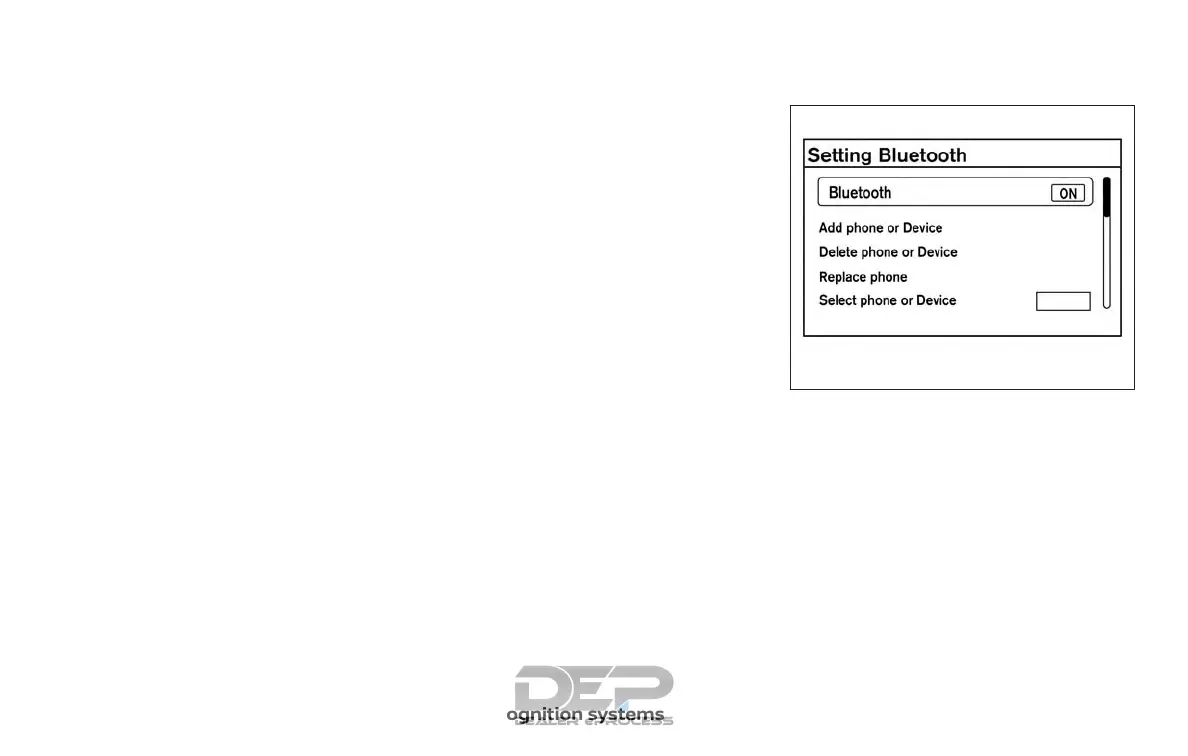
BLUETOOTH® SETTINGS
To access and adjust the settings for the
Bluetooth® Hands-Free Phone System:
1. Press the ENTER/SETTING button.
2. Use the TUNE/SCROLL knob to select
“Bluetooth” and then press the
ENTER/SETTING button:
∙ Bluetooth
Select “On” or “Off ” to turn the vehicle’s
Bluetooth® system on or off.
∙ Add Phone or Device
For additional information, refer to
“Connecting procedure” in this section.
LHA2274
4-106 Monitor, climate, audio, phone and voice recognition systems



 To Next Page