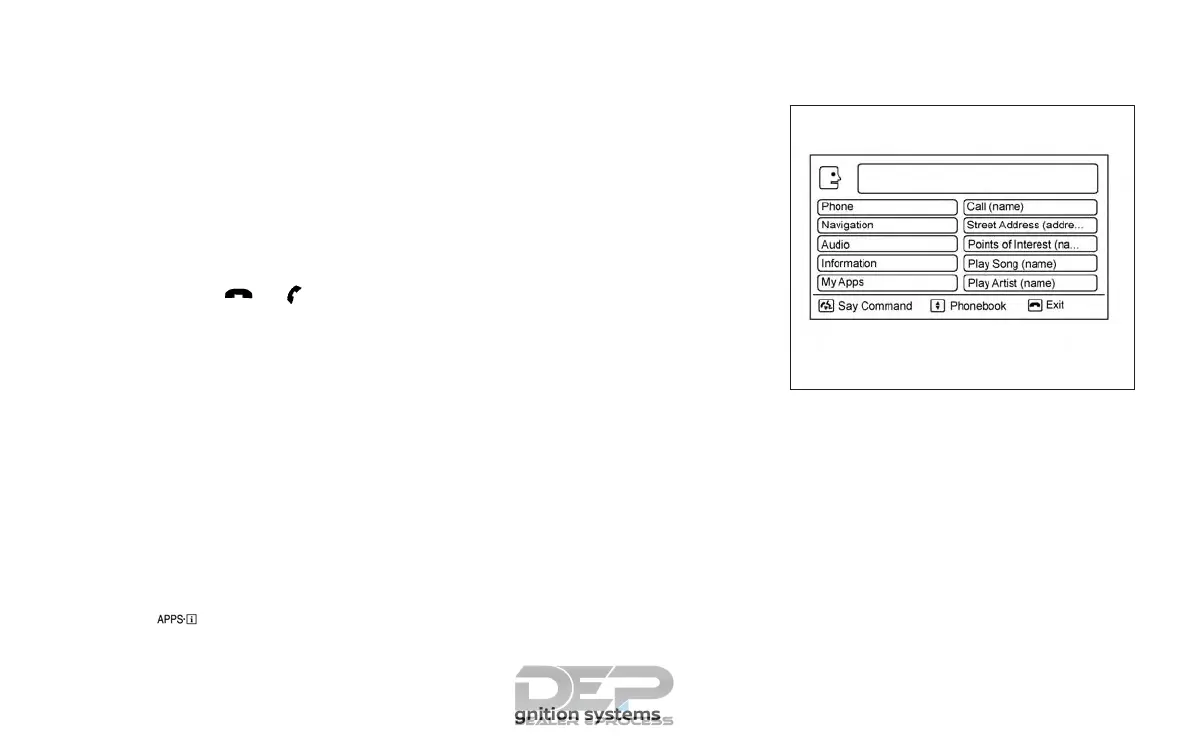
4. Voice and display feedback are pro-
vided when the command is accepted.
∙ If the command is not recognized, the
system announces: “Command not
recognized”. Repeat the command in a
clear voice.
∙ If you want to cancel the command or
go back to the previous menu of com-
mands, press the
/ button.
The system will announce: “Canceling
voice recognition” or “Go back” depend-
ing on the current menu level.
∙ Press the BACK button on the control
panel to move back through the menus
displayed on the screen.
∙ If you want to adjust the volume of the
voice feedback, use the volume control
switches on the steering wheel or the
volume knob on the control panel.
∙ The voice command screen can also be
accessed using the control panel dis-
play:
1. Press the [
] button.
2. Touch the “Voice Commands” key.
Operating tips
To get the best performance out of NISSAN
Voice Recognition, observe the following:
∙ Keep the interior of the vehicle as quiet
as possible. Close the windows to elimi-
nate the surrounding noises (traffic
noises, vibration sounds, etc.), which
may prevent the system from recogniz-
ing the voice commands correctly.
∙ Wait until a tone sounds before speak-
ing a command. Otherwise, the com-
mand will not be received properly.
∙ Start speaking a command within
3.5 seconds after the tone sounds.
∙ Speak in a natural voice without paus-
ing between words.
SYSTEM FEATURES
NISSAN Voice Recognition can activate the
following systems:
∙ Bluetooth® Hands-Free Phone System
∙ Navigation
∙ Audio
∙ Information
∙ My Apps
∙ Help
LHA2780
4-118 Monitor, climate, audio, phone and voice recognition systems



 To Next Page