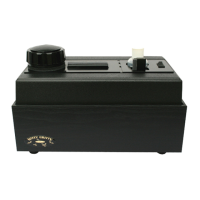
CONGRATULATIONS!
You have just purchased what may become
the single most important component for your
sound system! In joining the ranks of the Library
of Congress, the Smithsonian, the Kennedy
Library, not to mention countless schools,
libraries, record collectors and audiophiles
worldwide, you will now have the opportunity
to hear your records as they were meant to be
heard — sweet music without the surface noise
you thought you just had to endure. You will be
preserving your valuable record collection, as
well as extending the life of your stylus, in the
one brief minute it takes to clean a record. So,
bask in the reverie and swoon to the music,t’cuz
your records never had it so good!
– 1 –– 8 –
1. Remove the small fi ller cap from the fl uid tank, and fi ll the reservoir with PURE
2. (DO NOT TWIST THE LARGER “PUMP BUTTON”!)
2. Your Mini-Pro is equipped with an upper and lower suction slot. The upper
slot is mounted in the arm, which pivots horizontally to allow for positioning of
the record. Lift the arm slightly (from the end nearest the power switch) and
pivot it away from the lower slot. Spindle the record, inserting the edge of the
disc under the “lip” of the capstan rubber. (The capstan/drive shaft assembly
is spring-loaded and will fl ex away from the slot as you spindle the record.)
Return the arm to its original position and lower it to the record.
3. Feed the cleaning fl uid to the velvet-like VAC-SWEEP by pumping the larger
button up and down 20-25 times to prime the pump. (Once fl uid lines are primed,
only 8-12 “pumps” will be necessary to wet the VAC-SWEEP.) Cleaning fl uid
will now be injected onto both sides of the disc.
4. Turn on the drive (rotation) motor by pressing the 3-position switch away from
you (the record will rotate, but the vacuum will not come on). As the record
rotates 2–3 revolutions, hundreds of the Vac-Sweep’s fi bers will scrub the
grooves.
5. Once the fl uid application is complete, press down on the front edge of the
3-position switch. The vacuum will come on, and the record continues to rotate.
(NEVER PUMP FLUID WHEN VACUUM IS ON!) Fluid and debris will now
be drawn from deep within the grooves. Allow the record to rotate 5 revolutions,
to assure complete removal of the fl uid.
6. To empty waste fl uid, slide out tray located on the underside of the machine.
(Please see pages 2 and 3.)
INSTRUCTIONS FOR USE OF THE MINI-PRO 1 or 2
YOUR MINI-PRO SHOULD INCLUDE: 1 sixteen-ounce bottle of PURE 2™,
1 VAC-SWEEP™ Kit, 1 Capstan Kit, 1 waste fl uid tray, and 1 small whisk.
ACCESSORIES FOR YOUR SYSTEM: DC1-L soft vinyl dust cover, DC2-L
smoked acrylic dust cover, 3-way adapter for 7” and 10” records, and NITTY GRITTY
Professional Grade Record Sleeves.
Record Platter
3 postition
on/off Switch
Pump Button
DO NOT TWIST
Fluid Tank
Filler Cap
Upper Vacuum Arm
(Lift here)
Waste Fluid Tray


 To Next Page
 Loading...