
 Need help?
Do you have a question about the Nivian ONV510 and is the answer not in the manual?
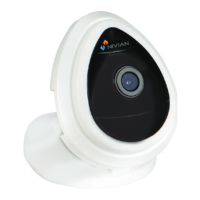
Identifies the product as a mini WiFi camera and details its components.
Describes different mounting options for the camera, including desktop, wall, and ceiling.
Explains the process of powering up the camera and its initial status indication.
Guides users on downloading the necessary iSmartViewPro application for camera configuration.
Details methods for adding the camera to the smartphone app via QR code or network search.
Provides instructions on how to modify the camera's password and reset it if forgotten.
Outlines the procedure for configuring the camera using the WPS/QSS feature on a router.
 General
| Connectivity | USB 2.0 |
|---|---|
| Max. resolution | 1920 x 1080 |
| Frame Rate | 30 fps |
| Lens Type | Fixed focus |
| Microphone | Built-in |
| Compatibility | Windows, macOS |
| Cable Length | 1.5 m |
| Resolution | 1920 x 1080 |

 To Next Page