P. 8
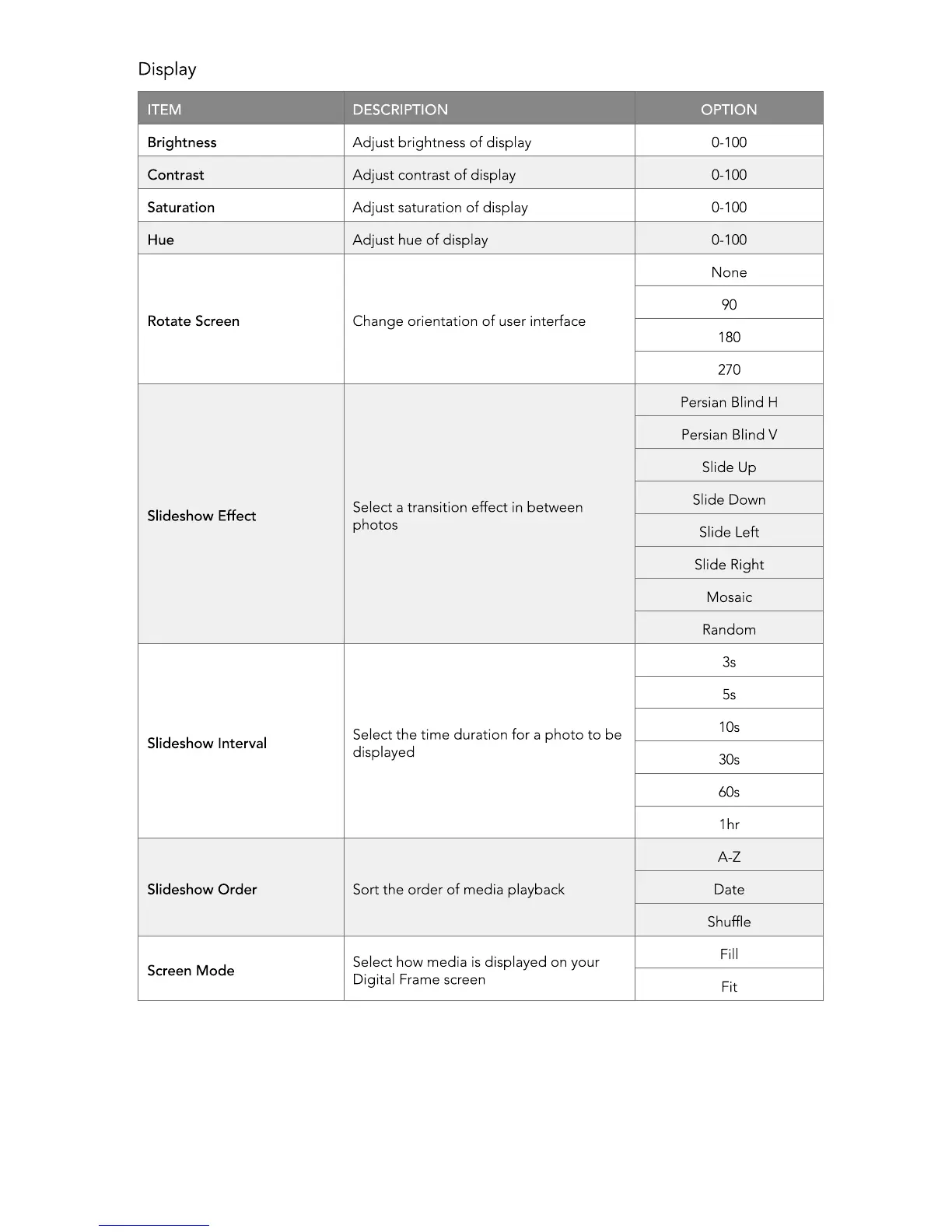
ITEM DESCRIPTION OPTION
Brightness Adjust brightness of display 0-100
Contrast Adjust contrast of display 0-100
Saturation Adjust saturation of display 0-100
Hue Adjust hue of display 0-100
Rotate Screen Change orientation of user interface
None
90
180
270
Slideshow Effect
Select a transition effect in between
photos
Persian Blind H
Persian Blind V
Slide Up
Slide Down
Slide Left
Slide Right
Mosaic
Random
Slideshow Interval
Select the time duration for a photo to be
displayed
3s
5s
10s
30s
60s
1hr
Slideshow Order Sort the order of media playback
A-Z
Date
Shufe
Screen Mode
Select how media is displayed on your
Digital Frame screen
Fill
Fit



 To Next Page