noahome.com
Note: Please make sure that there are no obstacles
while operating the desk. All wires must be long
enough to allow the upward / downward movement
of the desk.
Suggestions: Please set position 1 as the most
comfortable height when sitting down. Set
position 2 as the most comfortable height when
standing.
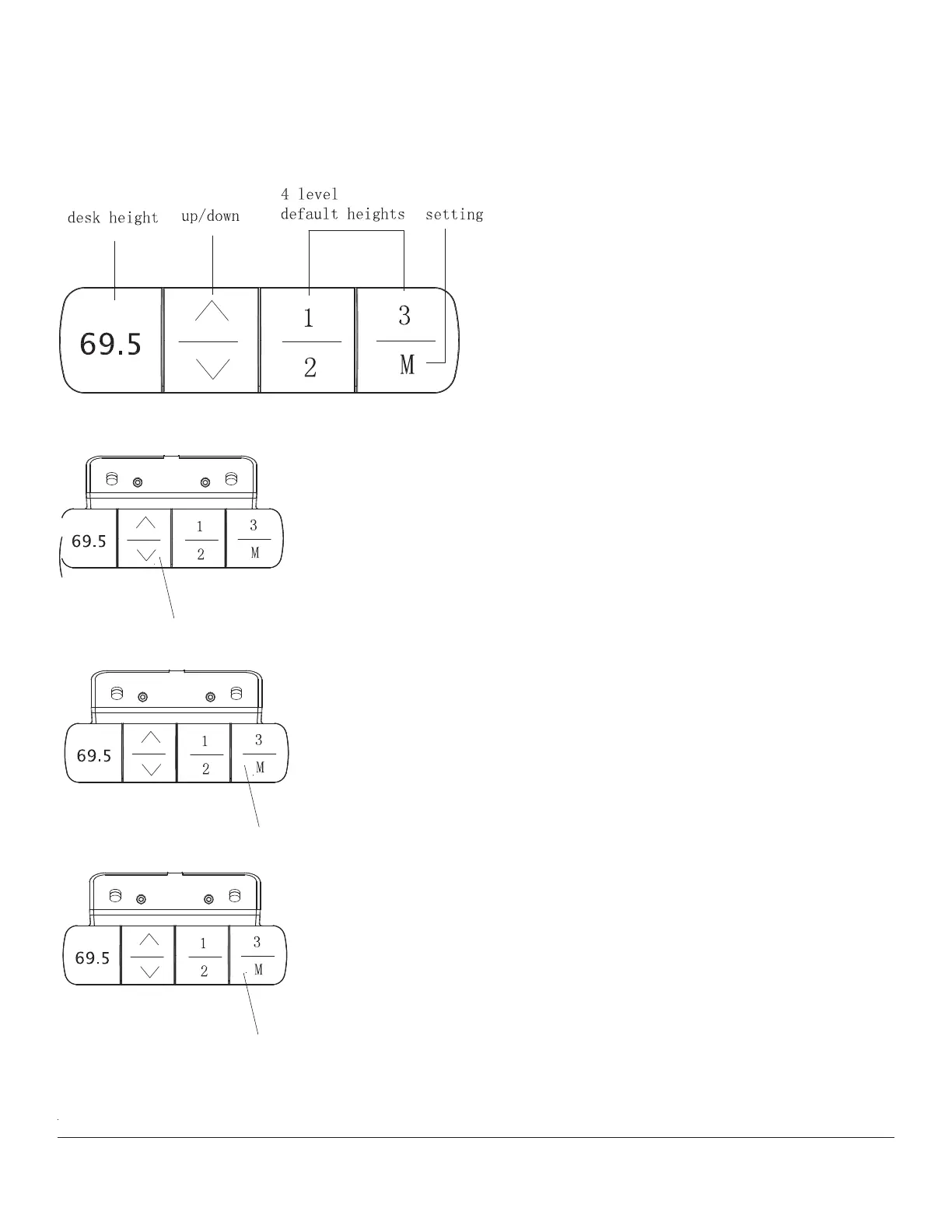
Reset / error: In the event of an error, the controller
will display E07-E09. Long press the downward
arrow for 5 seconds until the RST is displayed.
Release the button and the controller will be
reset.
Set upper limit position: Press the M button until
the digital display shows “S”. Release the button.
Press the up button. The digital display will flash
once; release the button. Press the M button for
2 seconds until the display shows “999”. The upper
limit position has been set.
Set lower limit position: Press the M button until
the digital display shows “S”. Release the button.
Press the down button. The digital display will flash
once; release the button. Press the M button for
2 seconds until the display shows “000”. The upper
limit position has been set.
Long press for 5 seconds
Long press for 2 seconds
Long press for 2 seconds



 To Next Page
 Loading...