Battery information
15
Copyright © 2007 Nokia. All rights reserved.
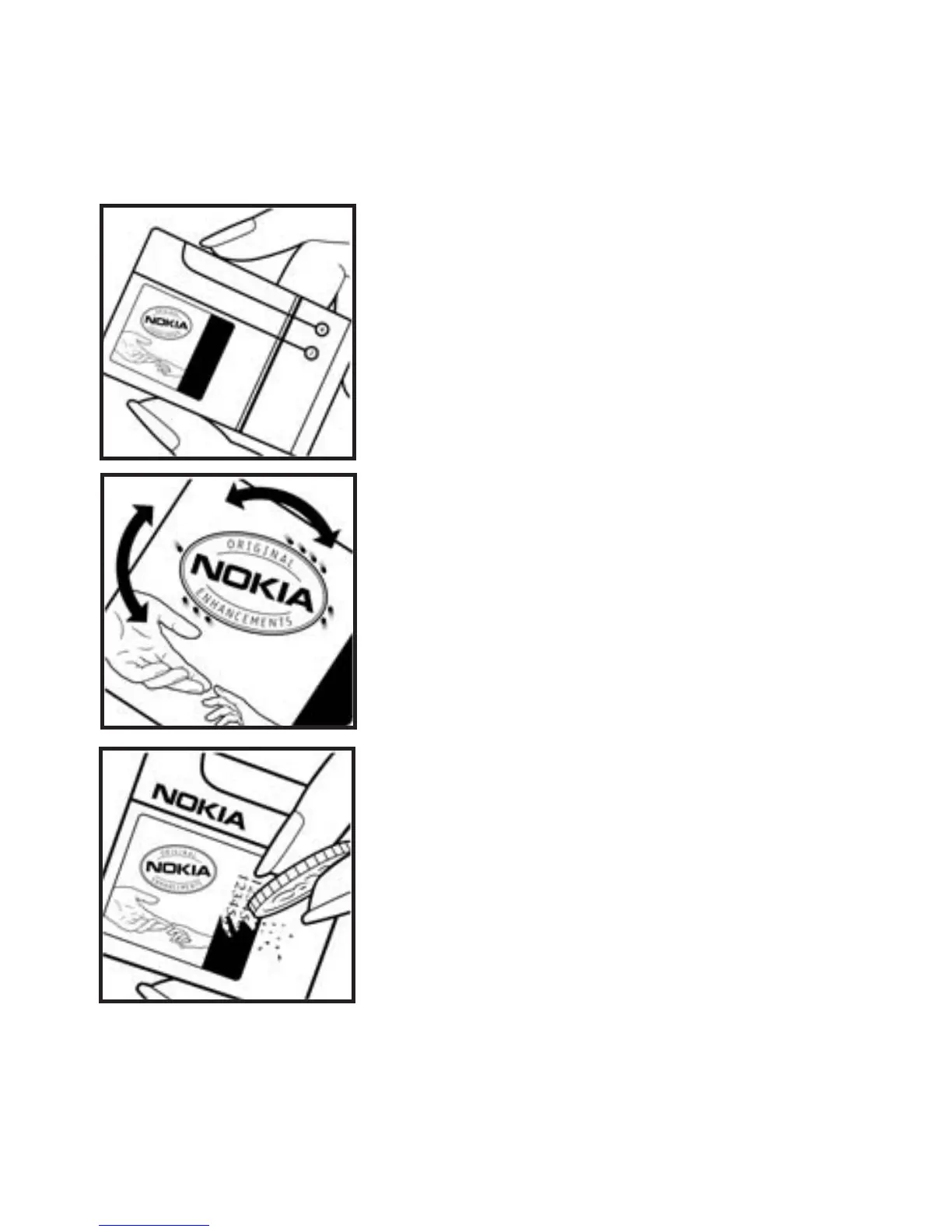
Authenticate hologram
1. When looking at the hologram on
the label, you should see the Nokia
connecting hands symbol from one
angle and the Nokia Original
Enhancements logo when looking
from another angle.
2. When you angle the hologram left,
right, down, and up, you should see 1,
2, 3, and 4 dots on each side
respectively.
3. Scratch the side of the label
to reveal a 20-digit code, for example,
12345678919876543210. Turn the
battery so that the numbers are facing
upwards. The 20-digit code reads
starting from the number at the top
row followed by the bottom row.



 To Next Page