Need help?
Do you have a question about the Nokia 8000FTA and is the answer not in the manual?
Declaration of conformity for the product under EU directives and regulations.
Information regarding app availability and performance based on internet connection.
Details on data collection and usage by application providers and services.
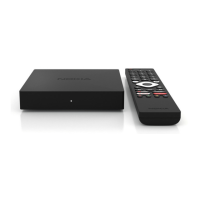
Description of the physical layout of the front panel of the streaming box.
Description of the physical layout of the rear panel of the streaming box.
Detailed explanation of the remote control buttons and their functions.
List of all items included in the product packaging.
Illustrated guide for setting up the streaming box, including connections and initial configuration.
Instructions on how to pair the remote control with the streaming box.
Guide for the initial setup process after pairing the remote control.
Instructions for connecting the streaming box to the internet via Ethernet or Wi-Fi.
Steps for downloading and installing apps from the Google Play Store.
Guide for connecting audio and input devices via Bluetooth.
Instructions for casting videos and music from other devices using Chromecast.
Explanation of how to use the 'Hey Google' function for voice control.
How to watch live TV channels using IP TV applications.
Steps for playing media files from an external USB drive.
Information on how to check for and perform software updates.
Overview of the streaming box's capabilities and Android TV features.
Clarification on whether a smart TV is required for the streaming box to function.
Information on the necessary connections for operating the streaming box.
Guidance on connecting the streaming box to TVs without HDMI ports.
Troubleshooting steps for no signal issues when using an HDMI connection.
Reasons and solutions for the TV not displaying pictures in 4K UHD resolution.
Information on the pre-installed applications available on the Nokia Streaming Box.
Explanation of the necessity and benefits of a Google Account for the streaming box.
Instructions on how to download and install applications from Google Play Store.
Guidance on accessing and entering your Google Account details in the settings.
Details on internet connection requirements for optimal performance of the streaming box.
Instructions on how to connect various Bluetooth devices to the streaming box.
How to use the Google Assistant feature for searching and controlling the device.
Steps to resolve issues with Google Assistant or re-pairing the remote control.
Steps for playing media files from an external USB drive using a multimedia player app.
Information on what the USB-C connector on the rear panel can be used for.
How to check for and perform software updates for the streaming box.


 To Next Page
 General