Need help?
Do you have a question about the Nokia TA-1159 and is the answer not in the manual?
This document describes the Nokia X, a mobile device designed for communication, media consumption, and various smart functionalities. It emphasizes user-friendliness, safety, and proper maintenance.
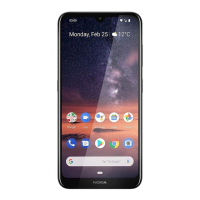
The Nokia X is a smartphone equipped with a range of features to facilitate daily tasks. It includes a front camera and an earpiece for calls and video communication, along with a rear camera and flash for photography. For audio output, a loudspeaker is integrated, and a headset connector allows for private listening. Input methods include a microphone for voice commands and calls, and physical volume and power/lock keys for device control. Some models also feature a fingerprint sensor for enhanced security.
The device supports dual SIM functionality, allowing users to manage two different phone numbers or network subscriptions simultaneously. It also includes a memory card slot for expanding storage, enabling users to store more photos, videos, and applications. Charging and data transfer are handled via a USB connector, with support for both micro-B and USB-C cables depending on the model.
To begin using the Nokia X, users must insert a nano-SIM card into slot 1 of the tray. If a second SIM is desired, it can be placed in slot 2. A memory card can also be inserted into its dedicated slot to increase storage capacity. It is crucial to use only original nano-SIM cards and compatible memory cards to prevent damage to the device or data corruption. Users are advised against removing the memory card while an app is actively using it, as this can lead to data loss or card damage. While both SIM cards are available when the device is idle, only one SIM can be active during a call, making the other temporarily unavailable. For dual SIM devices, both SIM1 and SIM2 slots support 4G networks. However, if both are LTE SIM cards, the primary SIM supports 4G/3G/2G, while the secondary SIM supports only 3G/2G. Users should contact their service provider for more information on their SIM card capabilities.
To power on the Nokia X, the battery must be charged. This is done by plugging a compatible charger into a wall outlet and connecting the cable to the device's USB port. The device supports USB micro-B cables, and some models may support USB-C. While charging from a computer via a USB cable is possible, it may take longer. If the battery is completely discharged, it might take a few minutes for the charging indicator to appear. Once charged, users can switch on the phone by pressing and holding the power key until the device vibrates. The phone then guides the user through the initial setup process.
The Nokia X operates on various GSM, WCDMA, and LTE networks. For optimal performance, it is important to ensure that the network service provider supports 4G/LTE. In situations where full 4G/LTE service is unavailable, such as when traveling, users may need to adjust the preferred network type to 3G to ensure call, message, and mobile data functionality. This can be done through the device's settings under "Network & Internet" and "Mobile network."
The device includes a dedicated key for Google Assistant or Google Search, depending on regional availability and language settings. This feature allows users to quickly access voice commands, information, and various smart functionalities.
The Nokia X is designed with user safety in mind, adhering to international guidelines for exposure to radio waves. Users are encouraged to read the "Product and safety info" booklet for detailed information on safe device and battery usage. The device's internal battery is non-removable and rechargeable, and any battery replacement should be performed by an authorized service facility to prevent device damage. The device's surface is nickel-free, and some parts are magnetic, so users should avoid placing credit cards or other magnetic stripe cards near the device for extended periods to prevent damage.
When using the camera flash, it is important to maintain a safe distance and avoid using it on people or animals at close range. The flash should not be covered while taking a photo.
Users should be aware that pre-installed system software and applications consume a significant portion of the device's internal memory. Regular management of installed apps and files can help optimize performance.
It is recommended to use only chargers and accessories approved by HMD Global for this device. Using incompatible accessories may damage the device or affect its performance. Charging times can vary depending on device capability and the specific charger used.
For an online user guide and troubleshooting assistance, users can visit www.nokia.com/mobile-support. This resource provides comprehensive information and solutions to common issues, helping users maintain their device effectively.
The Nokia X complies with various regulatory standards, including the EU Declaration of Conformity and FCC rules. This ensures that the device operates within established safety and performance limits. Users should be aware of the device's SAR (Specific Absorption Rate) values, which indicate the maximum level of radiofrequency energy absorbed by the body. The device is designed to meet these limits, and information on SAR values can be found in the "SAR Certification information" section of the manual and on relevant regulatory websites. To minimize exposure, users can limit usage or use a hands-free kit.
The device is designed to minimize interference with radio and television reception. If interference occurs, users can try reorienting the receiving antenna, increasing the separation between the equipment and receiver, or connecting the equipment to a different circuit. Consulting a dealer or an experienced technician can also provide assistance.
 General
| Brand | Nokia |
|---|---|
| Model | TA-1159 |
| Category | Cell Phone |
| Language | English |

 To Next Page