Copyright Alead Inc
info@aleadinc.com http://www.aleadinc.com
-------- LiveMIC with iOS
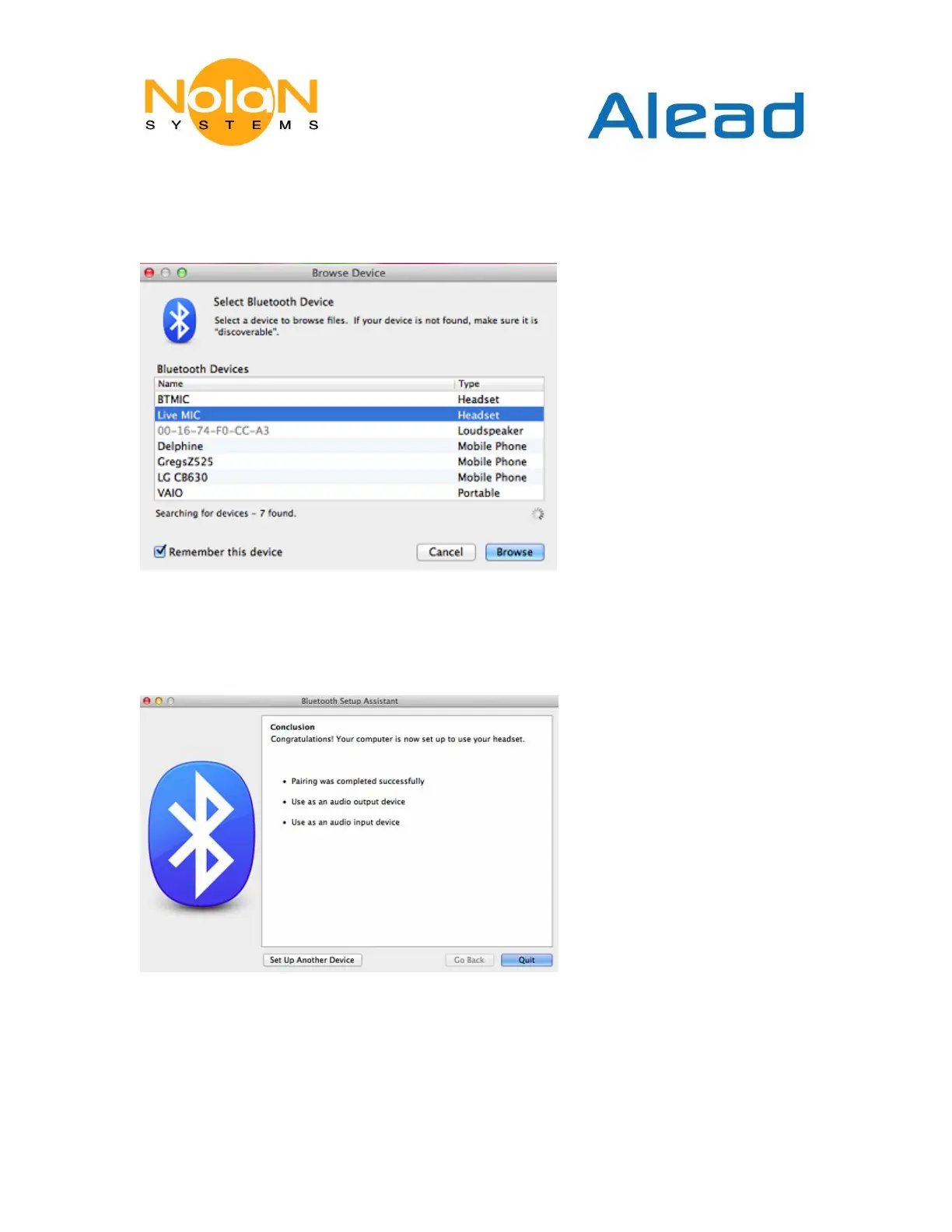
1. Click Bluetooth icon with Browse Device
2. Select LiveMIC (Please be sure LiveMIC is at pairing status with blue and amber light
flashing alternatively)
3. Pair and connect LiveMIC (The blue light of LiveMIC become slow flashing after paired
and connected)
4. Go to Sound icon to choice LiveMIC as your default audio input device



 To Next Page